概述
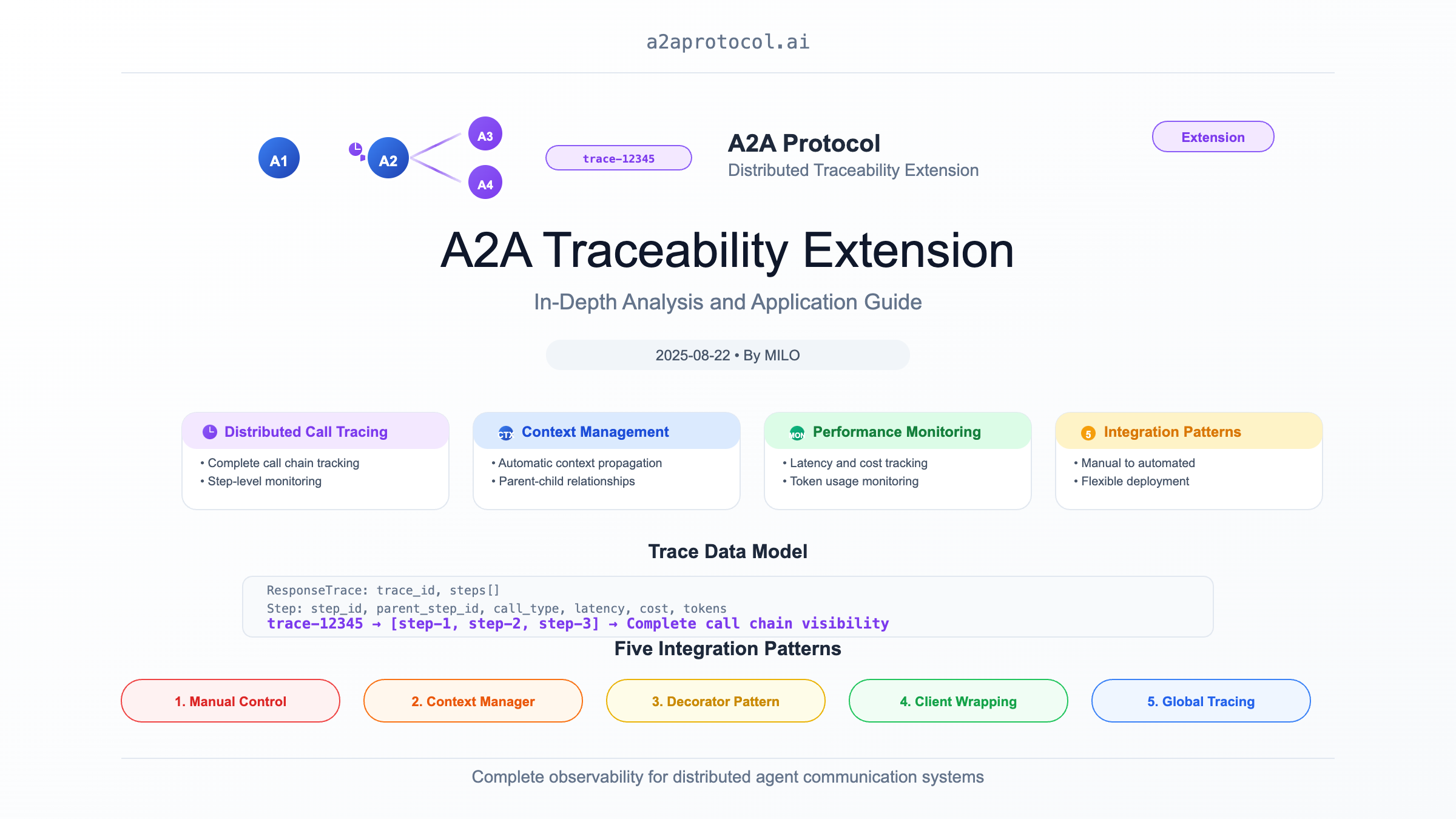
A2A(Agent2Agent)可追溯性扩展是一个强大的分布式追踪系统,专门为 A2A 框架中的代理间通信提供完整的调用链追踪功能。该扩展实现了类似于分布式追踪系统(如 Jaeger、Zipkin)的功能,但专门针对多代理系统的特殊需求进行了优化。
核心功能
1. 分布式调用追踪
- 完整调用链:记录代理间的完整调用路径和依赖关系
- 步骤级监控:追踪每个操作步骤的详细信息
- 嵌套追踪:支持复杂的嵌套调用和递归场景
- 性能监控:收集延迟、成本、令牌使用等关键指标
2. 智能上下文管理
- 自动上下文传播:在代理调用链中自动传递追踪上下文
- 父子关系维护:准确记录调用的层次结构
- 错误传播:跟踪错误在调用链中的传播路径
3. 多样化的集成方式
- 上下文管理器:通过
TraceStep简化追踪代码编写 - 装饰器模式:提供透明的追踪功能集成
- 手动控制:完全的追踪生命周期控制
设计原理
架构模式
该扩展采用了现代分布式追踪系统的核心设计模式:
-
分层追踪模型:
- Trace(追踪):代表一个完整的业务操作
- Step(步骤):追踪中的单个操作单元
- Context(上下文):在调用链中传递的追踪信息
-
观察者模式:通过上下文管理器自动收集追踪数据
-
策略模式:支持不同的追踪策略和配置
数据模型
ResponseTrace(响应追踪)
class ResponseTrace:
    trace_id: str          # 唯一追踪标识符
    steps: List[Step]      # 追踪步骤列表
Step(追踪步骤)
class Step:
    step_id: str           # 步骤唯一标识符
    trace_id: str          # 所属追踪ID
    parent_step_id: str    # 父步骤ID
    call_type: CallTypeEnum # 调用类型(AGENT/TOOL/HOST)
    start_time: datetime   # 开始时间
    end_time: datetime     # 结束时间
    latency: int          # 延迟(毫秒)
    cost: float           # 操作成本
    total_tokens: int     # 令牌使用量
    error: Any            # 错误信息
解决的核心问题
1. 多代理系统的可观测性
在复杂的多代理系统中,一个用户请求可能触发多个代理的协作:
用户请求 -> 协调代理 -> 数据代理 -> 分析代理 -> 决策代理 -> 执行代理
没有追踪的问题:
- 无法了解请求在系统中的完整流转路径
- 难以定位性能瓶颈和故障点
- 缺乏端到端的性能监控
- 无法进行有效的系统优化
2. 代理调用的成本和性能监控
现代 AI 代理通常涉及昂贵的 LLM 调用:
# 没有追踪,无法回答:
# - 这次对话总共花费了多少?
# - 哪个代理消耗了最多的令牌?
# - 性能瓶颈在哪里?
user_query -> agent_a -> llm_call(cost=$0.05, tokens=1000)
           -> agent_b -> llm_call(cost=$0.08, tokens=1500)
           -> agent_c -> tool_call(latency=2000ms)
3. 错误传播和故障诊断
当代理链中某个环节出错时,需要快速定位问题:
# 有了追踪,可以清晰地看到:
Trace ID: trace-12345
├── Step 1: UserQuery (success, 10ms)
├── Step 2: DataAgent (success, 200ms, $0.05)
├── Step 3: AnalysisAgent (failed, 1500ms, error: "API timeout")
└── Step 4: DecisionAgent (skipped due to upstream failure)
4. 业务流程优化
通过追踪数据分析业务流程效率:
# 分析追踪数据发现:
# - 80% 的延迟来自数据代理的数据库查询
# - 分析代理的并行处理可以减少 50% 的总时间
# - 某些工具调用可以缓存以减少成本
技术实现详解
1. 上下文管理器模式
class TraceStep:
    """上下文管理器,自动管理追踪步骤的生命周期"""

    def __enter__(self) -> TraceRecord:
        # 开始追踪,记录开始时间
        return self.step

    def __exit__(self, exc_type, exc_val, exc_tb):
        # 结束追踪,记录结束时间和错误信息
        self.step.end_step(error=error_msg)
        if self.response_trace:
            self.response_trace.add_step(self.step)
使用示例:
with TraceStep(trace, CallTypeEnum.AGENT, name="数据查询") as step:
    result = await data_agent.query(params)
    step.end_step(cost=0.05, total_tokens=1000)
2. 自动化追踪集成
# 透明集成,无需修改业务代码
original_client = AgentClient()
traced_client = ext.wrap_client(original_client)

# 所有通过 traced_client 的调用都会自动被追踪
response = await traced_client.call_agent(request)
3. 扩展激活机制
追踪通过 HTTP 头部激活:
X-A2A-Extensions: https://github.com/a2aproject/a2a-samples/extensions/traceability/v1
五种集成模式
模式一:完全手动控制
开发者完全控制追踪的创建和管理:
ext = TraceabilityExtension()
trace = ResponseTrace()
step = TraceRecord(CallTypeEnum.AGENT, name="用户查询")
# ... 业务逻辑 ...
step.end_step(cost=0.1, total_tokens=500)
trace.add_step(step)
适用场景:需要精确控制追踪粒度和内容的高级场景
模式二:上下文管理器
使用上下文管理器简化追踪代码:
with TraceStep(trace, CallTypeEnum.TOOL, name="数据库查询") as step:
    result = database.query(sql)
    step.end_step(cost=0.02, additional_attributes={"rows": len(result)})
适用场景:需要在特定代码块中进行精确追踪
模式三:装饰器自动化
通过装饰器实现透明追踪:
@trace_agent_call
async def process_request(request):
    # 所有代理调用自动被追踪
    return await some_agent.process(request)
适用场景:希望最小化代码修改的场景
模式四:客户端包装
包装现有客户端添加追踪功能:
traced_client = ext.wrap_client(original_client)
# 所有调用自动包含追踪信息
适用场景:现有系统的无侵入式集成
模式五:全局追踪
在执行器级别启用全局追踪:
traced_executor = ext.wrap_executor(original_executor)
# 所有通过执行器的操作都被追踪
适用场景:需要全系统追踪覆盖的生产环境
实际应用场景
1. 智能客服系统追踪
# 完整的客服处理流程追踪
with TraceStep(trace, CallTypeEnum.AGENT, "客服处理") as main_step:

    # 意图识别
    with TraceStep(trace, CallTypeEnum.AGENT, "意图识别", parent_step_id=main_step.step_id) as intent_step:
        intent = await intent_agent.classify(user_message)
        intent_step.end_step(cost=0.02, total_tokens=200)

    # 知识检索
    with TraceStep(trace, CallTypeEnum.TOOL, "知识检索", parent_step_id=main_step.step_id) as kb_step:
        knowledge = await knowledge_base.search(intent)
        kb_step.end_step(latency=150, additional_attributes={"results": len(knowledge)})

    # 回复生成
    with TraceStep(trace, CallTypeEnum.AGENT, "回复生成", parent_step_id=main_step.step_id) as gen_step:
        response = await response_agent.generate(intent, knowledge)
        gen_step.end_step(cost=0.08, total_tokens=800)

    main_step.end_step(cost=0.10, total_tokens=1000)
2. 金融风控系统监控
# 风控决策的完整追踪链
trace = ResponseTrace("风控决策-" + transaction_id)

with TraceStep(trace, CallTypeEnum.AGENT, "风控评估") as risk_step:

    # 用户画像分析
    with TraceStep(trace, CallTypeEnum.AGENT, "用户画像") as profile_step:
        user_profile = await profile_agent.analyze(user_id)
        profile_step.end_step(cost=0.05, additional_attributes={"risk_score": user_profile.risk})

    # 交易模式分析
    with TraceStep(trace, CallTypeEnum.AGENT, "交易分析") as pattern_step:
        pattern_analysis = await pattern_agent.analyze(transaction)
        pattern_step.end_step(cost=0.03, additional_attributes={"anomaly_score": pattern_analysis.anomaly})

    # 最终决策
    decision = risk_engine.decide(user_profile, pattern_analysis)
    risk_step.end_step(
        cost=0.08,
        additional_attributes={
            "decision": decision.action,
            "confidence": decision.confidence
        }
    )
性能监控和分析
追踪数据分析
def analyze_trace_performance(trace: ResponseTrace):
    """分析追踪性能数据"""

    total_cost = sum(step.cost or 0 for step in trace.steps)
    total_tokens = sum(step.total_tokens or 0 for step in trace.steps)
    total_latency = max(step.end_time for step in trace.steps) - min(step.start_time for step in trace.steps)

    # 识别性能瓶颈
    bottleneck = max(trace.steps, key=lambda s: s.latency or 0)

    # 成本分析
    cost_by_type = defaultdict(float)
    for step in trace.steps:
        cost_by_type[step.call_type] += step.cost or 0

    return {
        "总成本": total_cost,
        "总令牌": total_tokens,
        "总延迟": total_latency.total_seconds() * 1000,
        "性能瓶颈": f"{bottleneck.name} ({bottleneck.latency}ms)",
        "成本分布": dict(cost_by_type)
    }
实时监控仪表板
class TracingDashboard:
    """实时追踪监控仪表板"""

    def __init__(self):
        self.active_traces = {}
        self.completed_traces = []

    def update_trace(self, trace: ResponseTrace):
        """更新追踪状态"""
        self.active_traces[trace.trace_id] = trace

        # 检查是否完成
        if self.is_trace_completed(trace):
            self.completed_traces.append(trace)
            del self.active_traces[trace.trace_id]
            self.analyze_completed_trace(trace)

    def get_real_time_metrics(self):
        """获取实时指标"""
        return {
            "活跃追踪": len(self.active_traces),
            "已完成追踪": len(self.completed_traces),
            "平均延迟": self.calculate_average_latency(),
            "成本趋势": self.calculate_cost_trend(),
            "错误率": self.calculate_error_rate()
        }
最佳实践
1. 合理的追踪粒度
# ✅ 好的做法:关键业务操作
with TraceStep(trace, CallTypeEnum.AGENT, "订单处理"):
    process_order(order)

# ❌ 避免:过细的追踪粒度
with TraceStep(trace, CallTypeEnum.TOOL, "变量赋值"):  # 太细了
    x = y + 1
2. 有意义的步骤命名
# ✅ 清晰的业务语义
with TraceStep(trace, CallTypeEnum.AGENT, "用户身份验证") as step:

# ✅ 包含关键参数
with TraceStep(trace, CallTypeEnum.TOOL, f"数据库查询-{table_name}") as step:

# ❌ 技术实现细节
with TraceStep(trace, CallTypeEnum.TOOL, "SQL SELECT 语句执行") as step:
3. 适当的错误处理
with TraceStep(trace, CallTypeEnum.AGENT, "外部API调用") as step:
    try:
        result = await external_api.call()
        step.end_step(
            cost=calculate_cost(result),
            additional_attributes={"status": "success"}
        )
    except ApiException as e:
        step.end_step(
            error=str(e),
            additional_attributes={"status": "failed", "error_code": e.code}
        )
        raise
4. 敏感信息保护
# ✅ 安全的参数记录
with TraceStep(trace, CallTypeEnum.AGENT, "用户认证",
               parameters={"user_id": user.id}) as step:  # 只记录ID

# ❌ 避免记录敏感信息
with TraceStep(trace, CallTypeEnum.AGENT, "用户认证",
               parameters={"password": user.password}) as step:  # 危险!
与其他系统集成
1. 日志系统集成
import logging

class TracingLogHandler(logging.Handler):
    """将追踪信息集成到日志系统"""

    def emit(self, record):
        if hasattr(record, 'trace_id'):
            record.msg = f"[trace:{record.trace_id}] {record.msg}"
        super().emit(record)
2. 监控系统集成
class PrometheusTraceExporter:
    """导出追踪指标到 Prometheus"""

    def export_trace(self, trace: ResponseTrace):
        # 导出延迟指标
        latency_histogram.observe(trace.total_latency)

        # 导出成本指标
        cost_gauge.set(trace.total_cost)

        # 导出错误率
        if trace.has_errors:
            error_counter.inc()
总结
A2A 可追溯性扩展为多代理系统提供了企业级的分布式追踪能力,解决了复杂代理网络中的可观测性问题。它不仅提供了技术实现,更重要的是建立了多代理系统监控和优化的标准模式。
核心价值:
- 完整可见性:提供端到端的代理调用链可见性
- 性能优化:通过详细的性能数据支持系统优化
- 故障诊断:快速定位和解决分布式系统中的问题
- 成本控制:精确跟踪和优化 AI 代理的使用成本
设计优势:
- 灵活集成:从手动到自动的多种集成方式
- 标准化:遵循分布式追踪的行业标准
- 高性能:最小化对业务代码的性能影响
- 可扩展:支持自定义属性和扩展功能
这个扩展为构建可靠、可监控、可优化的多代理系统提供了坚实的基础,是现代 AI 系统工程实践的重要组成部分。
其他扩展
Featured Products
Tools and services from the A2A ecosystem directory.

Create images, videos, voiceovers and music with AI Kenerate. Turn text and photos into creative content with AI tools and an agent in one workspace.
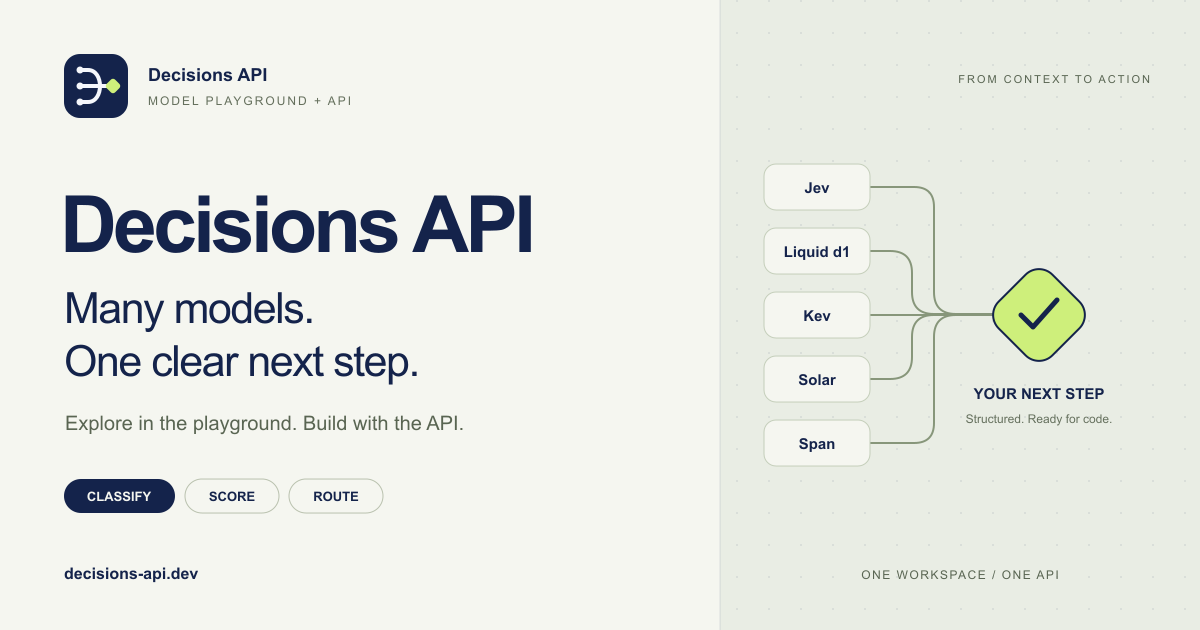
Decisions API brings multiple AI decision models into one workflow for classifying, scoring, routing, and evaluating text with structured outputs.
Build smarter AI workflows with a unified API for classification, scoring, routing, verification, and other structured decisions.
Try Jev AI Model online for free after sign in. Classify, score, and route text with structured results. Buy credits for API access.
Turn any flat image into named, editable layers—separate text, subjects, decorations, and backgrounds in just a few clicks.
Related Articles
Explore more content related to this topic
Agent Gateway Protocol (AGP): Practical Tutorial and Specification
Learn the Agent Gateway Protocol (AGP): what it is, problems it solves, core spec (capability announcements, intent payloads, routing and error codes), routing algorithm, and how to run a working simulation.
A2A Protocol Extension: Secure Passport Complete Guide
The Secure Passport Extension introduces a trusted context layer to the Agent2Agent (A2A) protocol, enabling calling agents to securely and voluntarily share a structured subset of their current context state with called agents. This extension aims to transform anonymous, transactional calls into collaborative partnerships.
A2A Timestamp Extension: In-Depth Analysis and Application Guide
A2A timestamp extension analysis and application guide
A2UI Introduction - Declarative UI Protocol for Agent-Driven Interfaces
Discover A2UI, the declarative UI protocol that enables AI agents to generate rich, interactive user interfaces. Learn how A2UI works, who it's for, how to use it, and see real-world examples from Google Opal, Gemini Enterprise, and Flutter GenUI SDK.
Integrating A2A Protocol - Intelligent Agent Communication Solution for BeeAI Framework
Using A2A protocol instead of ACP is a better choice for BeeAI, reducing protocol fragmentation and improving ecosystem integration.