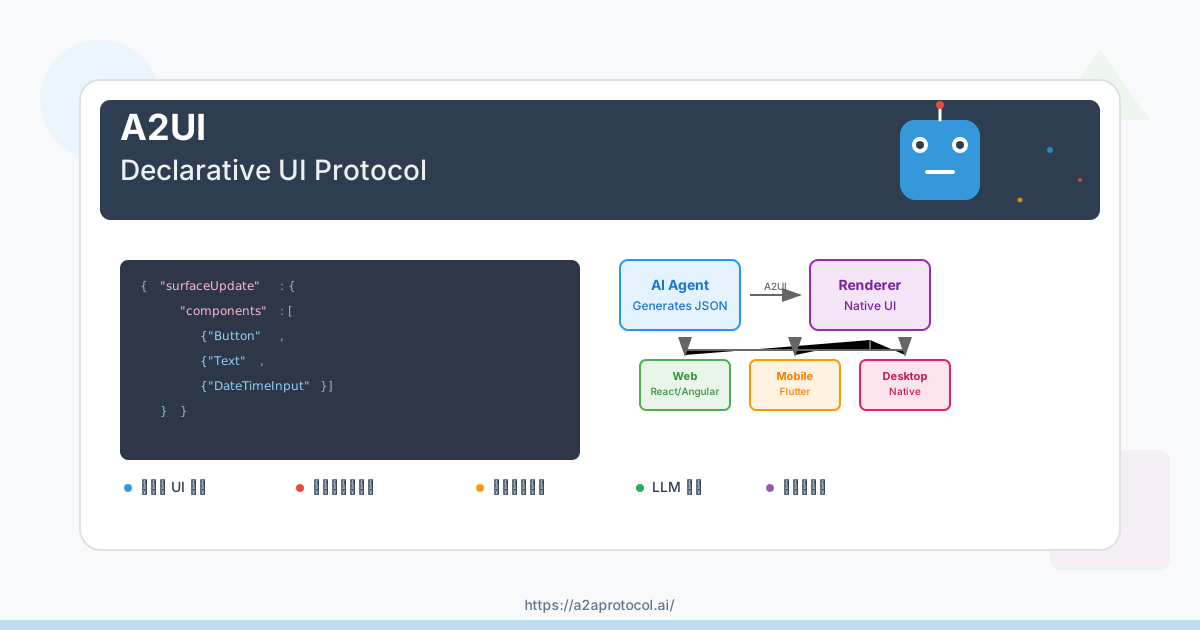
A2UI to UI) is a declarative UI protocol for agent-driven interfaces. AI agents generate rich, interactive UIs that render natively across platforms (web, mobile, desktop) without executing arbitrary code.
What is A2UI?
The Problem
Text-only agent interactions are inefficient:
User: "Book a table for 2 tomorrow at 7pm"
Agent: "Okay, for what day?"
User: "Tomorrow"
Agent: "What time?"
...
Better: Agent generates a form with date picker, time selector, and submit button. Users interact with UI, not text.
The Challenge
In multi-agent systems, agents often run remotely (different servers, organizations). They can't directly manipulate your UI—they must send messages.
Traditional approach: Send HTML/JavaScript in iframes
- Heavy, visually disjointed
- Security complexity
- Doesn't match app styling
Need: Transmit UI that's safe like data, expressive like code.
The Solution
A2UI messages describing UI that:
- LLMs generate as structured output
- Travel over any transport (A2A, AG UI, SSE, WebSockets)
- Client renders using its own native components
Result: Client controls security and styling, agent-generated UI feels native.
Example
{"surfaceUpdate": {"surfaceId": "booking", "components": [
  {"id": "title", "component": {"Text": {"text": {"literalString": "Book Your Table"}, "usageHint": "h1"}}},
  {"id": "datetime", "component": {"DateTimeInput": {"value": {"path": "/booking/date"}, "enableDate": true}}},
  {"id": "submit-text", "component": {"Text": {"text": {"literalString": "Confirm"}}}},
  {"id": "submit-btn", "component": {"Button": {"child": "submit-text", "action": {"name": "confirm_booking"}}}}
]}}
{"dataModelUpdate": {"surfaceId": "booking", "contents": [
  {"key": "booking", "valueMap": [{"key": "date", "valueString": "2025-12-16T19:00:00Z"}]}
]}}
{"beginRendering": {"surfaceId": "booking", "root": "title"}}
Client renders these messages as native components (Angular, Flutter, React, etc.).
Core Value
1. Security: Declarative data, not code. Agent requests components from client's trusted catalog. No code execution risk.
2. Native Feel: No iframes. Client renders with its own UI framework. Inherits app styling, accessibility, performance.
3. Portability: One agent response works everywhere. Same JSON renders on web (Lit/Angular/React), mobile (Flutter/SwiftUI/Jetpack Compose), desktop.
Design Principles
1. LLM-Friendly: Flat component list with ID references. Easy to generate incrementally, correct mistakes, stream.
2. Framework-Agnostic: Agent sends abstract component tree. Client maps to native widgets (web/mobile/desktop).
3. Separation of Concerns: Three layers—UI structure, application state, client rendering. Enables data binding, reactive updates, clean architecture.
What A2UI Is NOT
- Not a framework (it's a protocol)
- Not a replacement for HTML (for agent-generated UIs, not static sites)
- Not a robust styling system (client controls styling with limited serverside styling support)
- Not limited to web (works on mobile and desktop)
Key Concepts
- Surface: Canvas for components (dialog, sidebar, main view)
- Component: UI element (Button, TextField, Card, etc.)
- Data Model: Application state, components bind to it
- Catalog: Available component types
- Message: JSON object (
surfaceUpdate,dataModelUpdate,beginRendering, etc.)
Who is A2UI For?
Developers building AI agents with rich, interactive UIs.
Three Audiences
1. Host App Developers (Frontend)
Build multi-agent platforms, enterprise assistants, or cross-platform apps where agents generate UI.
Why A2UI:
- Brand control: client owns styling and design system
- Multi-agent: support local, remote, and third-party agents
- Secure: declarative data, no code execution
- Cross-platform: web, mobile, desktop
- Interoperable: open source, same spec with multiple renderers
2. Agent Developers (Backend/AI)
Build agents that generate forms, dashboards, and interactive workflows.
Why A2UI:
- LLM-friendly: flat structure, easy to generate incrementally
- Rich interactions: beyond text (forms, tables, visualizations)
- Generations not tools: UI as part of the generated output from the agent
- Portable: one agent response works across all A2UI clientsA2UIA2UI
- Streamable: progressive rendering as you generate
3. Platform Builders (SDK Creators)
Build agent orchestration platforms, frameworks, or UI integrations.
Do you bring remote agents into your app?
Do you ship your agent into other apps you don't necessarily control?
Why A2UI:
- Standard protocol: interoperable with A2A and other transports
- Extensible: custom component catalogs
- Open source (Apache 2.0)
When to Use A2UI
✅ Agent-generated UI - Core purpose ✅ Multi-agent systems - Standard protocol across trust boundaries ✅ Cross-platform apps - One agent, many renderers (web/mobile/desktop) ✅ Security critical - Declarative data, no code execution ✅ Brand consistency - Client controls styling
❌ Static websites - Use HTML/CSS ❌ Simple text-only chat - Use Markdown ❌ Remote widgets not integrated with client - Use iframes, like MCP Apps ❌ Rapid UI + Agent app built together - Use AG UI / CopilotKit
How Can I Use A2UI?
Choose the integration path that matches your role and use case.
Three Paths
Path 1: Building a Host Application (Frontend)
Integrate A2UI rendering into your existing app or build a new agent-powered frontend.
Choose a renderer:
- Web: Lit, Angular
- Mobile/Desktop: Flutter GenUI SDK
- React: Coming Q1 2026
Quick setup:
If we are using an Angular app, we can add the Angular renderer:
npm install @a2ui/angular
Connect to agent messages (SSE, WebSockets, or A2A) and customize styling to match your brand.
Path 2: Building an Agent (Backend)
Create an agent that generates A2UI responses for any compatible client.
Choose your framework:
- Python: Google ADK, LangChain, custom
- Node.js: A2A SDK, Vercel AI SDK, custom
Include the A2UI schema in your LLM prompts, generate JSONL messages, and stream to clients over SSE, WebSockets, or A2A.
Path 3: Using an Existing Framework
Use A2UI through frameworks with built-in support:
- AG UI / CopilotKit - Full-stack React framework with A2UI rendering
- Flutter GenUI SDK - Cross-platform generative UI (uses A2UI internally)
Where is A2UI Used?
A2UI is being adopted by teams at Google and partner organizations to build the next generation of agent-driven applications. Here are real-world examples of where A2UI is making an impact.
Production Deployments
Google Opal: AI Mini-Apps for Everyone
Opal enables hundreds of thousands of people to build, edit, and share AI mini-apps using natural language—no coding required.
How Opal uses A2UI:
The Opal team at Google has been a core contributor to A2UI from the beginning. They use A2UI to power the dynamic, generative UI system that makes Opal's AI mini-apps possible.
- Rapid prototyping: Build and test new UI patterns quickly
- User-generated apps: Anyone can create apps with custom UIs
- Dynamic interfaces: UIs adapt to each use case automatically
"A2UI is foundational to our work. It gives us the flexibility to let the AI drive the user experience in novel ways, without being constrained by a fixed front-end. Its declarative nature and focus on security allow us to experiment quickly and safely."
— Dimitri Glazkov, Principal Engineer, Opal Team
Gemini Enterprise: Custom Agents for Business
Gemini Enterprise enables businesses to build powerful, custom AI agents tailored to their specific workflows and data.
How Gemini Enterprise uses A2UI:
A2UI is being integrated to allow enterprise agents to render rich, interactive UIs within business applications—going beyond simple text responses to guide employees through complex workflows.
- Data entry forms: AI-generated forms for structured data collection
- Approval dashboards: Dynamic UIs for review and approval processes
- Workflow automation: Step-by-step interfaces for complex tasks
- Custom enterprise UIs: Tailored interfaces for industry-specific needs
"Our customers need their agents to do more than just answer questions; they need them to guide employees through complex workflows. A2UI will allow developers building on Gemini Enterprise to have their agents generate the dynamic, custom UIs needed for any task, from data entry forms to approval dashboards, dramatically accelerating workflow automation."
— Fred Jabbour, Product Manager, Gemini Enterprise
Flutter GenUI SDK: Generative UI for Mobile
The Flutter GenUI SDK brings dynamic, AI-generated UIs to Flutter applications across mobile, desktop, and web.
How GenUI uses A2UI:
GenUI SDK uses A2UI as the underlying protocol for communication between server-side agents and Flutter applications. When you use GenUI, you're using A2UI under the covers.
- Cross-platform support: Same agent works on iOS, Android, web, desktop
- Native performance: Flutter widgets rendered natively on each platform
- Brand consistency: UIs match your app's design system
- Server-driven UI: Agents control what's shown without app updates
"Our developers choose Flutter because it lets them quickly create expressive, brand-rich, custom design systems that feel great on every platform. A2UI was a great fit for Flutter's GenUI SDK because it ensures that every user, on every platform, gets a high quality native feeling experience."
— Vijay Menon, Engineering Director, Dart & Flutter
Partner Integrations
AG UI / CopilotKit: Full-Stack Agentic Framework
AG UI and CopilotKit provide a comprehensive framework for building agentic applications, with day-zero A2UI compatibility.
How they work together:
AG UI excels at creating high-bandwidth connections between custom frontends and their dedicated agents. By adding A2UI support, developers get the best of both worlds:
- State synchronization: AG UI handles app state and chat history
- A2UI rendering: Render dynamic UIs from third-party agents
- Multi-agent support: Coordinate UIs from multiple agents
- React integration: Seamless integration with React applications
"AG UI excels at creating a high-bandwidth connection between a custom-built front-end and its dedicated agent. By adding support for A2UI, we're giving developers the best of both worlds. They can now build rich, state-synced applications that can also render dynamic UIs from third-party agents via A2UI. It's a perfect match for a multi-agent world."
— Atai Barkai, Founder of CopilotKit and AG UI
Google's AI-Powered Products
As Google adopts AI across the company, A2UI provides a standardized way for AI agents to exchange user interfaces, not just text.
Internal agent adoption:
- Multi-agent workflows: Multiple agents contribute to the same surface
- Remote agent support: Agents running on different services can provide UI
- Standardization: Common protocol across teams reduces integration overhead
- External exposure: Internal agents can be easily exposed externally (e.g., Gemini Enterprise)
"Much like A2A lets any agent talk to another agent regardless of platform, A2UI standardizes the user interface layer and supports remote agent use cases through an orchestrator. This has been incredibly powerful for internal teams, allowing them to rapidly develop agents where rich user interfaces are the norm, not the exception. As Google pushes further into generative UI, A2UI provides a perfect platform for server-driven UI that renders on any client."
— James Wren, Senior Staff Engineer, AI Powered Google
Community Projects
The A2UI community is building exciting projects:
Open Source Examples
-
Restaurant Finder
- Table reservation with dynamic forms
- Gemini-powered agent
- Full source code available
-
Contact Lookup
- Search interface with results list
- A2A agent example
- Demonstrates data binding
-
Component Gallery
- Interactive showcase of all components
- Live examples with code
- Great for learning
A2UI in the Agent Ecosystem
The space for agentic UI is evolving rapidly, with excellent tools emerging to solve different parts of the stack. A2UI is not a replacement for these frameworks—it's a specialized protocol that solves the specific problem of interoperable, cross-platform, generative or template-based UI responses.
At a glance
The A2UI approach is to send JSON as a message to the client, which then uses a renderer to convert it into native UI components. LLMs can generate the component layout on the fly or you can use a template.
!!! tip "" This makes it secure like data, and expressive like code.
Navigating the Agentic UI Ecosystem
1. Building the "Host" Application UI
If you're building a full-stack application (the "host" UI that the user interacts with), in addition to building the actual UI, you may also utilize a framework (AG UI / CopilotKit, Vercel AI SDK, GenUI SDK for Flutter which already uses A2UI under the covers) to handle the "pipes": state synchronization, chat history, and input handling.
Where A2UI fits: A2UI is complementary. If you connect your host application using AG UI, it can use A2UI as the data format for rendering responses from the host agent and also from third-party or remote agents. This gives you the best of both worlds: a rich, stateful host app that can safely render content from external agents it doesn't control.
- A2UI with A2A: You can send via A2A directly to a client front end.
- A2UI with AG UI: You can send via AG UI directly to a client front end.
- A2UI with REST, SSE, WebSockets and other transports are feasible but not yet available.
2. UI as a "Resource" (MCP Apps)
The Model Context Protocol (MCP) has recently introduced MCP Apps, a new standard consolidating the great work from MCP-UI and OpenAI to enable servers to provide interactive interfaces. This approach treats UI as a resource (accessed via a ui:// URI) that tools can return, typically rendering pre-built HTML content within a sandboxed iframe to ensure isolation and security.
How A2UI is different: A2UI takes a "native-first" approach that is distinct from the resource-fetching model of MCP Apps. Instead of retrieving an opaque payload to display in a sandbox, an A2UI agent sends a blueprint of native components. This allows the UI to inherit the host app's styling and accessibility features perfectly. In a multi-agent system, an orchestrator agent can easily understand the lightweight A2UI message content from a subagent, allowing for more fluid collaboration between agents.
3. Platform-Specific Ecosystems (OpenAI ChatKit)
Tools like ChatKit offer a highly integrated, optimized experience for deploying agents specifically within the OpenAI ecosystem.
How A2UI is different: A2UI is designed for developers building their own agentic surfaces across Web, Flutter, and native mobile, or for enterprise meshes (like A2A) where agents need to communicate across trust boundaries. A2UI gives the client more control over styling at the expense of the agent, in order to allow for greater visual consistency with the host client application.
Featured Products
Tools and services from the A2A ecosystem directory.
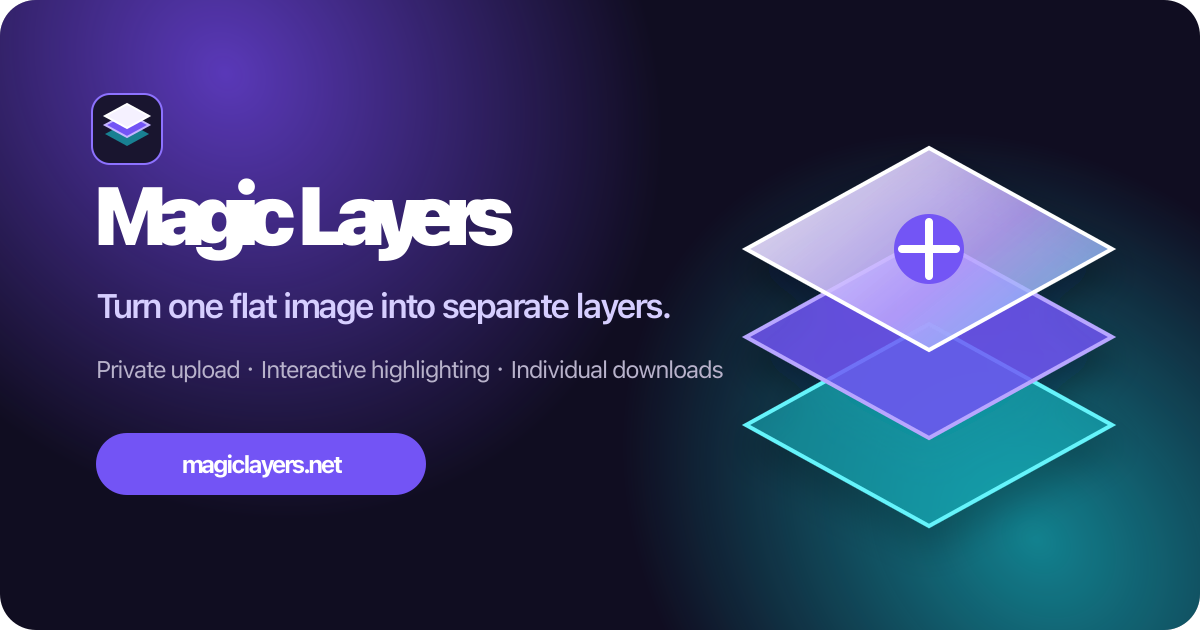
Turn any flat image into named, editable layers—separate text, subjects, decorations, and backgrounds in just a few clicks.
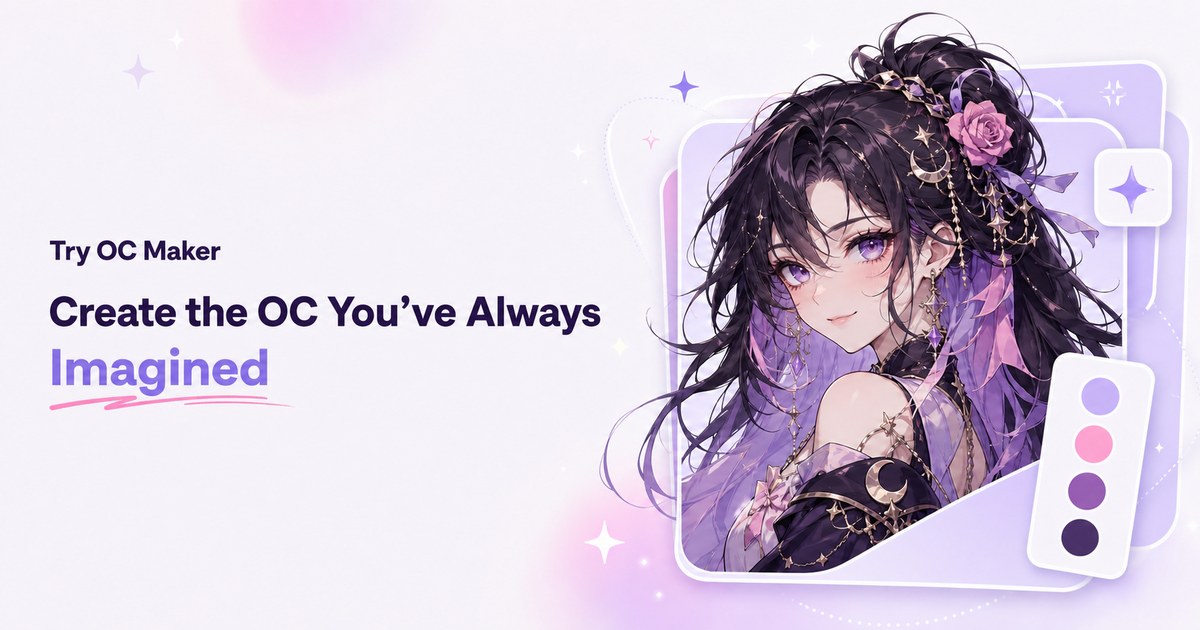
Start with a simple prompt, then let our AI OC Maker turn your idea into anime characters, fantasy OCs, roleplay avatars, and full-body character designs.
Related Articles
Explore more content related to this topic
The A2UI Protocol: A 2026 Complete Guide to Agent-Driven Interfaces
Discover A2UI, the security-first declarative UI protocol that enables AI agents to generate rich, interactive user interfaces. Learn how A2UI solves the 'Chat Wall' problem, achieves security through data vs. code separation, and enables dynamic cross-platform interfaces. Includes real-world examples and implementation guidance.
The Complete Developer Tutorial: Building AI Agent UIs with A2UI and A2A Protocol in 2026
Master A2UI and A2A Protocol development with this complete tutorial. Learn to build AI agent UIs, implement renderers, create custom components, and integrate secure multi-agent communication for cross-platform applications.
The Complete Guide to A2UI Protocol: Building Agent-Driven UIs with Google's A2UI in 2025
A comprehensive guide to A2UI (Agent to UI), a declarative UI protocol for agent-driven interfaces. Learn how AI agents generate rich, interactive UIs that render natively across platforms without executing arbitrary code.
The Complete 2026 Guide: Building Interactive Dashboards with A2UI RizzCharts
Learn how to build AI-powered ecommerce dashboards with A2UI RizzCharts. Understand custom component catalogs, Chart and GoogleMap components, data binding, and integration with Google ADK.
Agent Gateway Protocol (AGP): Practical Tutorial and Specification
Learn the Agent Gateway Protocol (AGP): what it is, problems it solves, core spec (capability announcements, intent payloads, routing and error codes), routing algorithm, and how to run a working simulation.