The Complete 2026 Guide: Building Interactive Dashboards with A2UI RizzCharts
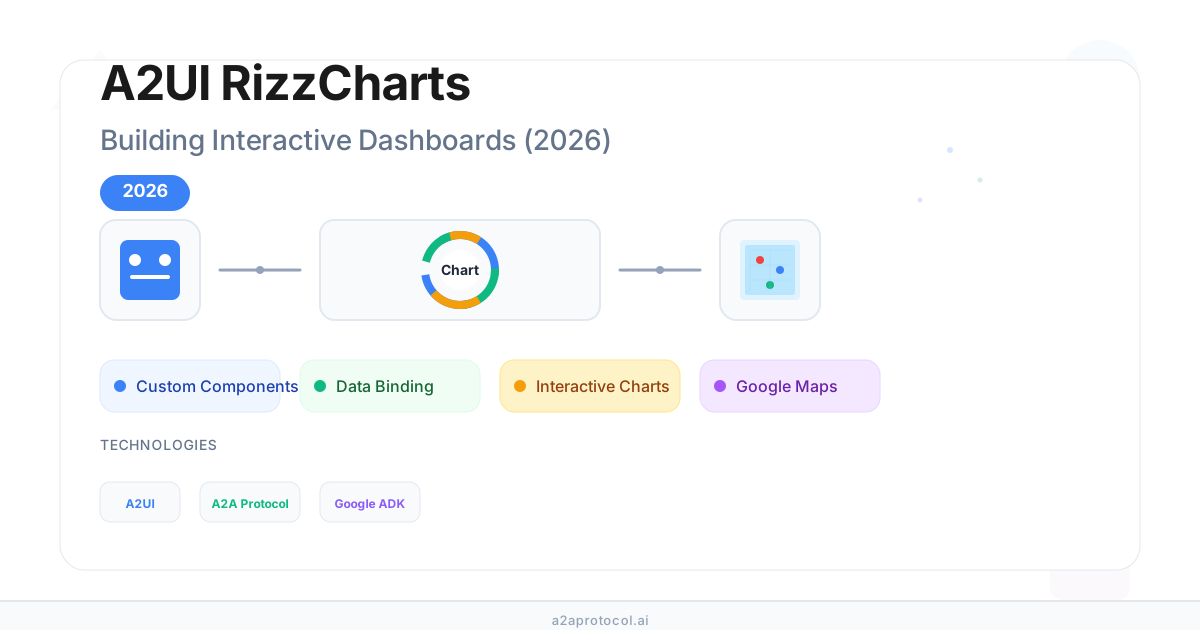
The Complete 2026 Guide: Building Interactive Dashboards with A2UI RizzCharts
🎯 Key Takeaways (TL;DR)
- RizzCharts is a production-ready sample demonstrating how to build interactive ecommerce dashboards using A2UI and the A2A Protocol
- Learn to create custom component catalogs with Chart and GoogleMap components beyond the standard A2UI catalog
- Understand the three-message pattern (
beginRendering,surfaceUpdate,dataModelUpdate) for rendering rich UIs - Discover how data binding separates UI structure from application state for reactive updates
- Integrate with Google's Agent Development Kit (ADK) to build AI agents that generate native cross-platform UIs
Table of Contents
- What is A2UI RizzCharts?
- Why Custom Component Catalogs Matter
- Architecture Deep Dive
- Implementation Step-by-Step
- Custom Components: Chart and GoogleMap
- Data Binding and Reactive Updates
- Running the RizzCharts Sample
- Best Practices
- FAQ
- Conclusion
What is A2UI RizzCharts?
RizzCharts is an official sample application that showcases how to build an AI-powered ecommerce dashboard using A2UI (Agent to UI) protocol. It demonstrates the power of declarative UI generation where AI agents create rich, interactive visualizations that render natively across platforms.
The sample uses:
- Google's Agent Development Kit (ADK) for agent orchestration
- A2A Protocol for agent-to-agent and agent-to-client communication
- Custom component catalogs extending the standard A2UI components
- LiteLLM for flexible LLM provider integration (Gemini, OpenAI, etc.)
💡 Pro Tip
RizzCharts demonstrates a real-world pattern: AI agents generating domain-specific visualizations (charts, maps) that feel native to the application, not generic chat responses.
Key Capabilities
| Feature | Description |
|---|---|
| Sales Charts | Interactive doughnut/pie charts showing sales breakdown by product category |
| Geographic Maps | Google Maps integration displaying store locations and performance outliers |
| Real-time Updates | Data-bound components that update reactively when data changes |
| Custom Catalogs | Extended component library beyond standard A2UI components |
Why Custom Component Catalogs Matter
The standard A2UI catalog provides common UI elements (Text, Button, TextField, Card, etc.), but real-world applications often need domain-specific components:
- Stock tickers for financial dashboards
- Medical charts for healthcare applications
- CAD viewers for engineering tools
- Interactive maps for location-based services
How Custom Catalogs Work
graph TD
    A[Client Defines Catalog] --> B[Client Registers Components]
    B --> C[Client Announces Support]
    C --> D[Agent Selects Catalog]
    D --> E[Agent Generates UI]
    E --> F[Client Renders Native Widgets]
The flow:
- Client defines catalog — Lists both standard and custom components
- Client registers implementations — Maps component types to native widgets
- Client announces support — Informs agents which catalogs it supports
- Agent selects catalog — Chooses appropriate catalog for the UI surface
- Agent generates UI — Creates
surfaceUpdatemessages using catalog components - Client renders — Displays native widgets without executing arbitrary code
Architecture Deep Dive
Project Structure
samples/agent/adk/rizzcharts/
├── __main__.py                    # Entry point, server setup
├── agent.py                       # RizzchartsAgent with LLM instructions
├── agent_executor.py              # A2A executor with session management
├── component_catalog_builder.py   # Custom catalog loading logic
├── tools.py                       # Data fetching tools
├── rizzcharts_catalog_definition.json  # Custom component schemas
└── examples/
    ├── rizzcharts_catalog/        # Examples using custom Chart/GoogleMap
    │   ├── chart.json
    │   └── map.json
    └── standard_catalog/          # Fallback using standard components
        ├── chart.json
        └── map.json
Core Components
1. RizzchartsAgent (agent.py)
The main agent class that processes user requests and generates A2UI payloads:
class RizzchartsAgent(LlmAgent):
    """An agent that runs an ecommerce dashboard"""

    def __init__(self, model, a2ui_enabled_provider, a2ui_schema_provider):
        super().__init__(
            model=model,
            name="rizzcharts_agent",
            description="An agent that lets sales managers request sales data.",
            instruction=self.get_instructions,
            tools=[
                get_store_sales,      # Fetch regional/store data
                get_sales_data,       # Fetch sales breakdown data
                SendA2uiToClientToolset(...)  # Send A2UI JSON to client
            ],
            planner=BuiltInPlanner(
                thinking_config=types.ThinkingConfig(include_thoughts=True)
            ),
        )
2. Agent Executor (agent_executor.py)
Handles session setup and A2UI extension activation:
class RizzchartsAgentExecutor(A2aAgentExecutor):
    def get_agent_card(self) -> AgentCard:
        return AgentCard(
            name="Ecommerce Dashboard Agent",
            description="Visualizes ecommerce data with charts and maps",
            capabilities=AgentCapabilities(
                streaming=True,
                extensions=[get_a2ui_agent_extension(
                    supported_catalog_ids=[STANDARD_CATALOG_ID, RIZZCHARTS_CATALOG_URI]
                )],
            ),
            skills=[
                AgentSkill(id="view_sales_by_category", ...),
                AgentSkill(id="view_regional_outliers", ...),
            ],
        )
3. Component Catalog Builder (component_catalog_builder.py)
Dynamically loads and merges component schemas:
class ComponentCatalogBuilder:
    def load_a2ui_schema(self, client_ui_capabilities):
        # Check which catalog the client supports
        if RIZZCHARTS_CATALOG_URI in supported_catalog_uris:
            catalog_uri = RIZZCHARTS_CATALOG_URI  # Use custom Chart/GoogleMap
        elif STANDARD_CATALOG_ID in supported_catalog_uris:
            catalog_uri = STANDARD_CATALOG_ID     # Fallback to standard components

        # Merge catalog into A2UI schema
        a2ui_schema_json["properties"]["surfaceUpdate"]
            ["properties"]["components"]["items"]
            ["properties"]["component"]["properties"] = catalog_json

        return a2ui_schema_json, catalog_uri
Implementation Step-by-Step
Step 1: Define Custom Components
Create a JSON schema defining your custom components. Here's the RizzCharts catalog:
{
  "components": {
    "$ref": "standard_catalog_definition.json#/components",
    "Canvas": {
      "type": "object",
      "description": "Renders UI in a stateful panel next to chat",
      "properties": {
        "children": {
          "type": "object",
          "properties": {
            "explicitList": {
              "type": "array",
              "items": { "type": "string" }
            }
          }
        }
      },
      "required": ["children"]
    },
    "Chart": {
      "type": "object",
      "description": "Interactive chart with hierarchical data",
      "properties": {
        "type": {
          "type": "string",
          "enum": ["doughnut", "pie"]
        },
        "title": {
          "type": "object",
          "properties": {
            "literalString": { "type": "string" },
            "path": { "type": "string" }
          }
        },
        "chartData": {
          "type": "object",
          "properties": {
            "literalArray": { "type": "array" },
            "path": { "type": "string" }
          }
        }
      },
      "required": ["type", "chartData"]
    },
    "GoogleMap": {
      "type": "object",
      "description": "Google Map with customizable pins",
      "properties": {
        "center": { "type": "object" },
        "zoom": { "type": "object" },
        "pins": { "type": "object" }
      },
      "required": ["center", "zoom"]
    }
  }
}
Step 2: Create Data Fetching Tools
Implement tools that the agent uses to fetch data:
def get_sales_data(time_period: str = "year", **kwargs) -> dict:
    """Gets sales breakdown by product category"""
    return {
        "sales_data": [
            {"label": "Apparel", "value": 41, "drillDown": [
                {"label": "Tops", "value": 31},
                {"label": "Bottoms", "value": 38},
                {"label": "Outerwear", "value": 20},
            ]},
            {"label": "Electronics", "value": 28, "drillDown": [...]},
            {"label": "Home Goods", "value": 15},
            {"label": "Health & Beauty", "value": 10},
            {"label": "Other", "value": 6},
        ]
    }

def get_store_sales(region: str = "all", **kwargs) -> dict:
    """Gets store locations with sales performance"""
    return {
        "center": {"lat": 34, "lng": -118.2437},
        "zoom": 10,
        "locations": [
            {
                "lat": 34.0195, "lng": -118.4912,
                "name": "Santa Monica Branch",
                "description": "High traffic coastal location",
                "outlier_reason": "Yes, 15% sales over baseline",
                "background": "#4285F4",  # Highlighted pin
            },
            {"lat": 34.0488, "lng": -118.2518, "name": "Downtown Flagship"},
            # ... more locations
        ],
    }
Step 3: Configure Agent Instructions
The agent receives detailed instructions for generating A2UI payloads:
def get_instructions(self, readonly_context: ReadonlyContext) -> str:
    return f"""
    ### System Instructions

    You are an expert A2UI Ecommerce Dashboard analyst. Your primary function
    is to translate user requests into A2UI JSON payloads.

    **Workflow:**
    1. Analyze the Request - Determine intent (Chart vs. Map)
    2. Fetch Data - Use `get_sales_data` or `get_store_sales`
    3. Select Template - Use CHART or MAP example as base
    4. Construct JSON Payload - Generate unique surfaceId, update title
    5. Call Tool - Use `send_a2ui_json_to_client`

    **Examples:**
    - "show sales breakdown by category for Q3" → Chart
    - "were there any outlier stores" → Map

    ---BEGIN CHART EXAMPLE---
    {json.dumps(chart_example)}
    ---END CHART EXAMPLE---

    ---BEGIN MAP EXAMPLE---
    {json.dumps(map_example)}
    ---END MAP EXAMPLE---
    """
Step 4: Create A2UI Message Payloads
A complete A2UI payload consists of three messages:
Chart Example
[
  {
    "beginRendering": {
      "surfaceId": "sales-dashboard",
      "root": "root-canvas"
    }
  },
  {
    "surfaceUpdate": {
      "surfaceId": "sales-dashboard",
      "components": [
        {
          "id": "root-canvas",
          "component": {
            "Canvas": {
              "children": { "explicitList": ["chart-container"] }
            }
          }
        },
        {
          "id": "chart-container",
          "component": {
            "Column": {
              "children": { "explicitList": ["sales-chart"] },
              "alignment": "center"
            }
          }
        },
        {
          "id": "sales-chart",
          "component": {
            "Chart": {
              "type": "doughnut",
              "title": { "path": "chart.title" },
              "chartData": { "path": "chart.items" }
            }
          }
        }
      ]
    }
  },
  {
    "dataModelUpdate": {
      "surfaceId": "sales-dashboard",
      "path": "/",
      "contents": [
        { "key": "chart.title", "valueString": "Sales by Category" },
        { "key": "chart.items[0].label", "valueString": "Apparel" },
        { "key": "chart.items[0].value", "valueNumber": 41 },
        { "key": "chart.items[0].drillDown[0].label", "valueString": "Tops" },
        { "key": "chart.items[0].drillDown[0].value", "valueNumber": 31 }
        // ... more data
      ]
    }
  }
]
Map Example
[
  {
    "beginRendering": {
      "surfaceId": "la-map-view",
      "root": "root-canvas"
    }
  },
  {
    "surfaceUpdate": {
      "surfaceId": "la-map-view",
      "components": [
        {
          "id": "root-canvas",
          "component": {
            "Canvas": { "children": { "explicitList": ["map-layout-container"] } }
          }
        },
        {
          "id": "map-header",
          "component": {
            "Text": {
              "text": { "literalString": "Points of Interest in Los Angeles" },
              "usageHint": "h2"
            }
          }
        },
        {
          "id": "location-map",
          "component": {
            "GoogleMap": {
              "center": { "path": "mapConfig.center" },
              "zoom": { "path": "mapConfig.zoom" },
              "pins": { "path": "mapConfig.locations" }
            }
          }
        }
      ]
    }
  },
  {
    "dataModelUpdate": {
      "surfaceId": "la-map-view",
      "path": "/",
      "contents": [
        { "key": "mapConfig.center.lat", "valueNumber": 34.0522 },
        { "key": "mapConfig.center.lng", "valueNumber": -118.2437 },
        { "key": "mapConfig.zoom", "valueNumber": 11 },
        { "key": "mapConfig.locations[0].lat", "valueNumber": 34.0135 },
        { "key": "mapConfig.locations[0].name", "valueString": "Google Store Santa Monica" }
        // ... more locations
      ]
    }
  }
]
Custom Components: Chart and GoogleMap
Chart Component
The Chart component renders interactive doughnut or pie charts:
| Property | Type | Description |
|---|---|---|
type |
"doughnut" | "pie" |
Chart visualization type |
title |
{literalString} | {path} |
Chart title (literal or data-bound) |
chartData |
{literalArray} | {path} |
Array of {label, value, drillDown?} items |
DrillDown Support: Each chart item can have nested drillDown data for hierarchical visualization:
{
  "label": "Apparel",
  "value": 41,
  "drillDown": [
    { "label": "Tops", "value": 31 },
    { "label": "Bottoms", "value": 38 },
    { "label": "Outerwear", "value": 20 }
  ]
}
GoogleMap Component
The GoogleMap component displays an interactive map with customizable pins:
| Property | Type | Description |
|---|---|---|
center |
{lat, lng} |
Map center coordinates |
zoom |
number |
Zoom level (1-20) |
pins |
array |
Array of pin objects |
Pin Properties:
{
  "lat": 34.0195,
  "lng": -118.4912,
  "name": "Santa Monica Branch",
  "description": "High traffic coastal location",
  "background": "#4285F4",    // Pin background color
  "borderColor": "#FFFFFF",   // Pin border color
  "glyphColor": "#FFFFFF"     // Pin icon color
}
Data Binding and Reactive Updates
A2UI separates UI structure from application state through data binding:
Literal vs. Path Values
// Literal (fixed value)
{"text": {"literalString": "Sales Dashboard"}}

// Path (data-bound, reactive)
{"text": {"path": "chart.title"}}
When the data at chart.title changes, the component automatically updates—no component regeneration needed.
JSON Pointer Paths
A2UI uses RFC 6901 JSON Pointer syntax:
| Path | Resolves To |
|---|---|
/user/name |
Object property |
/items/0 |
First array element |
/items/0/price |
Nested property |
Scoped Paths in Templates
When using templates for dynamic lists, paths are scoped to each array item:
{
  "id": "location-name",
  "component": {
    "Text": {
      "text": { "path": "name" }  // Relative to current item
    }
  }
}
For /mapConfig.locations/0, the path name resolves to /mapConfig.locations/0/name.
Running the RizzCharts Sample
Prerequisites
- Python 3.9+
- UV package manager
- LLM API key (Gemini, OpenAI, etc.)
Setup
# Navigate to sample directory
cd samples/agent/adk/rizzcharts

# Create environment file
cp .env.example .env
# Edit .env with your API key

# Run the agent server
uv run .
The server starts on http://localhost:10002 by default.
Environment Variables
| Variable | Description | Default |
|---|---|---|
GEMINI_API_KEY |
Google AI API key | Required |
GOOGLE_GENAI_USE_VERTEXAI |
Use Vertex AI instead | FALSE |
LITELLM_MODEL |
LLM model identifier | gemini/gemini-2.5-flash |
Testing with Example Queries
Once running, send requests like:
- "Show my sales breakdown by product category for Q3" → Generates doughnut chart
- "Were there any outlier stores in the region?" → Generates map with highlighted pins
- "What's the revenue trend year over year?" → Generates chart visualization
Best Practices
1. Descriptive Component IDs
// ✅ Good
{"id": "sales-chart-q3-2026"}
{"id": "store-location-map"}

// ❌ Bad
{"id": "c1"}
{"id": "component"}
2. Separate Structure from Data
Use data bindings for dynamic content:
// ✅ Recommended - Data-bound
{"title": {"path": "chart.title"}}

// ⚠️ Use sparingly - Literal values
{"title": {"literalString": "Static Title"}}
3. Generate Unique Surface IDs
Each request should generate a unique surfaceId:
surface_id = f"sales_breakdown_{time_period}_{uuid.uuid4().hex[:8]}"
4. Validate Against Schema
Always validate generated JSON against the A2UI schema:
jsonschema.validate(instance=example_json, schema=a2ui_schema)
5. Security Considerations
⚠️ Important Security Note
- Treat all agent-generated content as untrusted input
- Implement input sanitization for all property values
- Use Content Security Policies (CSP) in client renderers
- Validate data strictly before rendering
FAQ
Q: What is the difference between standard and custom catalogs?
A: The standard catalog includes common UI components (Text, Button, Card, List, etc.) that work across all A2UI clients. Custom catalogs extend this with domain-specific components (Chart, GoogleMap, StockTicker) that require client-side implementation. RizzCharts demonstrates both approaches with fallback support.
Q: How does A2UI compare to sending HTML/iframes?
A: A2UI is declarative data, not code. The client renders components using its own native widgets, ensuring:
- No code execution risk (security)
- Native look and feel (UX)
- Consistent styling (design)
- Cross-platform support (portability)
Q: Can I use RizzCharts components with other protocols?
A: Yes! While RizzCharts uses A2A Protocol, the A2UI message format works with any transport: SSE, WebSockets, AG UI, or direct HTTP. The AP2 Protocol also integrates with A2UI for payment-enabled agent interfaces.
Q: How do I implement custom components on the client?
A: Register component implementations in your client framework:
- Define the component schema in your catalog JSON
- Implement the rendering logic (Lit, Angular, React, Flutter)
- Register the catalog with your A2UI client
- Announce supported catalogs to agents
See the Lit samples for reference implementations.
Q: What happens if the client doesn't support a catalog?
A: RizzCharts includes fallback support. The ComponentCatalogBuilder checks client capabilities:
if RIZZCHARTS_CATALOG_URI in supported_catalog_uris:
    catalog_uri = RIZZCHARTS_CATALOG_URI  # Custom components
elif STANDARD_CATALOG_ID in supported_catalog_uris:
    catalog_uri = STANDARD_CATALOG_ID     # Standard components
The standard catalog examples use List and Card components to display the same data without Chart/GoogleMap.
Conclusion
The RizzCharts sample demonstrates the full power of A2UI for building agent-driven dashboards:
- Custom component catalogs extend A2UI beyond basic UI elements
- Data binding enables reactive, efficient updates
- Schema validation ensures type-safe agent outputs
- Fallback support provides graceful degradation
- Security by design keeps clients in control
Next Steps
- Explore the code: RizzCharts on GitHub
- Build your own catalog: Start with the Custom Components Guide
- Learn A2A integration: Check the A2A Protocol documentation
- Add payments: Integrate with AP2 Protocol for commerce flows
Last updated: January 2026
Keywords: A2UI, Agent to UI, RizzCharts, custom components, declarative UI, A2A Protocol, ecommerce dashboard, data visualization, AI agents, LLM UI generation
Featured Products
Tools and services from the A2A ecosystem directory.
Create images, videos, voiceovers and music with AI Kenerate. Turn text and photos into creative content with AI tools and an agent in one workspace.
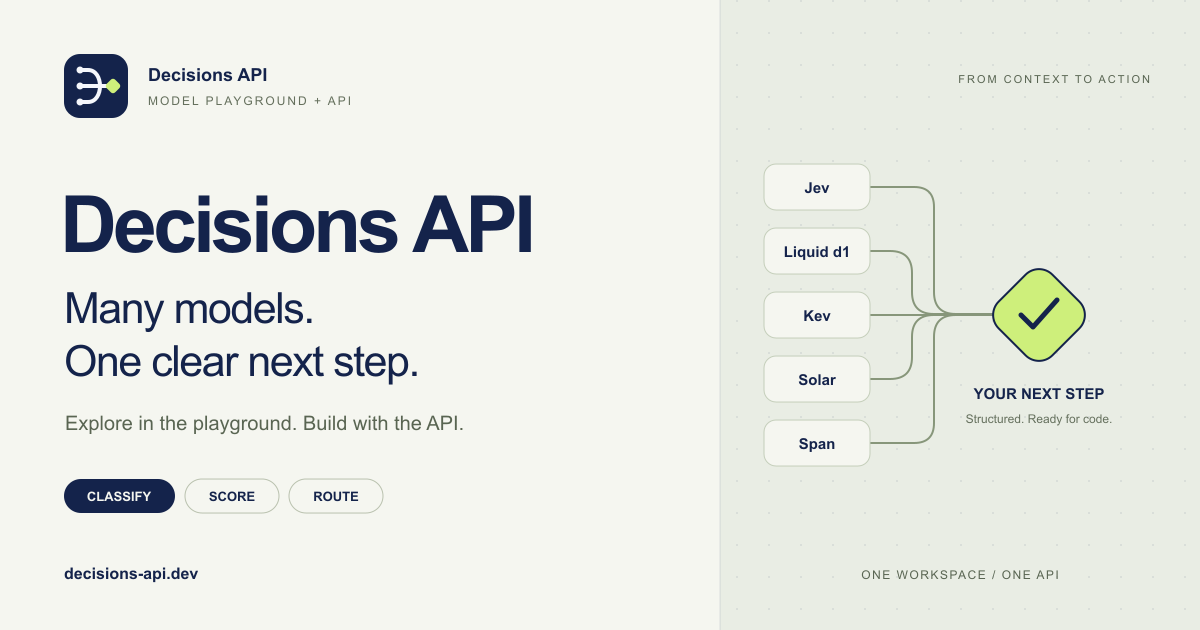
Decisions API brings multiple AI decision models into one workflow for classifying, scoring, routing, and evaluating text with structured outputs.
Build smarter AI workflows with a unified API for classification, scoring, routing, verification, and other structured decisions.
Try Jev AI Model online for free after sign in. Classify, score, and route text with structured results. Buy credits for API access.
Turn any flat image into named, editable layers—separate text, subjects, decorations, and backgrounds in just a few clicks.
Related Articles
Explore more content related to this topic
The Complete Developer Tutorial: Building AI Agent UIs with A2UI and A2A Protocol in 2026
Master A2UI and A2A Protocol development with this complete tutorial. Learn to build AI agent UIs, implement renderers, create custom components, and integrate secure multi-agent communication for cross-platform applications.
The Complete Guide to A2UI Protocol: Building Agent-Driven UIs with Google's A2UI in 2025
A comprehensive guide to A2UI (Agent to UI), a declarative UI protocol for agent-driven interfaces. Learn how AI agents generate rich, interactive UIs that render natively across platforms without executing arbitrary code.
The A2UI Protocol: A 2026 Complete Guide to Agent-Driven Interfaces
Discover A2UI, the security-first declarative UI protocol that enables AI agents to generate rich, interactive user interfaces. Learn how A2UI solves the 'Chat Wall' problem, achieves security through data vs. code separation, and enables dynamic cross-platform interfaces. Includes real-world examples and implementation guidance.
A2UI Introduction - Declarative UI Protocol for Agent-Driven Interfaces
Discover A2UI, the declarative UI protocol that enables AI agents to generate rich, interactive user interfaces. Learn how A2UI works, who it's for, how to use it, and see real-world examples from Google Opal, Gemini Enterprise, and Flutter GenUI SDK.
Universal Commerce Protocol (UCP): The Complete 2026 Guide to Agentic Commerce Standards
Discover Universal Commerce Protocol (UCP), the open standard revolutionizing agentic commerce. Learn how UCP enables seamless interoperability between AI platforms, businesses, and payment providers, solving fragmented commerce journeys with standardized APIs for checkout, order management, and payment processing.