The Complete Developer Tutorial: Building AI Agent UIs with A2UI and A2A Protocol in 2026
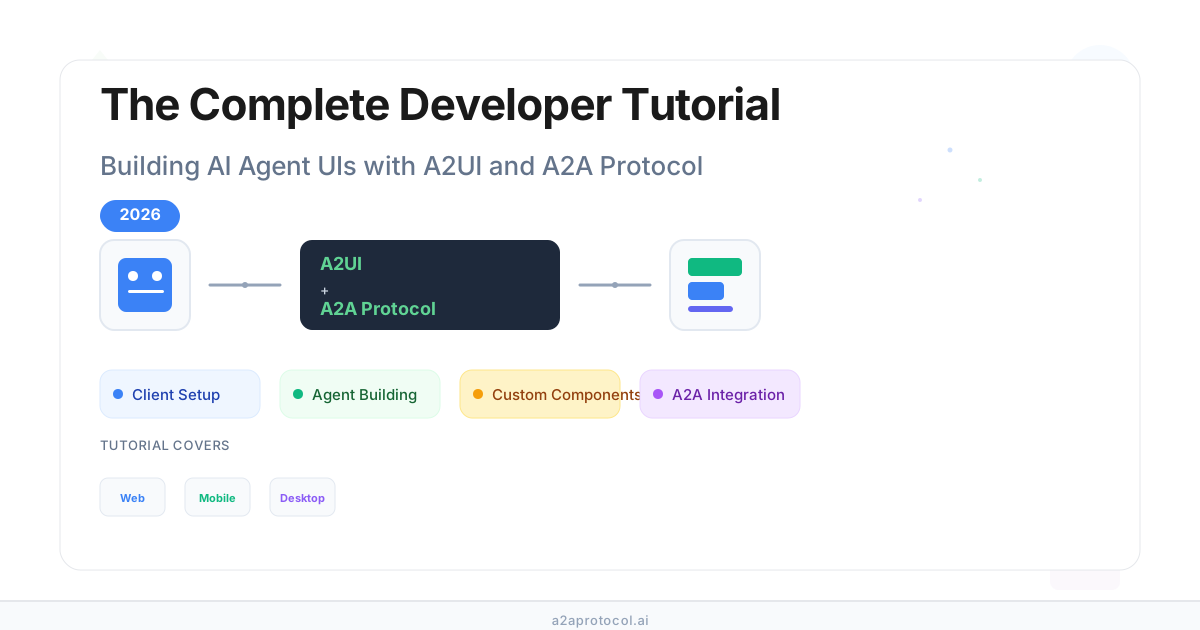
The Complete Developer Tutorial: Building AI Agent UIs with A2UI and A2A Protocol in 2026
🎯 Core Takeaways (TL;DR)
- A2UI (Agent to UI) is a declarative protocol that enables AI agents to generate rich, interactive interfaces using JSON messages
- A2A protocol (Agent to Agent) provides secure, standardized communication for multi-agent systems with built-in A2UI support
- The A2UI protocol separates UI structure from application state, enabling reactive updates and cross-platform rendering
- A2UI works with any transport mechanism, including A2A protocol, AG UI, SSE, and WebSockets
- Building with A2UI and A2A protocol enables secure, native-feeling UIs that work across web, mobile, and desktop platforms
Table of Contents
- What is A2UI and A2A Protocol?
- Understanding the A2UI Architecture
- Setting Up Your Client Application
- Building A2UI Agents
- Implementing A2UI Renderers
- Working with A2A Protocol Transport
- Creating Custom Components
- Theming and Styling A2UI Applications
- Best Practices for A2UI Development
- Common Questions About A2UI and A2A Protocol
- Conclusion and Next Steps
What is A2UI and A2A Protocol?
Understanding A2UI Protocol
A2UI (Agent to UI) is a declarative UI protocol designed specifically for agent-driven interfaces. The A2UI protocol enables AI agents to generate rich, interactive user interfaces that render natively across platforms—web, mobile, and desktop—without executing arbitrary code. Unlike traditional approaches that rely on text-only interactions or embedded HTML/JavaScript, A2UI transmits UI descriptions as structured JSON data.
The A2UI protocol solves a critical challenge in multi-agent systems: how to enable remote agents to generate user interfaces that feel native, secure, and integrated with your application. When agents run across different servers and organizations, they cannot directly manipulate your application's UI—they must communicate through messages. The A2UI protocol provides a standardized way for agents to describe UI components that clients can render using their native frameworks.
Understanding A2A Protocol
A2A protocol (Agent to Agent) is a secure, standardized protocol for agent communication. The A2A protocol provides built-in security, authentication, and bindings for many message formats and transport protocols. When building multi-agent systems, the A2A protocol enables agents to communicate securely across trust boundaries.
The A2A protocol includes an extension that provides easy integration with A2UI. This means that when you use the A2A protocol for agent communication, A2UI support is nearly automatic. The combination of A2UI and A2A protocol creates a powerful foundation for building secure, interoperable agent-driven applications.
Key features of A2A protocol:
- Standardized message formats for agent communication
- Built-in security and authentication mechanisms
- Supports multiple transport protocols (HTTP, WebSockets, gRPC)
- Extension enables seamless A2UI message transmission
- Designed for enterprise meshes and multi-agent orchestration
When developers choose A2A protocol for their agent infrastructure, they automatically get A2UI support through the extension. This makes A2A protocol a recommended transport option for A2UI applications in enterprise environments.
How A2UI and A2A Protocol Work Together
The A2UI protocol and A2A protocol are designed to work seamlessly together:
- A2A protocol handles secure agent-to-agent communication
- A2UI protocol messages travel over A2A protocol transport
- Agents generate A2UI JSON messages describing UI components
- Clients receive A2UI messages via A2A protocol and render them natively
This integration makes A2UI and A2A protocol ideal for enterprise meshes and multi-agent systems where security and interoperability are paramount.
💡 Key Insight
The A2UI protocol is transport-agnostic, meaning A2UI messages can travel over A2A protocol, AG UI, SSE, WebSockets, or any other transport mechanism. A2A protocol provides a robust solution for multi-agent systems with built-in security and A2UI support.
Understanding the A2UI Architecture
The Three-Layer Architecture
The A2UI protocol separates concerns into three distinct layers:
- UI Structure Layer - Component definitions via
surfaceUpdatemessages in the A2UI protocol - Application State Layer - Data model via
dataModelUpdatemessages in the A2UI protocol - Client Rendering Layer - Native component mapping and rendering of A2UI messages
This architectural separation enables:
- Data binding - Reactive updates without component regeneration in A2UI
- Reusable templates - One template, many data instances with A2UI protocol
- Clean architecture - Clear boundaries between agent and client in A2UI systems
Core Message Types in A2UI Protocol
The A2UI protocol defines four primary message types:
| Message Type | Purpose | Example Use Case |
|---|---|---|
surfaceUpdate |
Define or update UI components | Creating a form with input fields |
dataModelUpdate |
Update application state | Populating form values or updating displayed data |
beginRendering |
Signal the client to render | Triggering UI display after components are ready |
deleteSurface |
Remove a UI surface | Cleaning up after workflow completion |
Adjacency List Model
Unlike traditional nested JSON trees, A2UI uses an adjacency list model—components are stored as a flat list with ID references. This design makes the A2UI protocol particularly LLM-friendly:
Traditional nested approach:
- Requires perfect nesting in one pass
- Difficult to update deeply nested components
- Hard to stream incrementally
A2UI adjacency list:
- ✅ Flat structure, easy for LLMs to generate—this is why A2UI protocol is so LLM-friendly
- ✅ Send components incrementally—A2UI supports progressive rendering
- ✅ Update any component by ID—A2UI protocol enables efficient updates
- ✅ Clear separation of structure and data—A2UI architecture promotes clean design
Example: A2UI Component Definition
{
  "surfaceUpdate": {
    "surfaceId": "booking",
    "components": [
      {"id": "root", "component": {"Column": {"children": {"explicitList": ["greeting", "buttons"]}}}},
      {"id": "greeting", "component": {"Text": {"text": {"literalString": "Hello"}}}},
      {"id": "buttons", "component": {"Row": {"children": {"explicitList": ["cancel-btn", "ok-btn"]}}}},
      {"id": "cancel-btn", "component": {"Button": {"child": "cancel-text", "action": {"name": "cancel"}}}}
    ]
  }
}
Data Binding in A2UI Protocol
Data binding is a core feature of the A2UI protocol. A2UI separates UI structure from application state using JSON Pointer paths (RFC 6901). This separation is fundamental to how A2UI protocol enables reactive updates. When using A2A protocol with A2UI, the A2A protocol extension ensures that A2UI data binding updates are transmitted efficiently through A2A protocol transport.
Literal values (fixed):
{"text": {"literalString": "Welcome"}}
Data-bound values (reactive):
{"text": {"path": "/user/name"}}
When /user/name changes, the A2UI component automatically updates—no component regeneration needed. This reactive binding is a core strength of the A2UI protocol and demonstrates why A2UI is so efficient for dynamic, data-driven interfaces.
Setting Up Your Client Application
Choosing a Renderer
The A2UI protocol supports multiple renderers across different platforms:
| Renderer | Platform | Status |
|---|---|---|
| Lit (Web Components) | Web | ✅ Stable |
| Angular | Web | ✅ Stable |
| Flutter (GenUI SDK) | Mobile/Desktop/Web | ✅ Stable |
| React | Web | 🚧 Coming Q1 2026 |
| SwiftUI | iOS/macOS | 🚧 Planned Q2 2026 |
| Jetpack Compose | Android | 🚧 Planned Q2 2026 |
Web Components (Lit) Setup
⚠️ Attention
The Lit client library is not yet published to NPM. Check back in the coming days.
The Lit renderer uses Web Components to render A2UI messages:
npm install @a2ui/web-lib lit @lit-labs/signals
The Lit renderer provides:
- Message Processor: Manages A2UI state and processes incoming A2UI messages
<a2ui-surface>component: Renders A2UI surfaces in your app- Lit Signals: Provides reactive state management for automatic A2UI UI updates
The Lit renderer works with various transport mechanisms including A2A protocol, SSE, and WebSockets for A2UI message delivery.
See working example: Lit shell sample
Angular Setup
⚠️ Attention
The Angular client library is not yet published to NPM. Check back in the coming days.
The Angular renderer provides full integration with Angular's dependency injection and change detection:
npm install @a2ui/angular @a2ui/web-lib
The Angular renderer provides:
provideA2UI()function: Configures A2UI in your app configSurfacecomponent: Renders A2UI surfaces in Angular applicationsMessageProcessorservice: Handles incoming A2UI messages
The Angular renderer supports various transport mechanisms including A2A protocol for secure agent communication.
See working example: Angular restaurant sample
Flutter (GenUI SDK) Setup
Flutter uses the GenUI SDK which provides native A2UI rendering:
flutter pub add flutter_genui
The GenUI SDK supports various transport mechanisms including A2A protocol for A2UI message transmission.
Connecting to Agents
Your client application needs to:
- Receive A2UI messages from the agent (via transport)
- Process messages using the Message Processor
- Send user actions back to the agent
Common transport options:
- A2A Protocol: Standardized agent-to-agent communication with A2UI support
- Server-Sent Events (SSE): One-way streaming from server to client for A2UI messages
- WebSockets: Bidirectional real-time communication for A2UI applications
- AG UI: Full-stack React framework with A2UI rendering
⚠️ Important
When using A2A protocol, A2UI support is built-in through the extension, which handles A2UI message serialization and deserialization automatically.
Handling User Actions
When users interact with A2UI components (clicking buttons, submitting forms, etc.), the client:
- Captures the action event from the A2UI component
- Resolves any data context needed for the action using A2UI data binding
- Sends the action to the agent (via A2A protocol or other transport)
- Processes the agent's response A2UI messages
Error Handling
Common errors to handle in A2UI applications:
- Invalid Surface ID: Surface referenced before
beginRenderingwas received in A2UI message stream - Invalid Component ID: Component IDs must be unique within a surface in A2UI protocol
- Invalid Data Path: Check data model structure and JSON Pointer syntax for A2UI data binding
- Schema Validation Failed: Verify message format matches A2UI specification
When using A2A protocol with A2UI, the extension can help validate A2UI messages and provide error reporting mechanisms.
Building A2UI Agents
Quick Overview
Building an A2UI agent involves:
- Understand user intent → Decide what UI to show
- Generate A2UI JSON → Use LLM structured output or prompts
- Validate & stream → Check schema, send to client
- Handle actions → Respond to user interactions
Starting with a Simple Agent
We'll use the ADK (Agent Development Kit) to build a simple agent that generates A2UI messages:
pip install google-adk
adk create my_agent
Then edit the my_agent/agent.py file:
import json
from google.adk.agents.llm_agent import Agent
from google.adk.tools.tool_context import ToolContext

def get_restaurants(tool_context: ToolContext) -> str:
    """Call this tool to get a list of restaurants."""
    return json.dumps([
        {
            "name": "Xi'an Famous Foods",
            "detail": "Spicy and savory hand-pulled noodles.",
            "imageUrl": "http://localhost:10002/static/shrimpchowmein.jpeg",
            "rating": "★★★★☆",
            "infoLink": "[More Info](https://www.xianfoods.com/)",
            "address": "81 St Marks Pl, New York, NY 10003"
        },
        # ... more restaurants
    ])

AGENT_INSTRUCTION="""
You are a helpful restaurant finding assistant. Your goal is to help users find and book restaurants using a rich UI.

To achieve this, you MUST follow this logic:

1.  **For finding restaurants:**
    a. You MUST call the `get_restaurants` tool. Extract the cuisine, location, and a specific number (`count`) of restaurants from the user's query.
    b. After receiving the data, you MUST follow the instructions precisely to generate the final a2ui UI JSON, using the appropriate UI example from the `prompt_builder.py` based on the number of restaurants."""

root_agent = Agent(
    model='gemini-2.5-flash',
    name="restaurant_agent",
    description="An agent that finds restaurants and helps book tables.",
    instruction=AGENT_INSTRUCTION,
    tools=[get_restaurants],
)
Don't forget to set the GOOGLE_API_KEY environment variable to run this example:
echo 'GOOGLE_API_KEY="YOUR_API_KEY"' > .env
You can test out this agent with the ADK web interface:
adk web
Select my_agent from the list, and ask questions about restaurants in New York. You should see a list of restaurants in the UI as plain text.
Generating A2UI Messages
Getting the LLM to generate A2UI messages requires some prompt engineering. The A2UI protocol is designed to be LLM-friendly, making it easier for agents to generate valid A2UI JSON messages.
⚠️ Attention
This is an area we are still designing. The developer ergonomics of this are not yet finalized.
For now, let's copy the a2ui_schema.py from the contact lookup example. This is the easiest way to get the A2UI schema and examples for your agent (subject to change):
cp samples/agent/adk/contact_lookup/a2ui_schema.py my_agent/
First, add the new imports to the agent.py file:
# The schema for any A2UI message. This never changes.
from .a2ui_schema import A2UI_SCHEMA
Now modify the agent instructions to generate A2UI messages:
# Eventually you can copy & paste some UI examples here, for few-shot in context learning
RESTAURANT_UI_EXAMPLES = """
"""

# Construct the full prompt with UI instructions, examples, and schema
A2UI_AND_AGENT_INSTRUCTION = AGENT_INSTRUCTION + f"""

Your final output MUST be a a2ui UI JSON response.

To generate the response, you MUST follow these rules:
1.  Your response MUST be in two parts, separated by the delimiter: `---a2ui_JSON---`.
2.  The first part is your conversational text response.
3.  The second part is a single, raw JSON object which is a list of A2UI messages.
4.  The JSON part MUST validate against the A2UI JSON SCHEMA provided below.

--- UI TEMPLATE RULES ---
-   If the query is for a list of restaurants, use the restaurant data you have already received from the `get_restaurants` tool to populate the `dataModelUpdate.contents` array (e.g., as a `valueMap` for the "items" key).
-   If the number of restaurants is 5 or fewer, you MUST use the `SINGLE_COLUMN_LIST_EXAMPLE` template.
-   If the number of restaurants is more than 5, you MUST use the `TWO_COLUMN_LIST_EXAMPLE` template.
-   If the query is to book a restaurant (e.g., "USER_WANTS_TO_BOOK..."), you MUST use the `BOOKING_FORM_EXAMPLE` template.
-   If the query is a booking submission (e.g., "User submitted a booking..."), you MUST use the `CONFIRMATION_EXAMPLE` template.

{RESTAURANT_UI_EXAMPLES}

---BEGIN A2UI JSON SCHEMA---
{A2UI_SCHEMA}
---END A2UI JSON SCHEMA---
"""

root_agent = Agent(
    model='gemini-2.5-flash',
    name="restaurant_agent",
    description="An agent that finds restaurants and helps book tables.",
    instruction=A2UI_AND_AGENT_INSTRUCTION,
    tools=[get_restaurants],
)
Understanding the Output
Your agent will output text and a JSON list of A2UI messages. The A2UI protocol defines these messages in a structured format that LLMs can easily generate. The A2UI_SCHEMA defines valid operations like:
render(displaying a UI using A2UI protocol)update(changing data in an existing UI with A2UI messages)
Because the output is structured JSON following the A2UI protocol, you may parse and validate it before sending it to the client:
# 1. Parse the JSON
# Warning: Parsing the output as JSON is a fragile implementation useful for documentation.
# LLMs often put Markdown fences around JSON output, and can make other mistakes.
# Rely on frameworks to parse the JSON for you.
parsed_json_data = json.loads(json_string_cleaned)

# 2. Validate against A2UI_SCHEMA
# This ensures the LLM generated valid A2UI commands
jsonschema.validate(
    instance=parsed_json_data, schema=self.a2ui_schema_object
)
⚠️ Important
Parsing LLM output as JSON can be fragile. LLMs often put Markdown fences around JSON output and can make other mistakes. It's recommended to rely on frameworks to parse the JSON for you.
By validating the output against A2UI_SCHEMA, you ensure that your client never receives malformed A2UI instructions. The A2UI protocol validation ensures that all A2UI messages conform to the specification. When using A2A protocol with A2UI, the A2A protocol extension can perform additional validation to ensure A2UI message integrity.
Implementing A2UI Renderers
Core Protocol Implementation Checklist
A compliant A2UI renderer must implement these systems to successfully parse the server stream, manage state, and handle user interactions.
Message Processing & State Management
- JSONL Stream Parsing: Implement a parser that can read a streaming response line by line, decoding each line as a distinct JSON object.
- Message Dispatcher: Create a dispatcher to identify the message type (
beginRendering,surfaceUpdate,dataModelUpdate,deleteSurface) and route it to the correct handler. - Surface Management:
- Implement a data structure to manage multiple UI surfaces, each keyed by its
surfaceId. - Handle
surfaceUpdate: Add or update components in the specified surface's component buffer. - Handle
deleteSurface: Remove the specified surface and all its associated data and components.
- Implement a data structure to manage multiple UI surfaces, each keyed by its
- Component Buffering (Adjacency List):
- For each surface, maintain a component buffer (e.g., a
Map<String, Component>) to store all component definitions by theirid. - Be able to reconstruct the UI tree at render time by resolving
idreferences in container components (children.explicitList,child,contentChild, etc.).
- For each surface, maintain a component buffer (e.g., a
- Data Model Store:
- For each surface, maintain a separate data model store (e.g., a JSON object or a
Map<String, any>). - Handle
dataModelUpdate: Update the data model at the specifiedpath. Thecontentswill be in an adjacency list format (e.g.,[{ "key": "name", "valueString": "Bob" }]).
- For each surface, maintain a separate data model store (e.g., a JSON object or a
Rendering Logic
- Progressive Rendering Control:
- Buffer all incoming
surfaceUpdateanddataModelUpdatemessages without rendering immediately. - Handle
beginRendering: This message acts as the explicit signal to perform the initial render of a surface and set the root component ID.- Start rendering from the specified
rootcomponent ID. - If a
catalogIdis provided, ensure the corresponding component catalog is used (defaulting to the standard catalog if omitted). - Apply any global
styles(e.g.,font,primaryColor) provided in this message.
- Start rendering from the specified
- Buffer all incoming
- Data Binding Resolution:
- Implement a resolver for
BoundValueobjects found in component properties. - If only a
literal*value is present (literalString,literalNumber, etc.), use it directly. - If only a
pathis present, resolve it against the surface's data model. - If both
pathandliteral*are present, first update the data model atpathwith the literal value, then bind the component property to thatpath.
- Implement a resolver for
- Dynamic List Rendering:
- For containers with a
children.template, iterate over the data list found attemplate.dataBinding(which resolves to a list in the data model). - For each item in the data list, render the component specified by
template.componentId, making the item's data available for relative data binding within the template.
- For containers with a
Client-to-Server Communication
- Event Handling:
- When a user interacts with a component that has an
actiondefined, construct auserActionpayload. - Resolve all data bindings within the
action.contextagainst the data model. - Send the complete
userActionobject to the server's event handling endpoint (via A2A protocol or other transport).
- When a user interacts with a component that has an
- Client Capabilities Reporting:
- In every A2A message sent to the server (as part of the metadata), include an
a2uiClientCapabilitiesobject. - This object should declare the component catalog your client supports via
supportedCatalogIds(e.g., including the URI for the standard 0.8 catalog). - Optionally, if the server supports it, provide
inlineCatalogsfor custom, on-the-fly component definitions.
- In every A2A message sent to the server (as part of the metadata), include an
- Error Reporting: Implement a mechanism to send an
errormessage to the server to report any client-side errors (e.g., failed data binding, unknown component type).
Standard Component Catalog Checklist
To ensure a consistent user experience across platforms, A2UI defines a standard set of components. Your client should map these abstract definitions to their corresponding native UI widgets.
Basic Content:
- Text: Render text content. Must support data binding on
textand ausageHintfor styling (h1-h5, body, caption). - Image: Render an image from a URL. Must support
fit(cover, contain, etc.) andusageHint(avatar, hero, etc.) properties. - Icon: Render a predefined icon from the standard set specified in the catalog.
- Video: Render a video player for a given URL.
- AudioPlayer: Render an audio player for a given URL, optionally with a description.
- Divider: Render a visual separator, supporting both
horizontalandverticalaxes.
Layout & Containers:
- Row: Arrange children horizontally. Must support
distribution(justify-content) andalignment(align-items). Children can have aweightproperty to control flex-grow behavior. - Column: Arrange children vertically. Must support
distributionandalignment. Children can have aweightproperty to control flex-grow behavior. - List: Render a scrollable list of items. Must support
direction(horizontal/vertical) andalignment. - Card: A container that visually groups its child content, typically with a border, rounded corners, and/or shadow. Has a single
child. - Tabs: A container that displays a set of tabs. Includes
tabItems, where each item has atitleand achild. - Modal: A dialog that appears on top of the main content. It is triggered by an
entryPointChild(e.g. a button) and displays thecontentChildwhen activated.
Interactive & Input Components:
- Button: A clickable element that triggers a
userAction. Must be able to contain achildcomponent (typically Text or Icon) and may vary in style based on theprimaryboolean. - CheckBox: A checkbox that can be toggled, reflecting a boolean value.
- TextField: An input field for text. Must support a
label,text(value),textFieldType(shortText,longText,number,obscured,date), andvalidationRegexp. - DateTimeInput: A dedicated input for selecting a date and/or time. Must support
enableDateandenableTime. - MultipleChoice: A component for selecting one or more options from a list (
options). Must supportmaxAllowedSelectionsand bindselectionsto a list or single value. - Slider: A slider for selecting a numeric value (
value) from a defined range (minValue,maxValue).
Working with A2A Protocol Transport
Understanding A2A Protocol Integration
The A2A protocol provides secure, standardized agent communication with built-in A2UI support. When you use A2A protocol for agent communication, A2UI support is nearly automatic. The A2A protocol is specifically designed to work seamlessly with A2UI, making it the preferred transport mechanism for A2UI applications in production environments.
Benefits of using A2A protocol with A2UI:
- A2A protocol handles all the complexity of secure agent-to-agent communication
- A2A protocol extension automatically serializes and deserializes A2UI messages
- A2A protocol provides authentication and authorization for A2UI message exchange
- A2A protocol supports multiple transport layers, all compatible with A2UI
- A2A protocol enables orchestrator agents to coordinate A2UI generation across multiple agents
- Security and authentication built-in
- Bindings for many message formats, auth, and transport protocols
- Clean separation of concerns
- Automatic A2UI message serialization and deserialization
A2A Protocol Extension for A2UI
The A2A protocol includes an extension that provides easy integration with A2UI. This A2A protocol extension makes A2UI integration seamless and automatic. The A2A protocol extension handles:
- A2UI message serialization in A2A protocol format
- A2UI message deserialization from A2A protocol messages
- Client capabilities reporting via A2A protocol metadata
- User action forwarding through A2A protocol transport
- A2UI message validation within A2A protocol message flow
- Error handling for A2UI messages in A2A protocol transport
The A2A protocol extension for A2UI is designed to be transparent to developers. When you use A2A protocol for agent communication, the A2A protocol extension automatically handles all A2UI message formatting and transmission. This makes A2A protocol the ideal transport for A2UI applications.
Setting Up A2A Protocol with A2UI
When using A2A protocol, you need to:
- Configure A2A Protocol: Set up A2A protocol authentication and transport. The A2A protocol configuration determines how A2UI messages will be transmitted between agents and clients.
- Enable A2UI Extension: The A2A protocol extension for A2UI should be automatically available. This A2A protocol extension handles A2UI message serialization and deserialization.
- Report Client Capabilities: Include
a2uiClientCapabilitiesin A2A protocol metadata. This tells agents using A2A protocol which A2UI components are supported. - Handle A2UI Messages: Process A2UI messages received via A2A protocol transport. The A2A protocol ensures A2UI messages are delivered securely and reliably.
A2A protocol setup for A2UI is straightforward because the A2A protocol extension handles most of the complexity. Developers using A2A protocol with A2UI benefit from automatic message handling, security, and authentication provided by the A2A protocol.
Client Capabilities in A2A Protocol
In every A2A message sent to the server (as part of the metadata), include an a2uiClientCapabilities object:
{
  "a2uiClientCapabilities": {
    "supportedCatalogIds": [
      "https://a2ui.dev/catalog/standard/0.8"
    ],
    "inlineCatalogs": []
  }
}
This tells the agent which A2UI component catalogs your client supports, enabling the agent to generate appropriate A2UI messages. The A2A protocol metadata system makes it easy to communicate A2UI capabilities to agents using A2A protocol for communication.
How A2A protocol handles A2UI capabilities:
- A2A protocol metadata includes
a2uiClientCapabilitiesin every message - Agents using A2A protocol can discover A2UI support automatically
- A2A protocol ensures A2UI capability information is always available
- The A2A protocol extension validates A2UI capabilities before message transmission
✅ Best Practice
Always include
a2uiClientCapabilitiesin your A2A protocol messages. This ensures agents know what A2UI components are available and can generate appropriate interfaces.
Creating Custom Components
Why Custom Catalogs?
The A2UI Standard Catalog provides common UI elements (buttons, text fields, etc.), but your application might need specialized components:
- Domain-specific widgets: Stock tickers, medical charts, CAD viewers
- Third-party integrations: Google Maps, payment forms, chat widgets
- Brand-specific components: Custom date pickers, product cards, dashboards
Custom catalogs are collections of components that can include:
- Standard A2UI components (Text, Button, TextField, etc.)
- Your custom components (GoogleMap, StockTicker, etc.)
- Third-party components
You register entire catalogs with your client application, not individual components. This allows agents and clients to agree on a shared, extended set of components while maintaining security and type safety.
How Custom Catalogs Work
- Client Defines Catalog: You create a catalog definition that lists both standard and custom components for A2UI applications.
- Client Registers Catalog: You register the catalog (and its component implementations) with your client app that supports A2UI protocol.
- Client Announces Support: The client informs the agent which catalogs it supports (via A2A protocol or other transport). When using A2A protocol, the A2A protocol metadata automatically includes A2UI catalog information. The A2A protocol extension handles A2UI catalog announcement seamlessly.
- Agent Selects Catalog: The agent chooses a catalog for a given A2UI surface. Agents using A2A protocol can discover available A2UI catalogs through A2A protocol metadata.
- Agent Generates UI: The agent generates
surfaceUpdatemessages using components from that A2UI catalog by name. When using A2A protocol, the A2A protocol extension ensures A2UI messages reference valid catalog components.
Defining Custom Catalogs
Web (Lit / Angular):
- How to define a catalog with both standard and custom components
- How to register the catalog with the A2UI client
- How to implement custom component classes
Flutter:
- How to define custom catalogs using GenUI
- How to register custom component renderers
See working examples:
Agent-Side: Using Components from a Custom Catalog
Once a catalog is registered on the client, agents can use components from it in surfaceUpdate messages for A2UI applications. The agent specifies which catalog to use via the catalogId in the beginRendering message. When agents use A2A protocol for communication, the A2A protocol extension automatically validates that the A2UI catalog ID is supported by the client. The A2A protocol ensures that A2UI messages reference valid custom catalogs, and the A2A protocol extension handles catalog resolution for A2UI components.
Data Binding and Actions
Custom components support the same data binding and action mechanisms as standard A2UI components:
- Data binding: Custom A2UI components can bind properties to data model paths using JSON Pointer syntax defined in the A2UI protocol
- Actions: Custom A2UI components can emit actions that the agent receives and handles (via A2A protocol or other transport). When using A2A protocol, the A2A protocol extension automatically formats A2UI user actions for transmission. The A2A protocol ensures that A2UI actions from custom components are securely delivered to agents.
Security Considerations
When creating custom catalogs and components:
- Allowlist components: Only register components you trust in your catalogs
- Validate properties: Always validate component properties from agent messages
- Sanitize user input: If components accept user input, sanitize it before processing
- Limit API access: Don't expose sensitive APIs or credentials to custom components
Theming and Styling A2UI Applications
The A2UI Styling Philosophy
A2UI follows a client-controlled styling approach:
- Agents describe what to show (components and structure)
- Clients decide how it looks (colors, fonts, spacing)
This ensures:
- ✅ Brand consistency: All UIs match your app's design system
- ✅ Security: Agents can't inject arbitrary CSS or styling
- ✅ Accessibility: You control contrast, focus states, and ARIA attributes
- ✅ Platform-native feel: Web apps look like web, mobile looks like mobile
Styling Layers
A2UI styling works in layers:
1. Semantic Hints (Agent provides hints, e.g., usageHint: 'h1')
   ↓
2. Theme Configuration (You configure colors, fonts, spacing)
   ↓
3. Component Overrides (You customize CSS/styles for specific components)
   ↓
4. Rendered Output (Native platform widgets)
Layer 1: Semantic Hints
Agents provide semantic hints (not visual styles) to guide client rendering:
{
  "id": "title",
  "component": {
    "Text": {
      "text": {"literalString": "Welcome"},
      "usageHint": "h1"
    }
  }
}
Common usageHint values:
- Text:
h1,h2,h3,h4,h5,body,caption - Other components have their own hints (see Component Reference)
The client renderer maps these semantic hints to actual visual styles based on your theme and design system.
Layer 2: Theme Configuration
Each renderer provides a way to configure your design system globally, including:
- Colors: Primary, secondary, background, surface, error, success, etc.
- Typography: Font families, sizes, weights, line heights
- Spacing: Base units and scale (xs, sm, md, lg, xl)
- Shapes: Border radius values
- Elevation: Shadow styles for depth
See working examples:
Layer 3: Component Overrides
Beyond global theming, you can override styles for specific components:
Web renderers:
- CSS custom properties (CSS variables) for fine-grained control
- Standard CSS selectors for component-specific overrides
Flutter:
- Widget-specific theme overrides via
ThemeData
Common Styling Features
Dark Mode:
- Auto-detect system theme (
prefers-color-scheme) - Manual light/dark theme selection
- Custom dark theme configuration
Responsive Design:
- A2UI components are responsive by default
- Media queries for different screen sizes
- Container queries for component-level responsiveness
- Responsive spacing and typography scales
Custom Fonts:
- Web fonts (Google Fonts, etc.)
- Self-hosted fonts
- Platform-specific font loading
Best Practices
- Use Semantic Hints, Not Visual Properties: Agents should provide semantic hints (
usageHint), never visual styles. - Maintain Accessibility: Ensure sufficient color contrast (WCAG AA: 4.5:1 for normal text, 3:1 for large text), test with screen readers, support keyboard navigation.
- Use Design Tokens: Define reusable design tokens (colors, spacing, etc.) and reference them throughout your styles for consistency.
- Test Across Platforms: Test your theming on all target platforms (web, mobile, desktop), verify both light and dark modes, check different screen sizes and orientations.
Best Practices for A2UI Development
1. Component Design
✅ Do:
- Use descriptive IDs:
"user-profile-card"not"c1" - Keep hierarchies shallow
- Separate structure from content using data bindings
- Reuse components with templates
❌ Don't:
- Use deeply nested component structures
- Hard-code values that should be data-bound
- Create components that are too specific to one use case
2. Data Binding
✅ Do:
- Use granular updates—update only changed paths
- Organize data by domain (user, cart, ui)
- Pre-compute display values (currency, dates) before sending
❌ Don't:
- Update entire data model when only one field changes
- Mix unrelated data in the same path
- Send raw data that needs formatting
3. Message Streaming
✅ Do:
- Stream components incrementally for progressive rendering
- Send
surfaceUpdatebeforedataModelUpdate - Use
beginRenderingto signal when UI is ready
❌ Don't:
- Wait for complete response before sending any messages
- Send data updates before component definitions
- Forget to signal rendering completion
4. Error Handling
✅ Do:
- Skip malformed messages and continue processing
- Display error states for network interruptions
- Allow agents to resend or resume after errors
❌ Don't:
- Crash on single malformed message
- Lose user context during reconnection
- Ignore error feedback from clients
5. Performance Optimization
✅ Do:
- Batch updates for 16ms render cycles
- Use diffing to update only changed properties
- Make granular data model updates
❌ Don't:
- Send redundant component updates
- Update entire surfaces when one component changes
- Ignore client rendering capabilities
6. A2A Protocol Integration
✅ Do:
- Always include
a2uiClientCapabilitiesin A2A protocol messages - Use A2A protocol for secure multi-agent communication
- Leverage A2A protocol extension for automatic A2UI support
- Configure A2A protocol authentication properly for A2UI message security
- Monitor A2A protocol message flow to ensure A2UI messages are delivered correctly
❌ Don't:
- Forget to report client capabilities in A2A protocol metadata
- Ignore A2A protocol security features when transmitting A2UI messages
- Mix transport protocols unnecessarily when A2A protocol is available
- Skip A2A protocol validation for A2UI message integrity
Common Questions About A2UI and A2A Protocol
Q: What is A2UI protocol?
A: A2UI protocol is a declarative UI protocol that enables AI agents to generate rich, interactive user interfaces. Agents send JSON messages describing UI components, and clients render these using their native UI frameworks. A2UI is designed for multi-agent systems where agents need to generate UIs across trust boundaries while maintaining security and native performance.
Q: What is A2A protocol and how does it relate to A2UI?
A: A2A protocol (Agent to Agent) is a secure, standardized protocol for agent communication. The A2A protocol includes an extension that provides easy integration with A2UI. When you use A2A protocol for agent communication, A2UI support is nearly automatic. The A2A protocol handles secure transport, authentication, and A2UIA2UIA2UIon/deserialization. The A2A protocol extension makes A2UI integration seamA2UIly handliA2UI2UI message formatting within A2A protocol messages. When developers choose A2A protocol for their agent infrastructure, they automatically get A2UI support through the A2A protocol exA2UIA2UIA2A protocol the recommended transport for A2UI applications in enterprise environments.A2UIA2UIA2UIA2UI
Q: How does A2UI differ from sending HTML?
A: Unlike HTML/JavaScript approaches, A2UI protocol transmits declarative component descriptions, not executable code. Clients render A2UI messages using their own trusted components, eliminating security risks. A2UI also provides native styling integration, cross-platform portability, and better performance compared to iframe-based HTML solutions.
Q: Is A2UI only for web applications?
A: No. A2UI is designed for cross-platform use. The same A2UI messages render on web (Lit, Angular, React), mobile (Flutter, SwiftUI, Jetpack Compose), and desktop platforms. This portability is a core strength of the A2UI protocol.
Q: Can I use custom components with A2UI?
A: Yes. A2UI supports custom components beyond the standard catalog. Clients register custom component types in their renderers, and agents can use them alongside standard A2UI components. Custom A2UI components maintain security by being part of the client's trusted catalog. When using A2A protocol with A2UI, the A2A protocol extension automatically handles custom A2UI component catalog announcements. The A2A protocol ensures that agents know which custom A2UI components are available through A2A protocol metadata.
Q: How does A2UI handle real-time updates?
A: A2UI protocol uses data binding with JSON Pointer paths. When application state changes via dataModelUpdate in A2UI messages, components bound to those paths automatically update without requiring component regeneration. This reactive binding enables efficient real-time updates in A2UI applications. When using A2A protocol with A2UI, the A2A protocol extension ensures that A2UI data model updates are transmitted efficiently. The A2A protocol supports streaming A2UI messages, enabling real-time UI updates through A2A protocol transport.
Q: What transport protocols does A2UI support?
A: A2UI messages can travel over any transport protocol:
- A2A Protocol - For multi-agent systems (recommended for enterprise use). The A2A protocol provides the most robust solution for A2UI message transmission. When you use A2A protocol with A2UI, you get automatic A2UI support through the A2A protocol extension. The A2A protocol is specifically designed to work seamlessly with A2UI, making A2A protocol the preferred choice for production A2UI applications.
- AG UI - Bidirectional, real-time communication for A2UI applications
- SSE (Server-Sent Events) - One-way streaming for A2UI messages
- WebSockets - Full-duplex communication for A2UI applications
- REST - Request-response (feasible but not yet available for A2UI)
For enterprise A2UI deployments, A2A protocol is highly recommended because the A2A protocol provides built-in security, authentication, and A2UI message handling. The A2A protocol extension ensures that all A2UI messages are properly formatted and transmitted securely.
Q: Is A2UI open source?
A: Yes. A2UI is open source under the Apache 2.0 license. Google has been a core contributor, and the project welcomes community contributions. You can find the source code and contribute on GitHub. The A2A protocol is also open source and works seamlessly with A2UI. When you use A2A protocol with A2UI, you benefit from both open-source protocols. The A2A protocol extension for A2UI is part of the A2A protocol specification, ensuring compatibility between A2UI and A2A protocol.
Q: How does Google use A2UI?
A: Google uses A2UI in production systems including:
- Opal - AI mini-apps platform for hundreds of thousands of users
- Gemini Enterprise - Custom business agents with rich UIs
- Flutter GenUI SDK - Cross-platform generative UI framework
- Internal agent systems - Standardized UI protocol across Google teams
Q: Can I use A2UI with existing React applications?
A: Yes, in two ways:
- AG UI / CopilotKit - Full-stack React framework with built-in A2UI support. AG UI can work with A2A protocol for A2UI message transport.
- React Renderer - Native React renderer coming in Q1 2026. The React renderer will support A2A protocol transport for A2UI messages, enabling seamless integration with A2A protocol agent communication.
When building React applications with A2UI, you can use A2A protocol for secure agent communication. The A2A protocol extension ensures that A2UI messages work seamlessly in React applications using A2A protocol transport.
Q: What makes A2UI LLM-friendly?
A: A2UI protocol uses a flat adjacency list model instead of nested trees, making it easier for LLMs to generate incrementally. A2UI components are identified by simple IDs, errors are easy to correct, and the A2UI format supports streaming for progressive rendering. When using A2A protocol with A2UI, the A2A protocol extension supports streaming A2UI messages, enabling LLMs to generate A2UI interfaces progressively. The A2A protocol ensures that A2UI messages can be streamed efficiently, making A2UI even more LLM-friendly when combined with A2A protocol.
Q: Do I need to use A2A protocol with A2UI?
A: No, A2UI is transport-agnostic and works with any transport mechanism. However, A2A protocol provides the most robust solution for multi-agent systems with built-in security, authentication, and A2UI support. For enterprise meshes and cross-trust-boundary communication, A2A protocol is highly recommended. The A2A protocol extension makes A2UI integration seamless, and A2A protocol provides enterprise-grade security for A2UI message transmission. When building production A2UI applications, A2A protocol is the recommended transport mechanism.
Q: How does A2A protocol enhance A2UI security?
A: A2A protocol provides multiple layers of security for A2UI applications. The A2A protocol includes built-in authentication and authorization mechanisms that protect A2UI message transmission. A2A protocol also provides message integrity verification, ensuring that A2UI messages are not tampered with during transmission. When using A2A protocol with A2UI, developers benefit from enterprise-grade security without additional configuration. The A2A protocol extension for A2UI automatically applies security best practices to all A2UI message exchanges.
Conclusion and Next Steps
A2UI protocol and A2A protocol together provide a powerful foundation for building secure, interoperable agent-driven applications. The A2UI protocol enables agents to generate rich, interactive UIs that render natively across platforms, while A2A protocol provides secure, standardized communication for multi-agent systems. When developers combine A2UI protocol with A2A protocol, they get a complete solution for agent-driven UI generation. The A2A protocol extension makes A2UI protocol integration seamless, and A2A protocol provides enterprise-grade security for A2UI protocol message transmission. This combination of A2UI protocol and A2A protocol is the recommended approach for production agent applications.
Key Advantages of A2UI and A2A Protocol
- Security - Declarative data, no code execution with A2UI protocol; built-in security with A2A protocol. The A2A protocol provides enterprise-grade security for A2UI message transmission, and the A2A protocol extension ensures A2UI messages are protected during transport.
- Native Performance - Renders using client's UI framework through A2UI. When using A2A protocol with A2UI, the A2A protocol extension optimizes A2UI message delivery for performance.
- Cross-Platform - One A2UI protocol, multiple platforms. The A2A protocol works across all platforms that support A2UI, making A2A protocol the universal transport for A2UI applications.
- LLM-Friendly - Optimized for AI agent generation with A2UI. The A2A protocol extension supports streaming A2UI messages, making A2UI even more LLM-friendly when combined with A2A protocol.
- Production-Proven - Powers Google's Opal, Gemini Enterprise, and Flutter GenUI using A2UI protocol. Google uses A2A protocol with A2UI in production, demonstrating the reliability of A2A protocol for A2UI applications.
- Enterprise-Ready - A2A protocol provides secure, standardized communication for multi-agent systems. The A2A protocol extension makes A2UI enterprise-ready by providing authentication, authorization, and secure transport for A2UI messages.
Getting Started
For Frontend Developers:
- Choose a renderer (Lit, Angular, or Flutter GenUI) that supports A2UI protocol
- Install the A2UI renderer package for your framework
- Connect to agent messages via A2A protocol or other transport
- Customize styling to match your brand
For Agent Developers:
- Choose your framework (Python ADK, Node.js A2A SDK) that supports A2UI protocol. When using A2A protocol SDKs, A2UI support is built-in through the A2A protocol extension.
- Include A2UI schema in LLM prompts to generate A2UI messages following the A2UI protocol specification
- Generate JSONL messages using A2UI protocol and stream to clients via A2A protocol. The A2A protocol extension automatically handles A2UI message serialization and transmission. When you use A2A protocol for agent communication, A2UI messages are seamlessly integrated into A2A protocol message flow.
- Validate A2UI messages before sending. The A2A protocol extension can perform additional validation to ensure A2UI message integrity when using A2A protocol transport.
For Platform Builders:
- Explore the A2UI specification to understand A2UI protocol details and how A2UI integrates with A2A protocol
- Build custom renderers or extend existing ones for A2UI protocol. When building renderers, consider A2A protocol integration for secure A2UI message transport.
- Integrate A2A protocol for secure agent communication with A2UI support. The A2A protocol extension provides a standard way to handle A2UI messages in custom platforms. When you implement A2A protocol support, you automatically get A2UI compatibility through the A2A protocol extension.
- Contribute to the open-source A2UI community and A2A protocol ecosystem
Resources
- Documentation: A2UI Docs
- A2A Protocol: A2A Protocol Docs
- GitHub: google/A2UI
- Quickstart: Try the interactive demos
- Community: Join discussions and share your projects
The Future of A2UI and A2A Protocol
As AI agents become more capable and widespread, the need for standardized UI generation protocols grows. A2UI protocol is positioned to become the standard for agent-driven interfaces, while A2A protocol provides the secure communication layer for multi-agent systems. Together, A2UI and A2A protocol enable a new generation of applications where AI agents seamlessly generate rich, interactive UIs that feel native to every platform. The A2A protocol extension ensures that A2UI will continue to work seamlessly with A2A protocol as both protocols evolve. The combination of A2UI protocol and A2A protocol represents the future of secure, interoperable agent-driven applications.
Whether you're building the next generation of AI-powered applications, integrating agents into existing platforms, or creating new agent orchestration systems, A2UI and A2A protocol provide the protocol, tools, and community to make agent-driven UI a reality. The A2A protocol extension makes A2UI integration automatic, and A2A protocol provides the enterprise-grade infrastructure that A2UI applications require. When you choose A2UI and A2A protocol, you're choosing the future of agent-driven interfaces.
Ready to build with A2UI and A2A Protocol? Start with the Quickstart Guide or explore the Component Gallery to see A2UI in action. The A2UI protocol is ready for production use, and Google's success with A2UI proves its value. When you combine A2UI with A2A protocol, you get enterprise-grade security and seamless integration. The A2A protocol extension makes A2UI integration automatic, and A2A protocol provides the secure transport layer that A2UI applications need. Join the A2UI and A2A protocol communities and start building the next generation of agent-driven applications today.
Featured Products
Tools and services from the A2A ecosystem directory.
Decisions API brings multiple AI decision models into one workflow for classifying, scoring, routing, and evaluating text with structured outputs.
Build smarter AI workflows with a unified API for classification, scoring, routing, verification, and other structured decisions.
Try Jev AI Model online for free after sign in. Classify, score, and route text with structured results. Buy credits for API access.
Turn any flat image into named, editable layers—separate text, subjects, decorations, and backgrounds in just a few clicks.
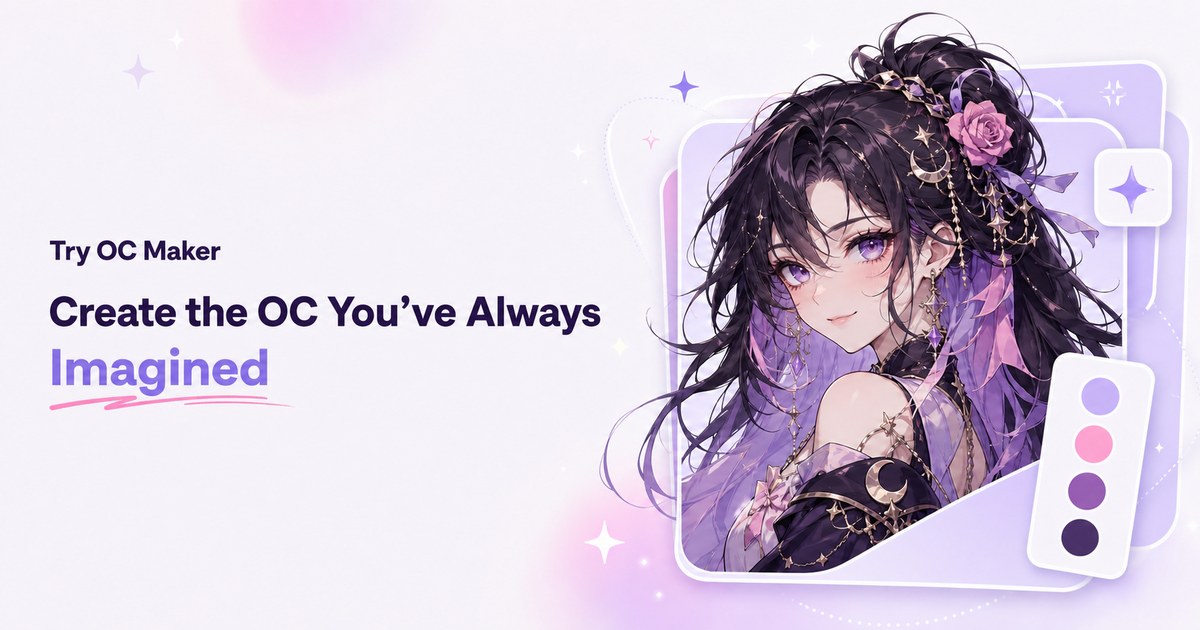
Start with a simple prompt, then let our AI OC Maker turn your idea into anime characters, fantasy OCs, roleplay avatars, and full-body character designs.
Related Articles
Explore more content related to this topic
The Complete 2026 Guide: Building Interactive Dashboards with A2UI RizzCharts
Learn how to build AI-powered ecommerce dashboards with A2UI RizzCharts. Understand custom component catalogs, Chart and GoogleMap components, data binding, and integration with Google ADK.
The Complete Guide to A2UI Protocol: Building Agent-Driven UIs with Google's A2UI in 2025
A comprehensive guide to A2UI (Agent to UI), a declarative UI protocol for agent-driven interfaces. Learn how AI agents generate rich, interactive UIs that render natively across platforms without executing arbitrary code.
A2UI Introduction - Declarative UI Protocol for Agent-Driven Interfaces
Discover A2UI, the declarative UI protocol that enables AI agents to generate rich, interactive user interfaces. Learn how A2UI works, who it's for, how to use it, and see real-world examples from Google Opal, Gemini Enterprise, and Flutter GenUI SDK.
Universal Commerce Protocol (UCP): The Complete 2026 Guide to Agentic Commerce Standards
Discover Universal Commerce Protocol (UCP), the open standard revolutionizing agentic commerce. Learn how UCP enables seamless interoperability between AI platforms, businesses, and payment providers, solving fragmented commerce journeys with standardized APIs for checkout, order management, and payment processing.
The A2UI Protocol: A 2026 Complete Guide to Agent-Driven Interfaces
Discover A2UI, the security-first declarative UI protocol that enables AI agents to generate rich, interactive user interfaces. Learn how A2UI solves the 'Chat Wall' problem, achieves security through data vs. code separation, and enables dynamic cross-platform interfaces. Includes real-world examples and implementation guidance.