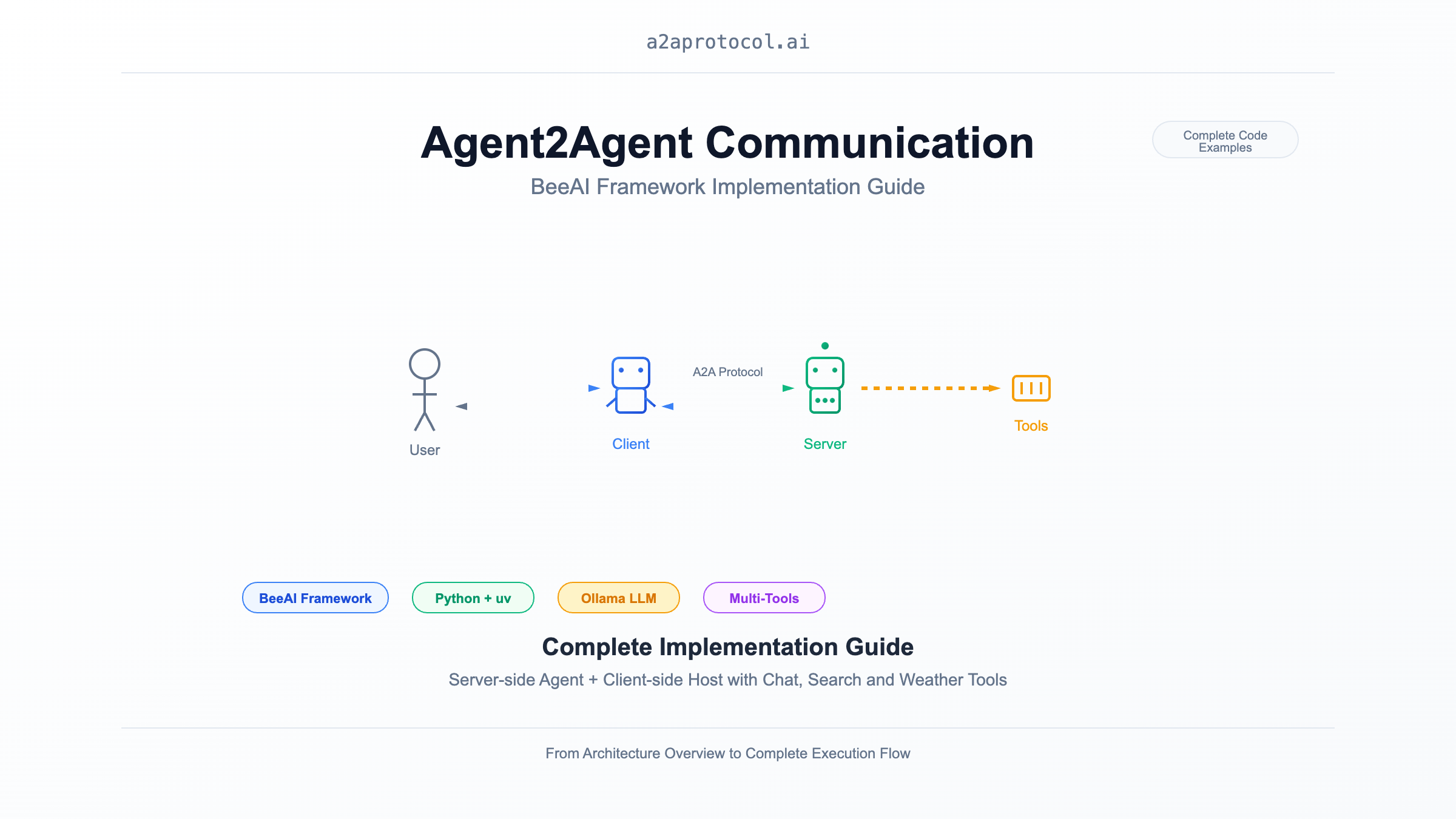
概要
このドキュメントでは、BeeAI フレームワークを使用して Agent2Agent (A2A) 通信を実装する方法を示します。サーバーサイド(Agent)とクライアントサイド(Host)の完全な実装が含まれています。この例では、ウェブ検索と天気クエリ機能を備えたインテリジェントチャットエージェントを実演します。
アーキテクチャ概要
sequenceDiagram
    participant User as ユーザー
    participant Client as BeeAI Chat Client
    participant Server as BeeAI Chat Agent
    participant LLM as Ollama (granite3.3:8b)
    participant Tools as ツールコレクション

    User->>Client: チャットメッセージ入力
    Client->>Server: HTTP リクエスト (A2A Protocol)
    Server->>LLM: ユーザーリクエスト処理
    LLM->>Tools: ツール呼び出し (検索/天気など)
    Tools-->>LLM: ツール結果返却
    LLM-->>Server: レスポンス生成
    Server-->>Client: A2A レスポンス返却
    Client-->>User: チャット結果表示
プロジェクト構造
samples/python/
├── agents/beeai-chat/          # A2A サーバー (Agent)
│   ├── __main__.py            # サーバーメインプログラム
│   ├── pyproject.toml         # 依存関係設定
│   ├── Dockerfile             # コンテナ化設定
│   └── README.md              # サーバードキュメント
└── hosts/beeai-chat/           # A2A クライアント (Host)
    ├── __main__.py            # クライアントメインプログラム
    ├── console_reader.py      # コンソール対話インターフェース
    ├── pyproject.toml         # 依存関係設定
    ├── Dockerfile             # コンテナ化設定
    └── README.md              # クライアントドキュメント
環境準備
システム要件
uv のインストール
# macOS/Linux
curl -LsSf https://astral.sh/uv/install.sh | sh

# または pip を使用
pip install uv
Ollama とモデルのインストール
# Ollama のインストール
curl -fsSL https://ollama.com/install.sh | sh

# 必要なモデルの取得
ollama pull granite3.3:8b
A2A サーバー実装 (Agent)
コア実装分析
サーバーは BeeAI フレームワークの RequirementAgent と A2AServer を使用してインテリジェントエージェントサービスを提供します:
def main() -> None:
    # LLM モデル設定
    llm = ChatModel.from_name(os.environ.get("BEEAI_MODEL", "ollama:granite3.3:8b"))

    # エージェント作成、ツールセット設定
    agent = RequirementAgent(
        llm=llm,
        tools=[ThinkTool(), DuckDuckGoSearchTool(), OpenMeteoTool(), WikipediaTool()],
        memory=UnconstrainedMemory(),
    )

    # A2A サーバー起動
    A2AServer(
        config=A2AServerConfig(port=int(os.environ.get("A2A_PORT", 9999))),
        memory_manager=LRUMemoryManager(maxsize=100)
    ).register(agent).serve()
主な機能
- ツール統合: 思考、ウェブ検索、天気クエリ、Wikipedia クエリをサポート
- メモリ管理: LRU キャッシュを使用してセッション状態を管理
- 環境設定: 環境変数によるモデルとポートの設定をサポート
uv でサーバーを実行
git clone https://github.com/a2aproject/a2a-samples.git
# サーバーディレクトリに移動
cd samples/python/agents/beeai-chat

# uv で仮想環境を作成し依存関係をインストール
uv venv
source .venv/bin/activate  # Linux/macOS
uv pip install -e .

# 重要な注意
uv add "a2a-sdk[http-server]"

# サーバー起動
uv run python __main__.py
環境変数設定
export BEEAI_MODEL="ollama:granite3.3:8b"  # LLM モデル
export A2A_PORT="9999"                     # サーバーポート
export OLLAMA_API_BASE="http://localhost:11434"  # Ollama API アドレス
A2A クライアント実装 (Host)
コア実装分析
クライアントは A2AAgent を使用してサーバーと通信し、対話型コンソールインターフェースを提供します:
async def main() -> None:
    reader = ConsoleReader()

    # A2A クライアント作成
    agent = A2AAgent(
        url=os.environ.get("BEEAI_AGENT_URL", "http://127.0.0.1:9999"),
        memory=UnconstrainedMemory()
    )

    # ユーザー入力処理ループ
    for prompt in reader:
        response = await agent.run(prompt).on(
            "update",
            lambda data, _: (reader.write("Agent 🤖 (debug) : ", data)),
        )
        reader.write("Agent 🤖 : ", response.result.text)
対話インターフェース機能
- リアルタイムデバッグ: エージェント処理過程のデバッグ情報を表示
- 優雅な終了: 'q' を入力してプログラムを終了
- エラーハンドリング: 空入力とネットワーク例外を処理
uv でクライアントを実行
# クライアントディレクトリに移動
cd samples/python/hosts/beeai-chat

# uv で仮想環境を作成し依存関係をインストール
uv venv
source .venv/bin/activate  # Linux/macOS
uv pip install -e .

# クライアント起動
uv run python __main__.py
環境変数設定
export BEEAI_AGENT_URL="http://127.0.0.1:9999" # サーバーアドレス
完全実行フロー
1. サーバー起動
# ターミナル 1: A2A サーバー起動
cd samples/python/agents/beeai-chat
uv venv && source .venv/bin/activate
uv pip install -e .
uv add "a2a-sdk[http-server]"
uv run python __main__.py
# 出力
INFO:     Started server process [73108]
INFO:     Waiting for application startup.
INFO:     Application startup complete.
INFO:     Uvicorn running on http://0.0.0.0:9999 (Press CTRL+C to quit)
2. クライアント起動
# ターミナル 2: A2A クライアント起動
cd samples/python/hosts/beeai-chat
uv venv && source .venv/bin/activate
uv pip install -e .
uv run python __main__.py
# 出力
Interactive session has started. To escape, input 'q' and submit.
User 👤 : what is the weather of new york today
Agent 🤖 (debug) :  value={'id': 'cb4059ebd3a44a2f8b428d83bbff8cac', 'jsonrpc': '2.0', 'result': {'contextId': 'b8a8d863-4c7d-48b7-9bdd-2848abccaae3', 'final': False, 'kind': 'status-update', 'status': {'state': 'submitted', 'timestamp': '2025-09-02T07:52:09.588387+00:00'}, 'taskId': '6e0fce64-51f0-4ad3-b0d5-c503b41bf63a'}}
Agent 🤖 (debug) :  value={'id': 'cb4059ebd3a44a2f8b428d83bbff8cac', 'jsonrpc': '2.0', 'result': {'contextId': 'b8a8d863-4c7d-48b7-9bdd-2848abccaae3', 'final': False, 'kind': 'status-update', 'status': {'state': 'working', 'timestamp': '2025-09-02T07:52:09.588564+00:00'}, 'taskId': '6e0fce64-51f0-4ad3-b0d5-c503b41bf63a'}}
Agent 🤖 (debug) :  value={'id': 'cb4059ebd3a44a2f8b428d83bbff8cac', 'jsonrpc': '2.0', 'result': {'contextId': 'b8a8d863-4c7d-48b7-9bdd-2848abccaae3', 'final': True, 'kind': 'status-update', 'status': {'message': {'contextId': 'b8a8d863-4c7d-48b7-9bdd-2848abccaae3', 'kind': 'message', 'messageId': '8dca470e-1665-41af-b0cf-6b47a1488f89', 'parts': [{'kind': 'text', 'text': 'The current weather in New York today is partly cloudy with a temperature of 16.2°C, 82% humidity, and a wind speed of 7 km/h.'}], 'role': 'agent', 'taskId': '6e0fce64-51f0-4ad3-b0d5-c503b41bf63a'}, 'state': 'completed', 'timestamp': '2025-09-02T07:52:39.928963+00:00'}, 'taskId': '6e0fce64-51f0-4ad3-b0d5-c503b41bf63a'}}
Agent 🤖 :  The current weather in New York today is partly cloudy with a temperature of 16.2°C, 82% humidity, and a wind speed of 7 km/h.
User 👤 :
3. 対話例
Interactive session has started. To escape, input 'q' and submit.
User 👤 : 今日の東京の天気はどうですか?
Agent 🤖 (debug) : 東京の天気情報を照会中...
Agent 🤖 : 最新の天気データによると、東京は今日曇りで、気温15-22°C、湿度65%、風速3m/sです。

User 👤 : 人工知能の最新発展について検索してください
Agent 🤖 (debug) : AI関連情報を検索中...
Agent 🤖 : 検索結果によると、人工知能分野の最近の主要な発展には...

User 👤 : q
技術要点
依存関係管理
両プロジェクトとも pyproject.toml を使用して依存関係を管理:
サーバー依存関係:
dependencies = [
    "beeai-framework[a2a,search] (>=0.1.36,<0.2.0)"
]
クライアント依存関係:
dependencies = [
    "beeai-framework[a2a] (>=0.1.36,<0.2.0)",
    "pydantic (>=2.10,<3.0.0)",
]
メモリ管理
- サーバーは
LRUMemoryManagerを使用してセッション数を制限 - クライアントとサーバーの両方が
UnconstrainedMemoryを使用して会話履歴を保持
ツール統合
サーバーは複数のツールを統合:
ThinkTool: 内部思考と推論DuckDuckGoSearchTool: ウェブ検索OpenMeteoTool: 天気クエリWikipediaTool: Wikipedia クエリ
拡張とカスタマイズ
新しいツールの追加
from beeai_framework.tools.custom import CustomTool

agent = RequirementAgent(
    llm=llm,
    tools=[
        ThinkTool(),
        DuckDuckGoSearchTool(),
        OpenMeteoTool(),
        WikipediaTool(),
        CustomTool()  # カスタムツールを追加
    ],
    memory=UnconstrainedMemory(),
)
カスタムクライアントインターフェース
ConsoleReader を置き換えて GUI や Web インターフェースを実装できます:
class WebInterface:
    async def get_user_input(self):
        # Web インターフェース入力を実装
        pass

    async def display_response(self, response):
        # Web インターフェース出力を実装
        pass
まとめ
この実装ドキュメントでは、BeeAI フレームワークと uv パッケージマネージャーを使用して完全な A2A 通信システムを構築する方法を示しました。サーバーのインテリジェントエージェントとクライアントの対話インターフェースを通じて、機能豊富なチャットボットシステムを実装しました。このアーキテクチャは優れた拡張性を持ち、新しいツールや機能を簡単に追加できます。
その他の A2A Protocol 例
- A2A Multi-Agent Example: Number Guessing Game
- A2A MCP AG2 Intelligent Agent Example
- A2A + CrewAI + OpenRouter Chart Generation Agent Tutorial
- A2A JS Sample: Movie Agent
- A2A Python Sample: Github Agent
- A2A Sample: Travel Planner OpenRouter
- A2A Java Sample
- A2A Samples: Hello World Agent
- A2A Sample Methods and JSON Responses
- LlamaIndex File Chat Workflow with A2A Protocol
Featured Products
Tools and services from the A2A ecosystem directory.
Turn any flat image into named, editable layers—separate text, subjects, decorations, and backgrounds in just a few clicks.
Start with a simple prompt, then let our AI OC Maker turn your idea into anime characters, fantasy OCs, roleplay avatars, and full-body character designs.
Related Articles
Explore more content related to this topic
Integrating A2A Protocol - Intelligent Agent Communication Solution for BeeAI Framework
Using A2A protocol instead of ACP is a better choice for BeeAI, reducing protocol fragmentation and improving ecosystem integration.
A2UI Introduction - Declarative UI Protocol for Agent-Driven Interfaces
Discover A2UI, the declarative UI protocol that enables AI agents to generate rich, interactive user interfaces. Learn how A2UI works, who it's for, how to use it, and see real-world examples from Google Opal, Gemini Enterprise, and Flutter GenUI SDK.
Agent Gateway Protocol (AGP): Practical Tutorial and Specification
Learn the Agent Gateway Protocol (AGP): what it is, problems it solves, core spec (capability announcements, intent payloads, routing and error codes), routing algorithm, and how to run a working simulation.
A2A vs ACP Protocol Comparison Analysis Report
A2A (Agent2Agent Protocol) and ACP (Agent Communication Protocol) represent two mainstream technical approaches in AI multi-agent system communication: 'cross-platform interoperability' and 'local/edge autonomy' respectively. A2A, with its powerful cross-vendor interconnection capabilities and rich task collaboration mechanisms, has become the preferred choice for cloud-based and distributed multi-agent scenarios; while ACP, with its low-latency, local-first, cloud-independent characteristics, is suitable for privacy-sensitive, bandwidth-constrained, or edge computing environments. Both protocols have their own focus in protocol design, ecosystem construction, and standardization governance, and are expected to further converge in openness in the future. Developers are advised to choose the most suitable protocol stack based on actual business needs.
Building an A2A Currency Agent with LangGraph
This guide provides a detailed explanation of how to build an A2A-compliant agent using LangGraph and the Google Gemini model. We'll walk through the Currency Agent example from the A2A Python SDK, explaining each component, the flow of data, and how the A2A protocol facilitates agent interactions.