Google AI Edge Foresight: Private, On-Device Meeting Notes on Mac
Meeting notes are easy to collect and hard to use. A recording preserves every word, but finding the one decision made forty minutes earlier still takes time. A short summary is easier to scan, yet it can lose the detail that later answers a question.
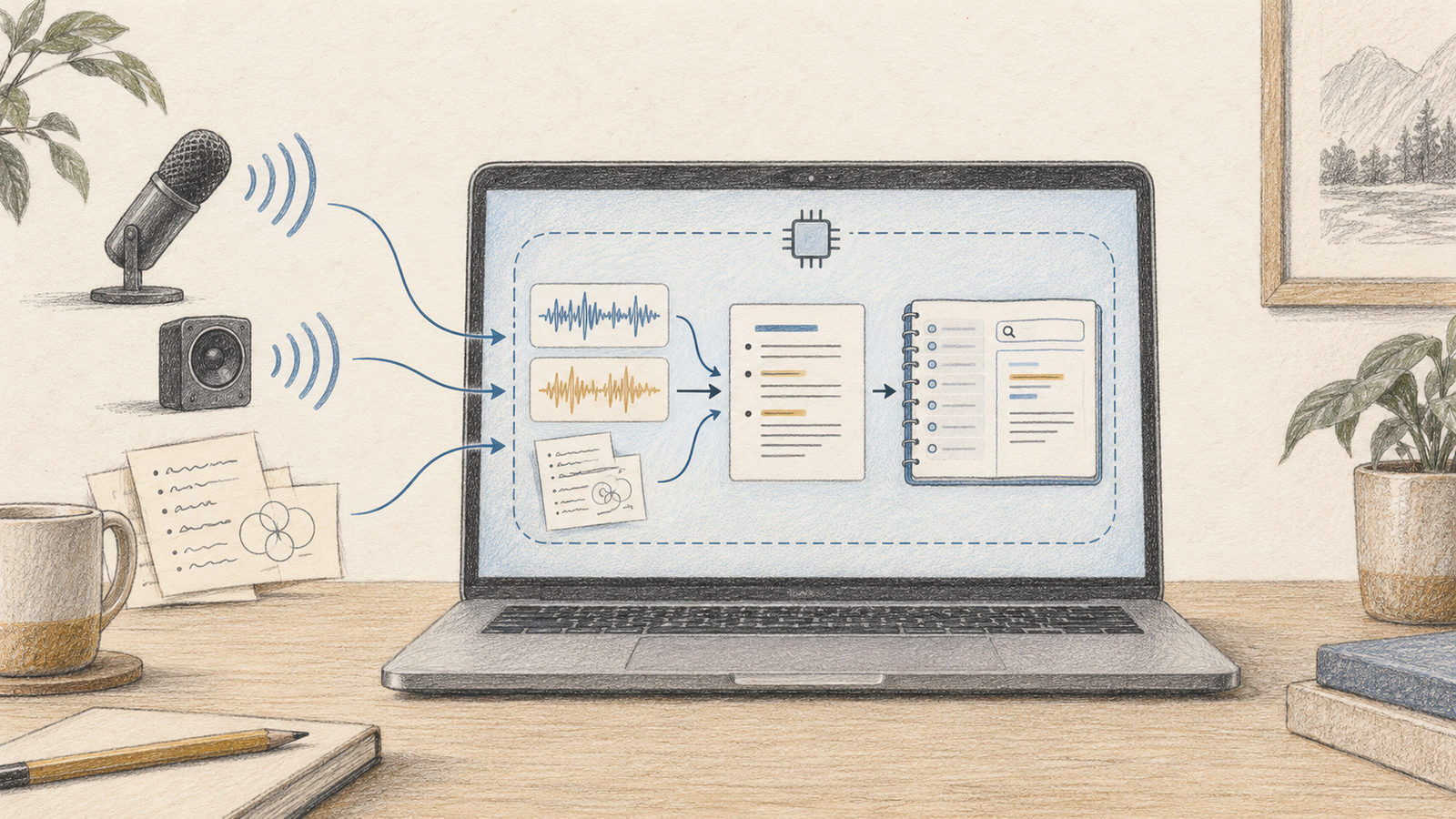
Google AI Edge Foresight is an experimental Mac application built around that gap. Google describes it as an on-device meeting assistant that can capture meeting audio, help create notes, and let a user retrieve details later. The central idea is to keep the workflow on the computer instead of treating each meeting as another cloud transcription job.
Here is how the design works, what to verify before relying on it, and where it differs from a conventional meeting recorder.
1. Why meeting notes need retrieval
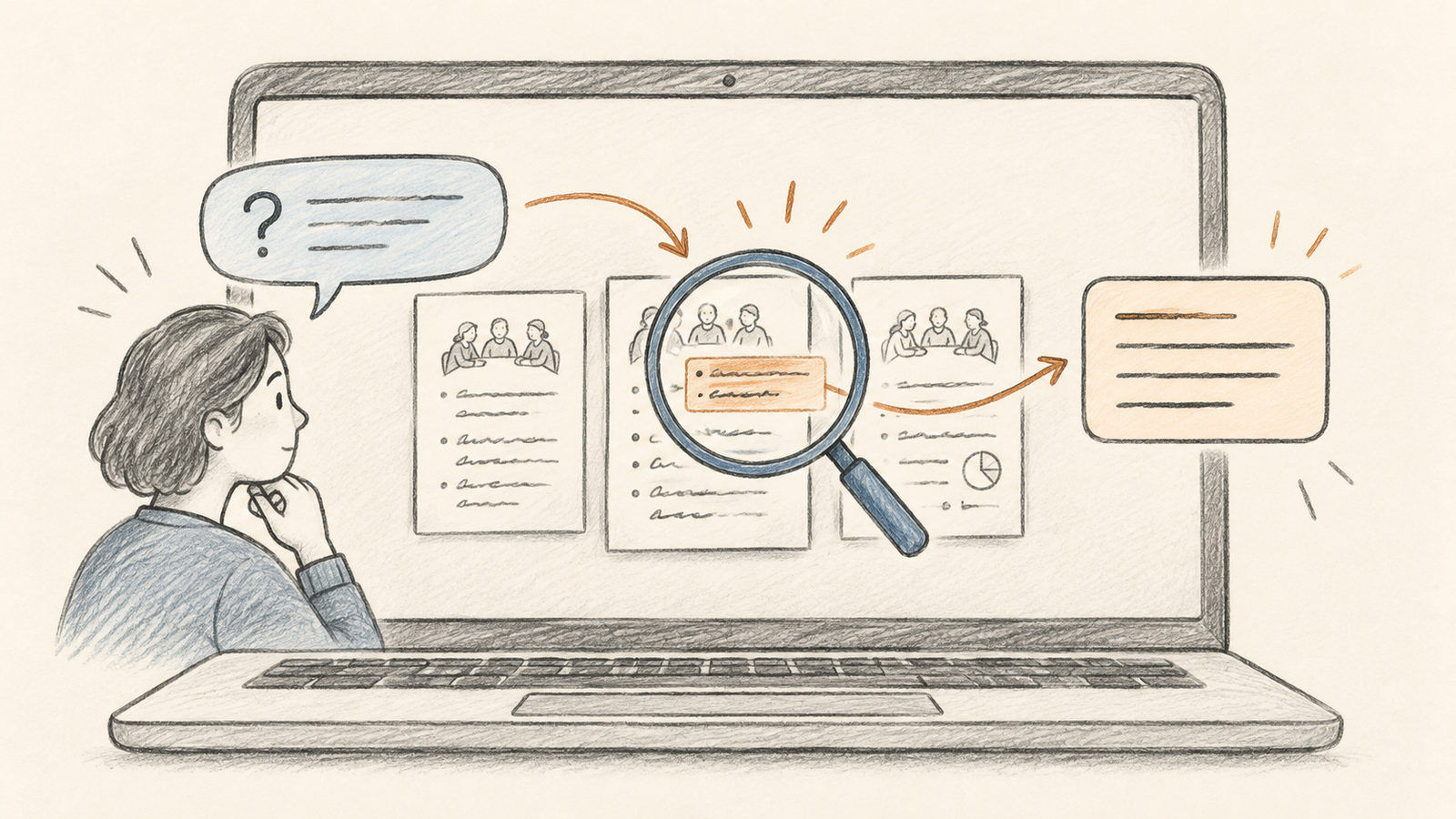
A meeting transcript is a record. Notes are a compressed view of that record. A useful assistant needs both: it should preserve the important points while allowing the user to ask a specific follow-up later.
Consider a project review where someone mentions a deadline, a blocker, and a possible owner. A summary may capture the deadline but not who volunteered to investigate the blocker. Retrieval lets the user ask about that detail without scanning the whole transcript.
Foresight’s local-first approach is notable because meetings can contain product plans, customer information, or early research. In a local workflow, audio processing and stored notes are intended to remain on the device. This reduces dependence on a remote service, but does not remove the need to understand microphone permissions, system-audio capture, app storage, and the people in the meeting.
2. What Google says the app does
Google’s AI Edge announcement presents Foresight as an experimental Mac meeting app. It can work with meeting platforms, capture system audio and microphone audio, and operate offline. Google says the experience uses EmbeddingGemma 2 and Gemma 4 to support note-taking and retrieval.
Those model names describe distinct roles. Embedding models represent content in a form that helps retrieve related passages. A generative model can then help turn that context into concise notes or an answer. The important product promise is the complete workflow: capture, local processing, organized notes, and questions over previous meetings.
Treat the app as an experiment rather than a finished enterprise recording system. Features, installation requirements, and compatibility can change. Consult Google’s current release page for supported macOS versions and download instructions before planning a team rollout.
3. A typical workflow
The general workflow is straightforward:
- Install the Mac app from Google’s current AI Edge release page and review its permission prompts.
- Choose whether the meeting audio comes from the microphone, system audio, or both, according to the actual setup.
- Start capture only after giving participants the notice or consent required for your meeting.
- Let the app prepare notes, then check the names, dates, decisions, and action owners against the source.
- Ask a follow-up question and confirm that the answer points back to the right meeting context.
On-device processing can make capture useful even when a meeting platform has no direct integration. It also means the Mac’s microphone routing and audio permissions matter. Before a real meeting, test with a short recording and verify that the app receives both sides of a conversation. Bluetooth headsets, system audio settings, and conferencing software can route sound differently.
4. What “on-device” does—and does not—mean
Local inference is a privacy property of a processing path, not a universal guarantee about an application. The claim should be read narrowly: the described meeting workflow is designed to process the meeting locally. Users should still review where files are stored, whether diagnostics are sent, how notes are backed up, and what happens when the app is updated.
The same caution applies to accuracy. An offline model can still mishear names, overlap speech, or summarize a tentative idea as a firm decision. Meeting notes are drafts. A person should review action items before they are copied into a tracker or sent to attendees.
Local models also depend on hardware. Performance can vary with the Mac, memory pressure, audio length, and model configuration. For a one-hour meeting, test the complete record-and-retrieve loop—not only a short demo clip.
5. How Foresight differs from a cloud meeting bot
A cloud meeting bot usually joins a call as another participant, processes a stream on a provider’s servers, and may offer a transcript dashboard. That can be convenient for collaboration, but creates account, integration, and data-retention questions.
Foresight takes a desktop-centered approach. It is better understood as a local assistant that listens to the computer’s meeting audio and builds a private notebook. That distinction matters for people who move between conference tools or prefer not to invite a bot to every call.
There are trade-offs. A local Mac app may be less convenient for teams that need shared live notes, centralized retention controls, or administrator-managed transcripts. A cloud service may offer stronger collaboration features. Choose based on where your notes need to live and who is responsible for the record.
6. A safe evaluation checklist
A short pilot can test the real questions:
- Does the app capture the audio sources you expect?
- Are the notes accurate for your accents, terminology, and meeting formats?
- Can you find an answer later, and does it preserve enough context?
- Where do recordings and notes live, and how can they be removed?
- Does offline use actually work in your network environment?
Use synthetic or low-risk meetings first. Compare generated notes with a human note-taker, especially for decisions and commitments. Do not rely on a generated summary as the sole record of a legal, medical, financial, or personnel decision.
Conclusion
Google AI Edge Foresight explores a useful direction: meeting capture and recall that run close to the user, on a Mac. Its value is not merely that a model can summarize speech. It is the combination of recording, local notes, and retrieval across past conversations.
Because the app is experimental, the best first step is a small, consent-based pilot. Verify the local data path, test audio capture, and check every important action item. That makes the privacy claim and the productivity benefit concrete before the tool becomes part of a team’s routine.