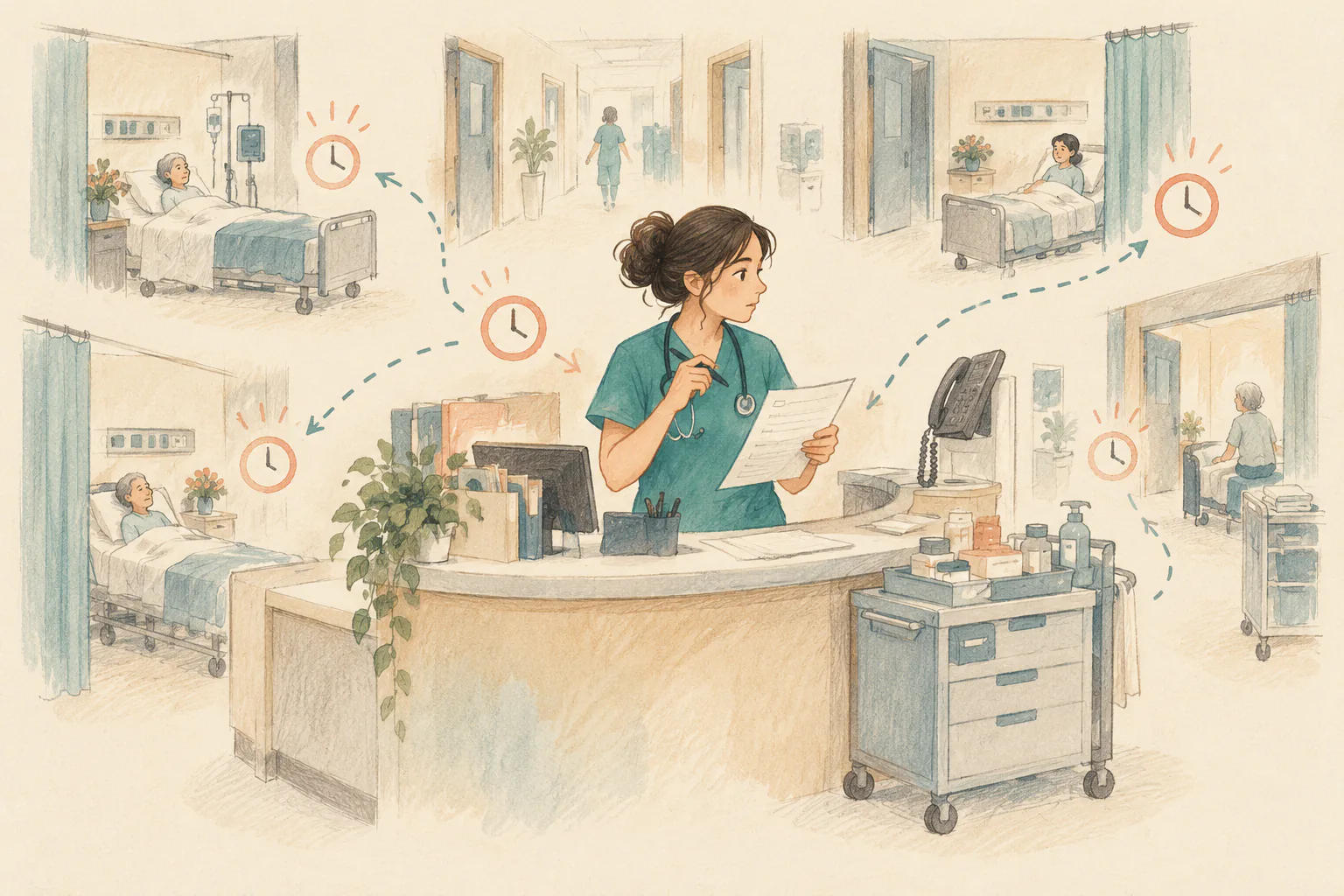
Busy Nurse is a browser-based game that simulates a shift in a hospital ward. You play as a nurse in a general medical and surgical unit, balancing handoffs, medication rounds, vital-sign checks, operating-room transfers, and unexpected calls.
Ward work rarely follows a neat checklist. A phone call or a patient who needs an assessment can interrupt the plan you just made. Busy Nurse turns that kind of busy shift into a playable scenario built around a ward map, a task list, and live updates.
This guide explains what the game includes, how its three shifts differ, and what to expect when you start playing. It is a simulation for exploring nursing-work scenarios; it does not replace clinical training, medical orders, or a hospital’s procedures.
1. What Is Busy Nurse?
The site’s Chinese title translates roughly to “Don’t Eat Pineapple at Work.” It refers to a hospital joke that eating pineapple before a shift will make the whole shift especially busy. The game uses that idea to introduce its central theme: several things can need attention at once.
Players choose a day, evening, or night shift in a general medical and surgical ward. Before the shift begins, the game presents handoff information and a preview of the work ahead. During the shift, a ward map, patient details, a task list, and live updates help you follow what is happening.
The page says the project was inspired by Dr. Charming’s 我熱愛值班 and describes Busy Nurse as an independently made nurse-focused version. It credits Corrine Xie as the author. The site also states that commercial use is prohibited and that the scenarios, values, and medication doses are for game practice only. Clinical work should follow the relevant medical orders and unit procedures.
2. Three Shifts, Three Different Workloads
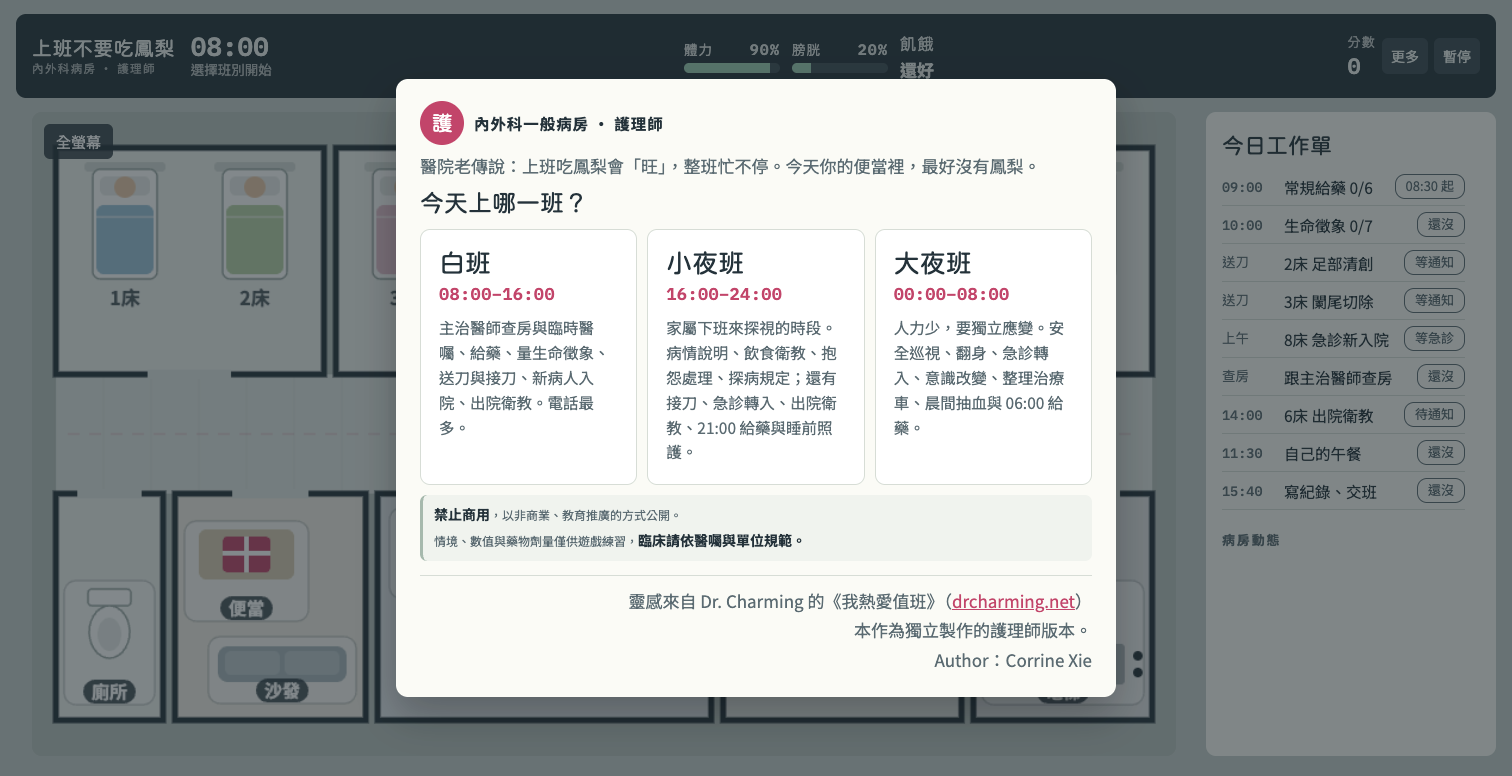
The shift-selection screen outlines the kinds of work that may come up in each time slot. The schedules change the scenario’s priorities, not just the clock on the screen.
| Shift | Hours | Examples shown on the site |
|---|---|---|
| Day shift | 08:00–16:00 | Physician rounds, new orders, medication, vital signs, operating-room transfers, emergency admissions, and discharge education. The site notes that phone calls are frequent. |
| Evening shift | 16:00–24:00 | Family visits, explanations about a patient’s condition, diet education, complaints, visiting rules, operating-room transfers, emergency admissions, discharge education, and evening medication and bedtime care. |
| Night shift | 00:00–08:00 | Working with fewer staff, safety rounds, repositioning, emergency admissions, changes in consciousness, preparing the treatment cart, morning blood draws, and 06:00 medication. |
The day shift is a straightforward place to start because its task list is easy to follow. Once you understand the interface, you can try the evening and night shifts to see how the work changes.
3. How the Ward Map and Task List Work Together
Before the shift starts, Busy Nurse shows handoff information and patient scenarios. In the day-shift example, the ward has eight beds. The task list includes scheduled medication, vital-sign checks, operating-room transfers, an emergency admission, rounds, discharge education, a lunch break, and end-of-shift documentation and handoff.
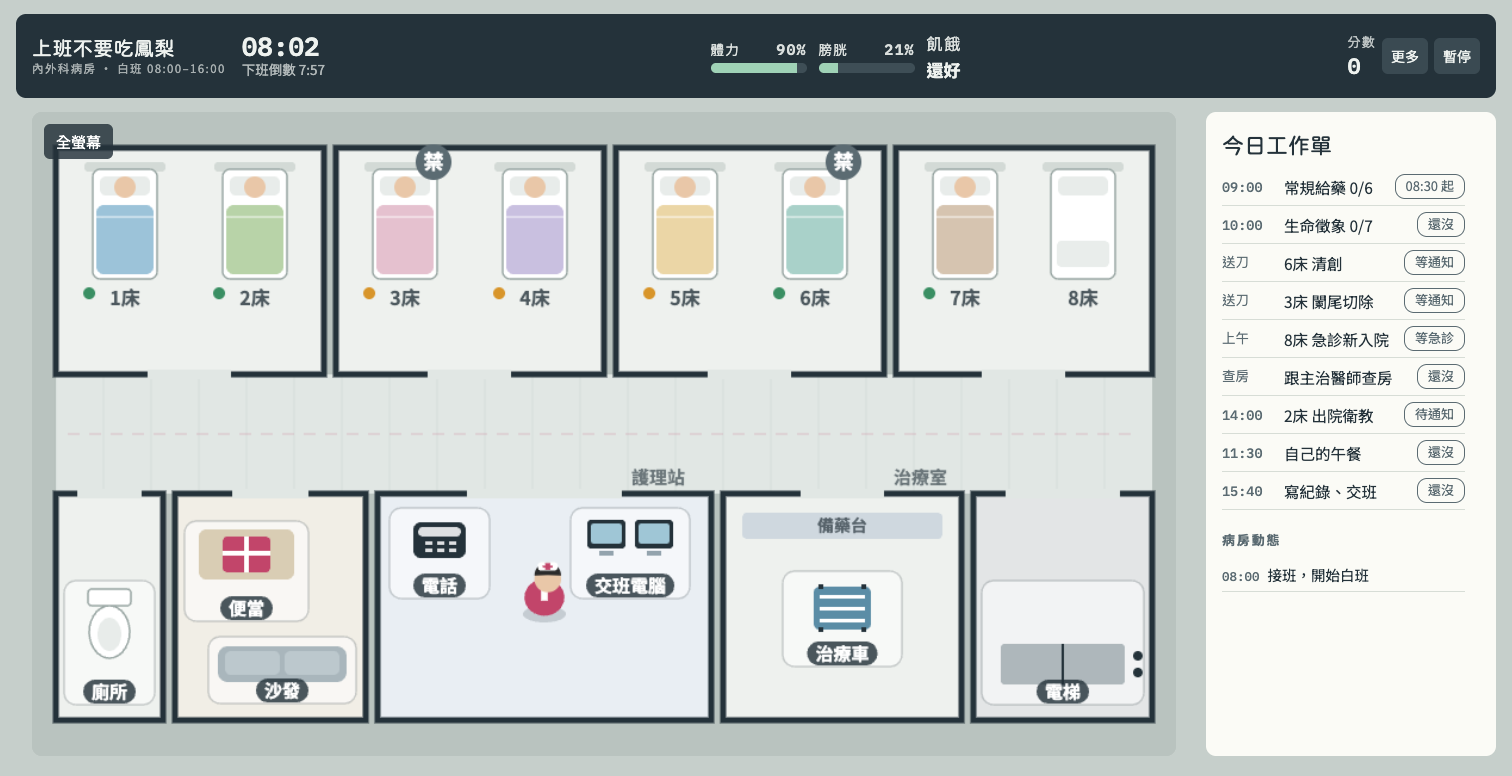
The map answers “Where is everyone?” while the task list answers “What still needs to be done?” The map shows beds and work areas such as the nurses’ station and treatment room. The task list shows scheduled work and progress. Across the top, the game displays the in-game time, time until the shift ends, stamina, bladder, hunger, and score.
That combination makes the game more than a sequence of isolated tasks. You move between locations, keep track of deadlines, and watch for new information that may change what you do next.
4. Interruptions Change the Plan
The site describes a sample response flow: notice an abnormal situation, assess the patient at the bedside, judge the level of concern, contact a physician from the nurses’ station using SBAR, and then carry out the new order. The game also asks the player to take a treatment cart to the bedside and follow its medication-checking scenario.
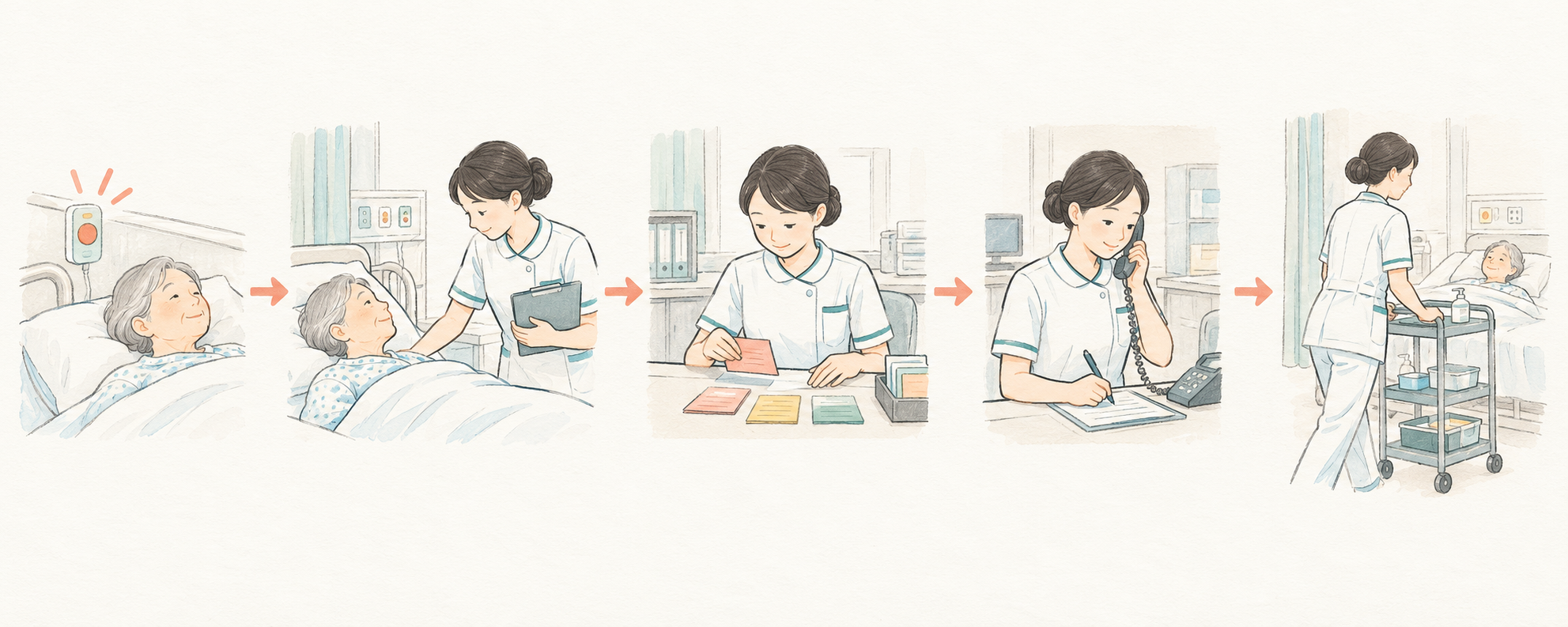
Calls, call bells, operating-room updates, and emergency admissions can interrupt the existing plan. The site notes that operating times can vary and that a phone call may disconnect if it rings for too long. A carefully arranged list of tasks may need to be rearranged when something new happens.
Stamina, bladder, and hunger also change as the shift progresses. They bring the nurse’s own needs into the simulation alongside patient care. These features frame the game around time pressure and prioritization; they are not a measure of real-world nursing performance.
5. How to Start a Shift
- Open Busy Nurse and read the introductory notes and usage limits.
- Choose the day, evening, or night shift. Each option includes a short description of its workload.
- Review the handoff information, beds, and task list before starting.
- Once the shift begins, follow the map, task progress, status indicators, and ward updates. Use the pause control if you need to stop and review the situation.
When I checked the site, I could choose a shift and enter the game without encountering a sign-in step. The opening page did not list pricing, so this guide does not describe Busy Nurse as either free or paid.
6. Who Might Find Busy Nurse Useful?
Nursing students can use the game as a way to observe how handoff notes, scheduled work, and unexpected events overlap in a simulated shift. Nurses may find it interesting as a lightweight scenario about communication, interruptions, and prioritization.
People curious about hospital work can also use the task list to see examples of what a ward shift may involve. If you share gameplay with friends or on social media, describe it as a simulation and keep the site’s usage restrictions in mind.
7. Frequently Asked Questions
Do I need to download an app?
The game opened in a web browser during my check, and the page did not ask me to install an app.
Does Busy Nurse replace clinical training?
No. The site says that its scenarios, values, and medication doses are for game practice. Real clinical decisions and procedures must follow professional training, medical orders, and the rules of the relevant unit.
Is Busy Nurse free?
The opening page I checked did not display pricing information. Check the current site for any updated terms before using it.
What shifts can I choose?
The opening screen lists day shift (08:00–16:00), evening shift (16:00–24:00), and night shift (00:00–08:00).
Can I use the game commercially?
The site says commercial use is prohibited and describes the project as available for non-commercial educational outreach. Review the site’s current terms before reusing or distributing its content.
Conclusion
Busy Nurse turns a hospital shift into a small simulation built from patient beds, a task list, status indicators, and interruptions. You can start by choosing a shift, reviewing the handoff, and seeing how the day’s plan changes as new events arrive.
If you are curious about ward routines or want to try a shift-management game, visit Busy Nurse. Keep the game’s scenarios separate from real clinical guidance.