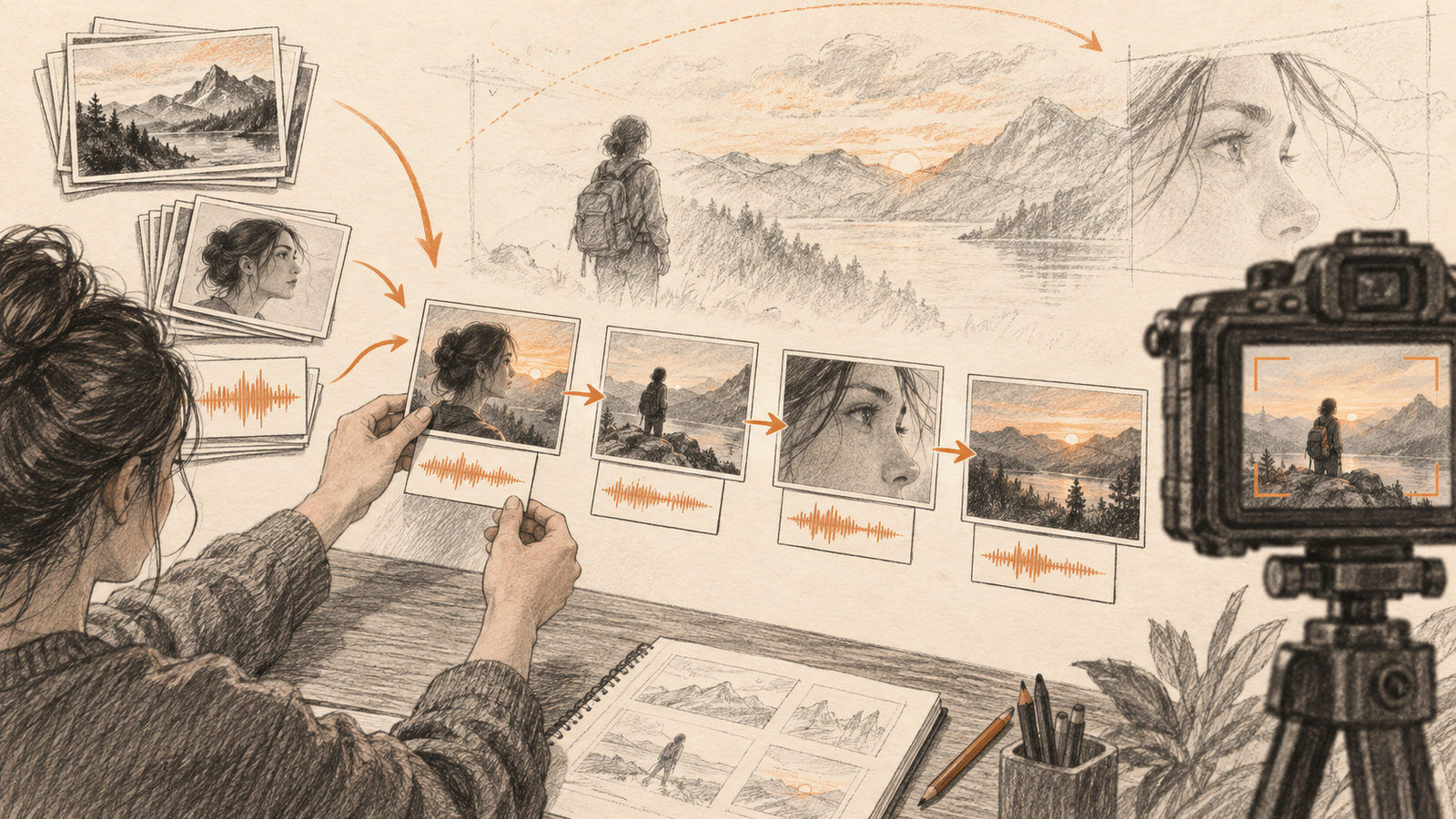
Reference-to-video is useful when a video needs to keep a character, scene, or voice consistent across several shots. Instead of describing everything from scratch, a creator supplies visual or audio references and asks the model to build around them.
Vidu Q4 supports image-to-video and reference-to-video workflows. Its official page says reference-to-video accepts up to 15 images and three voice references, while output length and resolution depend on the mode.
This guide explains how to choose a workflow and prepare references that give the model a clear target.
Choose the mode by the job
Use image-to-video when you already have one strong starting frame and want to animate it with a prompt. Use reference-to-video when several visual references must guide the result, such as a recurring character, a location, a style, or a voice.
Vidu's documentation lists up to 15 image references and three audio references for the latter mode. It describes synchronized audio and visuals as part of the feature. Image-to-video supports clips from 3 to 16 seconds; reference-to-video supports 1 to 16 seconds. The page also advertises outputs up to 4K.
Prepare references before prompting
Start with a small, coherent set even when the limit is higher. Choose images that agree on the subject's appearance and avoid references that show conflicting outfits or lighting. For voice references, use clean recordings with little background noise.
Then write a prompt about the change you want: movement, camera behavior, or scene development. Do not ask the text prompt to repeat every detail already visible in the references. Shorter, more focused instructions make it easier to identify what the references contribute.
Review the result as a sequence
Watch the entire clip. Look for changing facial features, unstable objects, inconsistent lighting, or audio that no longer fits the motion. A video can look convincing in its first frame and still drift later.
For an ad or social clip, generate a short draft first. Adjust the references and movement prompt before spending effort on a longer or higher-resolution version. Keep the original files so you can compare the model's output against the intended look.
Where Q4 fits
Vidu positions Q4 for AI series, advertising, social content, and cinematic work. Its multiple-reference option is most useful when consistency matters more than free-form invention. The best results still depend on reference quality and a careful review.
See the official Vidu Q4 page for current modes and limits.