Understanding Prism: Dynamic Sparse Attention for Joint Video-Audio Generation
Prism is a dynamic sparse-attention framework for training video-and-audio generation models at high resolution. It aims to reduce the cost of attention while keeping the visual and sound details that matter to a clip.
A 2K video contains far more visual tokens than a small image. If every token compares itself with every other token, attention becomes expensive quickly. Audio adds another stream of information, and a useful model must connect sounds to the parts of a scene that produce them.
This article explains the problem Prism addresses, how its attention pattern changes with local content, and what the Hugging Face preview currently requires. The project page and paper describe the method; the results below are the authors’ reported findings, not an independent benchmark.
1. Why does high-resolution video need a different approach?
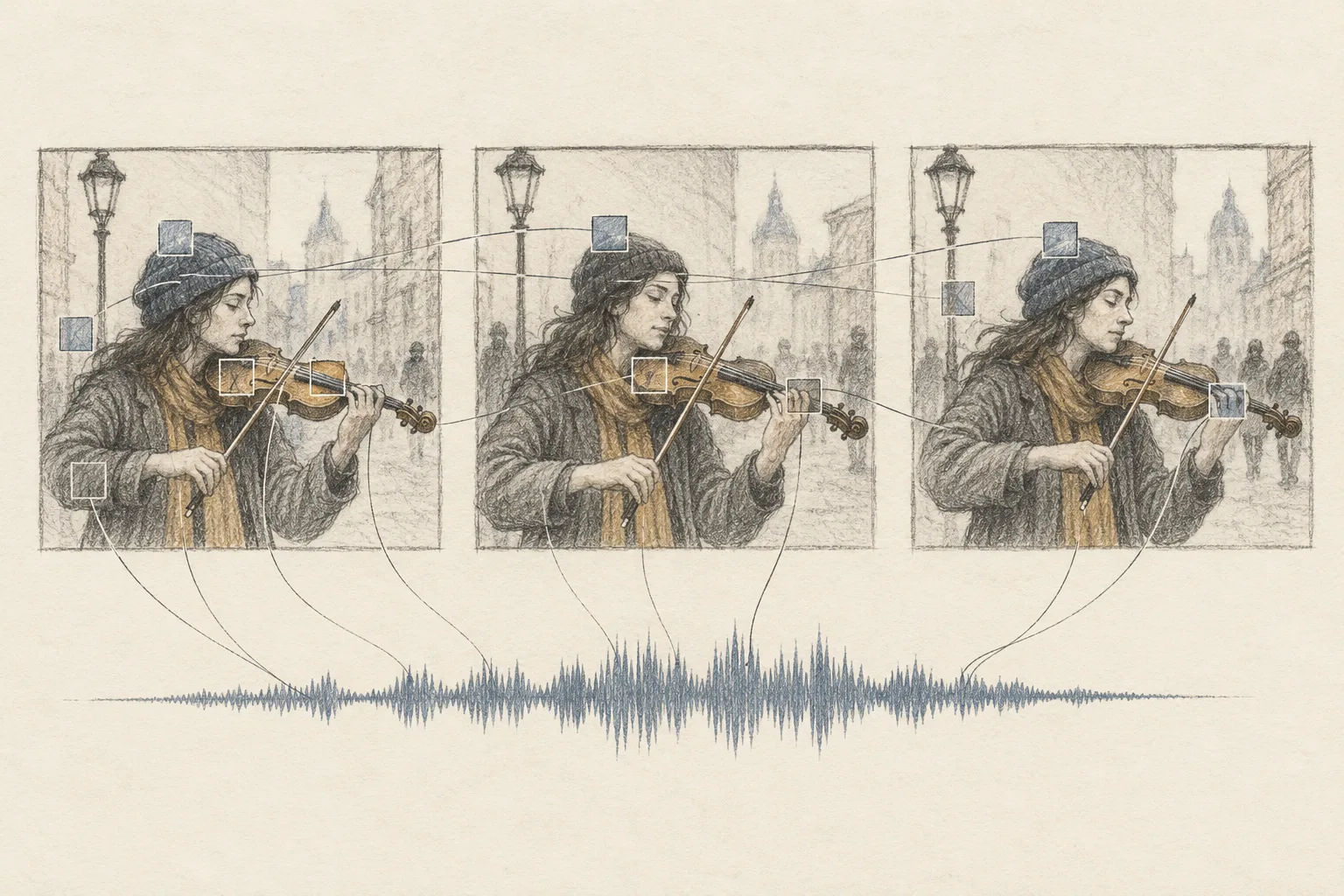
Imagine a model studying a short clip of someone playing an instrument. It receives many small visual patches from every frame, along with audio features from the soundtrack. A dense attention layer lets each visual token compare with every other token. This is flexible, but the number of comparisons grows roughly with the square of the token count.
More frames and finer spatial detail both increase that count. At high resolutions, much of the video may be quiet background or repeated scenery. Giving every token equal access to every other token can spend compute on relationships that contribute little to learning.
Video and audio also have a useful structure: sound is often tied to particular actions or objects. A struck drum, for example, should relate to the moving hand and drum surface more strongly than to a still wall. Prism uses this structure to guide sparse attention. The paper and Hugging Face model card describe the method.
2. Divide the clip into local zones
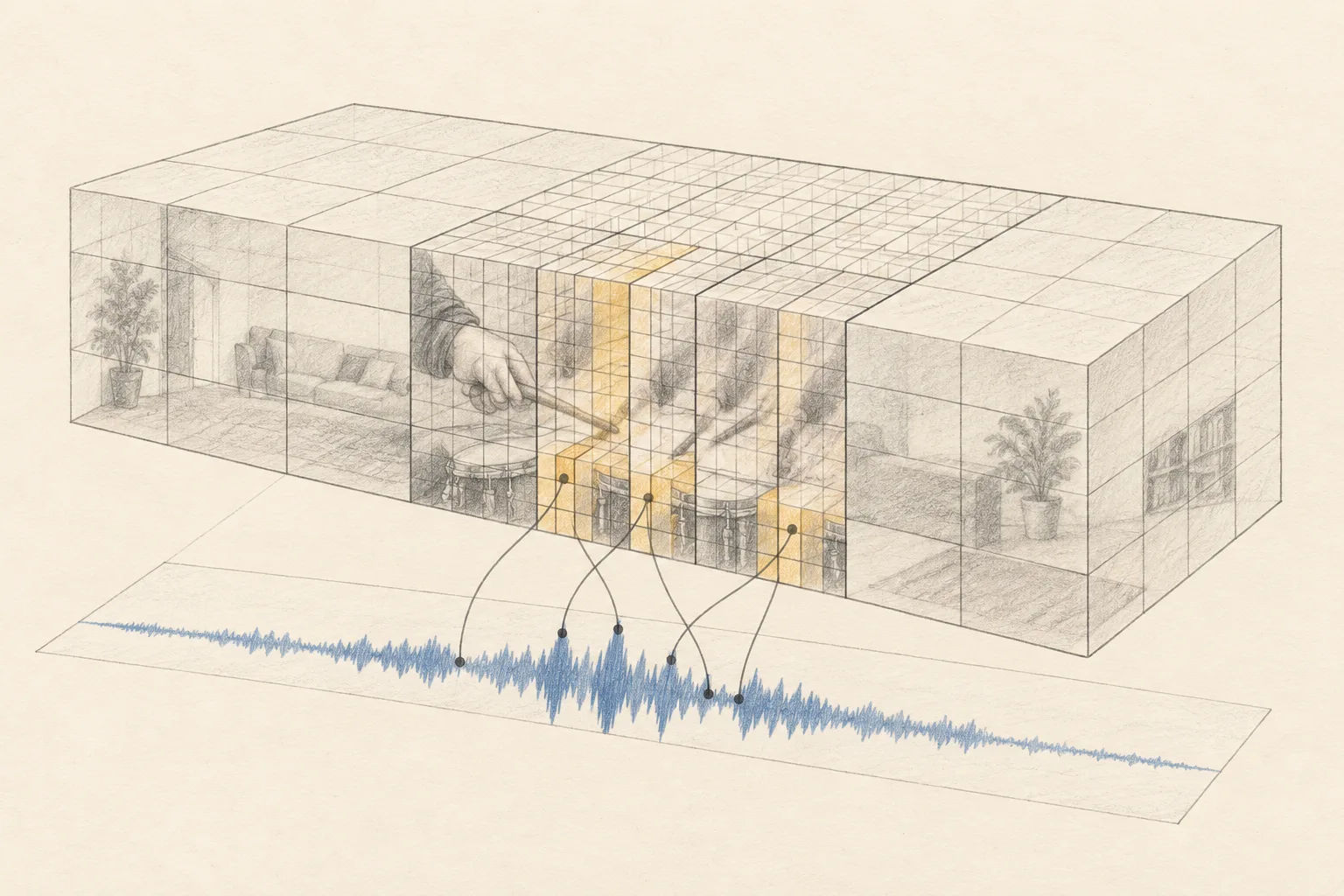
Prism first organizes the video tokens into spatiotemporal macro-zones. Each zone covers a region across time, height, and width. You can think of it as dividing a long film strip into neighborhoods before deciding which neighborhoods need finer inspection.
For each zone, the method estimates two signals. First, it measures how video features vary across channels, which gives clues about local visual structure and change. Second, it looks at feature norms from audio-to-video cross-attention, which indicate how strongly audio relates to each visual region.
3. Adapt the attention blocks to the content
A quiet region can remain in broader blocks. A region with rapid visual changes, or one strongly linked to sound, can be divided more finely along the relevant axes. Prism assigns a block shape to each zone using those local signals, rather than forcing the same block geometry over the whole clip.
The framework then uses a hybrid block-selection strategy to decide which key blocks each query should attend to. In simple terms, it spends more attention where the video changes or where audio and video interact, while skipping many less informative token-to-token comparisons. The model card also describes this per-query sparsity as dynamic.
This is a training-time attention design, not a general claim that every part of video generation becomes cheaper. The paper focuses on sparse attention for joint video-audio model training; the repository separately exposes inference settings for its preview checkpoints.
4. What is available in the Hugging Face repository?
The FrancisRing/Prism repository provides preview checkpoints and scripts for image-to-video or text-to-video-and-audio inference, as well as instructions for native joint video-audio training at 720p, 1080p, and 2K. The inference examples use a MOVA base-model checkpoint together with a Prism checkpoint, so the Prism weights are not the only files needed.
The repository documents two inference paths. After setting the checkpoint paths and generation options in the scripts, the commands are:
# Single-GPU or DeepSpeed path; the repository recommends it for 720p.
bash prism_infer.sh

# FSDP path; the repository recommends it for 1080p and 2K.
bash prism_infer_fsdp.sh
The script choice matters because the model’s memory requirements are high. The model card lists a single 80 GB NVIDIA GPU for 720p inference and four or more 80 GB GPUs for 1080p or 2K inference. For native training, it lists at least 32 such GPUs for 720p and 64 for 1080p or 2K. It also requires Python 3.10 or newer, CUDA 12.4 or newer, and ffmpeg.
5. How should we read the performance claim?
The authors report that Prism trains 2.5 times faster than full attention in their experiments, while also achieving higher generation quality. That is a result from the paper’s experiments, not a guarantee for every model, dataset, hardware setup, or sparsity setting. The paper is an arXiv preprint submitted on October 4, 2026; readers evaluating the method should consult the paper for its experimental setup and comparisons. Read the paper.
The Hugging Face page currently says the model is not deployed through an Inference Provider. In practice, this is a research preview for people prepared to download checkpoints and configure a GPU environment, rather than a hosted, click-to-run demo.
Conclusion
Prism addresses the quadratic cost of dense attention by grouping video tokens into spatiotemporal zones, estimating visual variation and audio-video relevance, and choosing a different sparse block pattern for each zone and query. The aim is to preserve useful video-audio relationships while avoiding many low-value comparisons.
The idea is most relevant to teams training joint video-audio models at high resolution. The current preview is technically accessible through its repository, but the GPU requirements put 1080p and 2K experiments in large-scale training territory.
(End)