Kimi K3.1 Pro is the flagship model from Moonshot AI, and k31.pro is an independent service that gives it two doors: a browser playground you can open right now, and an OpenAI-compatible API for your own code.
The model itself is easy to admire on a spec sheet. It carries a 1,048,576-token context window, accepts images and video alongside text, and lets you adjust how hard it thinks. What has been harder is simply sitting down and using it, because official channels are not always the quickest path for everyone.
This article is my notes from doing exactly that: opening an account, having a first multimodal conversation, making the first API call, and understanding the billing before any real money is involved. Everything below comes from the service's own documentation and pages.
1. Two doors, one model
The mental model fits in one picture. There are two ways in — chatting by hand, or calling from code — and both arrive at the same model through the same account.
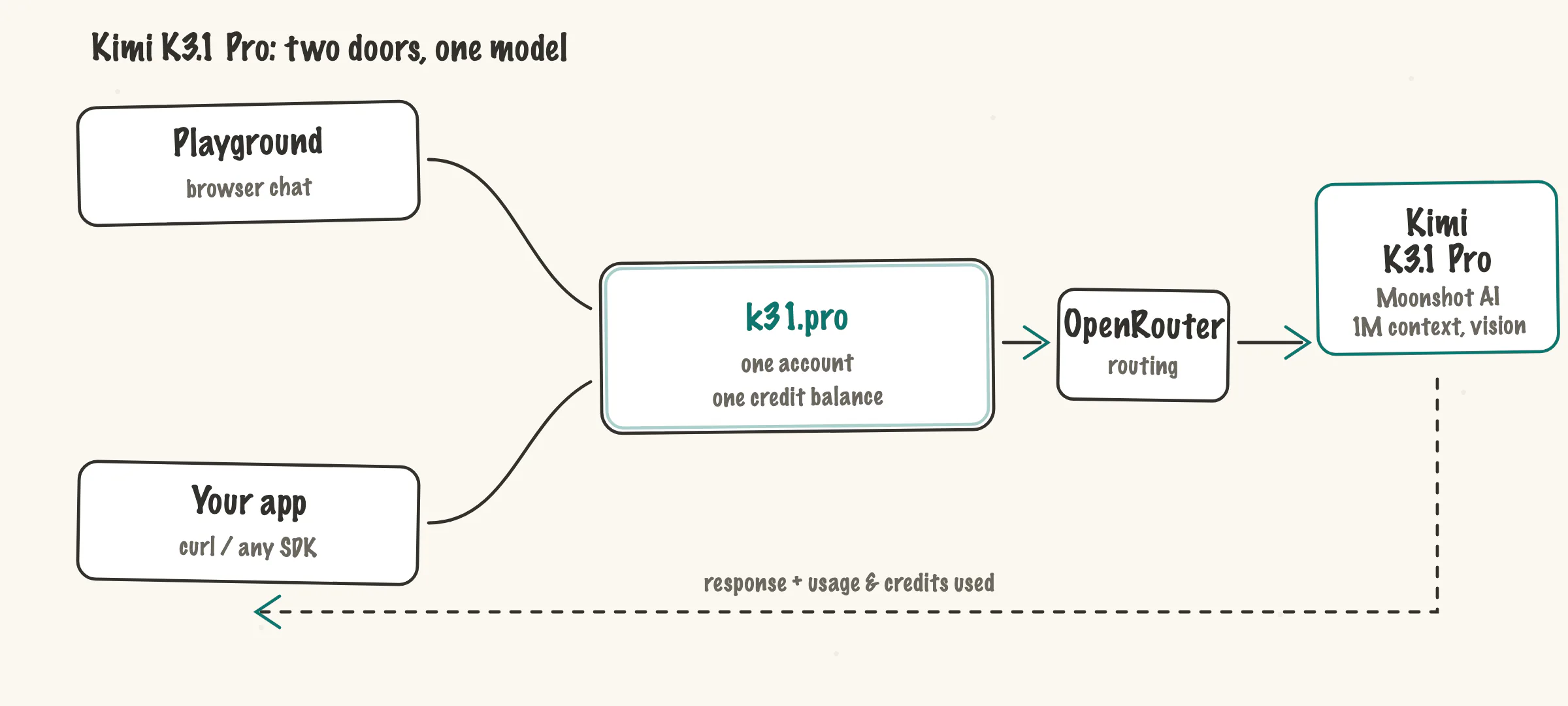
k31.pro is not operated by Moonshot AI. It is an independent service that routes requests through OpenRouter, and it says so in its own FAQ. Think of it as a rental studio built in front of a concert hall: the music is the same, but the booking, the key and the receipt come from the studio.
That structure has one practical benefit worth stating early. The playground and the API share one account, one key store and one credit balance. A prompt you validate by hand is the prompt your server sends, with no translation step in between.
2. The first conversation
Getting in takes one step: sign in with Google. New accounts receive 10 welcome credits, and no payment method is requested. Email verification-code sign-in is currently disabled, so Google is the only door.
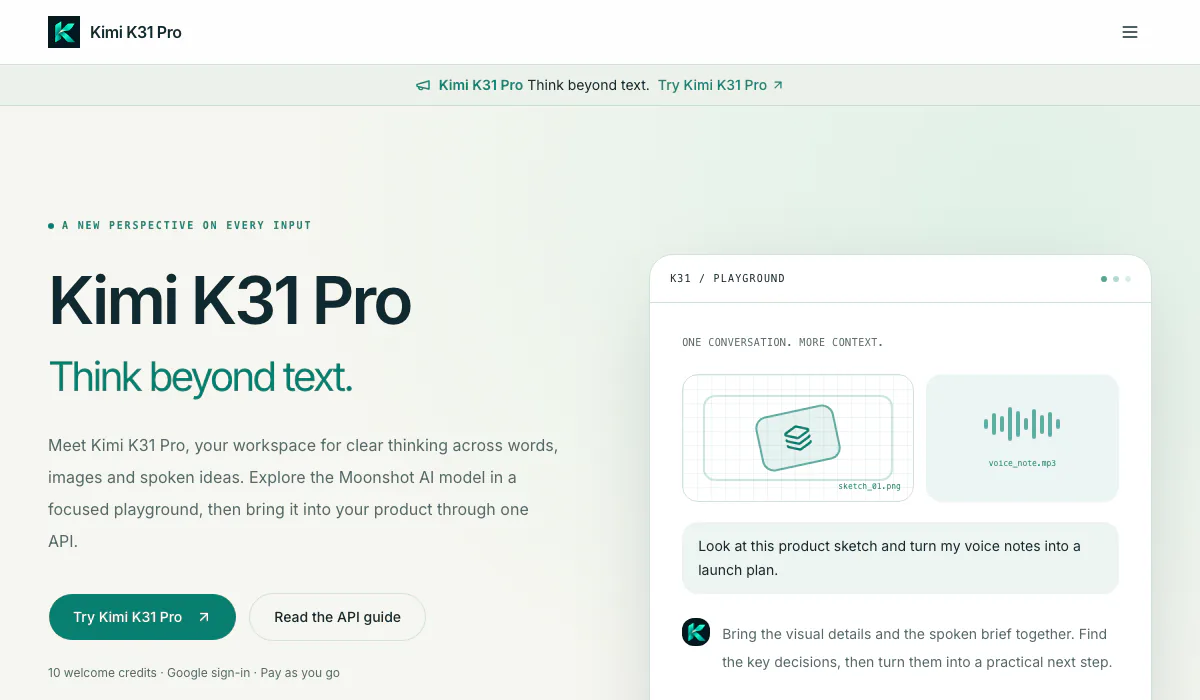
The playground presents a single conversation thread. What makes the thread interesting is what it accepts:
- Text. A brief, a hard question, a rough draft.
- Images. PNG, JPEG and WebP screenshots, diagrams and photos.
- Audio. A recording is transcribed first, then the model reasons over the transcript together with your prompt.
- Video. Recorded material can join the same conversation.
There is one more control that is easy to overlook: thinking levels. You decide how much reasoning effort a request deserves. A rewrite does not need deliberation; an architectural trade-off does. The honest limits are printed on the site: each embedded file can be 4 MiB at most, 8 MiB total, and 8 files per conversation.
3. The first API call
The endpoint follows the OpenAI chat-completions contract, so most existing client libraries work after changing a base URL and a key. Here is the minimal example from the API guide.
curl https://k31.pro/v1/chat/completions \
  -H "Authorization: Bearer YOUR_API_KEY" \
  -H "Content-Type: application/json" \
  -d '{
    "model": "moonshotai/kimi-k3.1-pro",
    "messages": [
      { "role": "user", "content": "Give this idea a new perspective." }
    ]
  }'
Three details in the code above are worth noticing. The model identifier is explicit, which keeps logs readable when something goes wrong. The request shape is the standard one, so an OpenAI SDK points at this endpoint without ceremony. And the response includes usage data, which matters in the next section.
For images, the guide says to use image_url content parts; for audio, input_audio with raw base64 data and a format. Audio is transcribed before inference, and that transcription is part of billed usage.
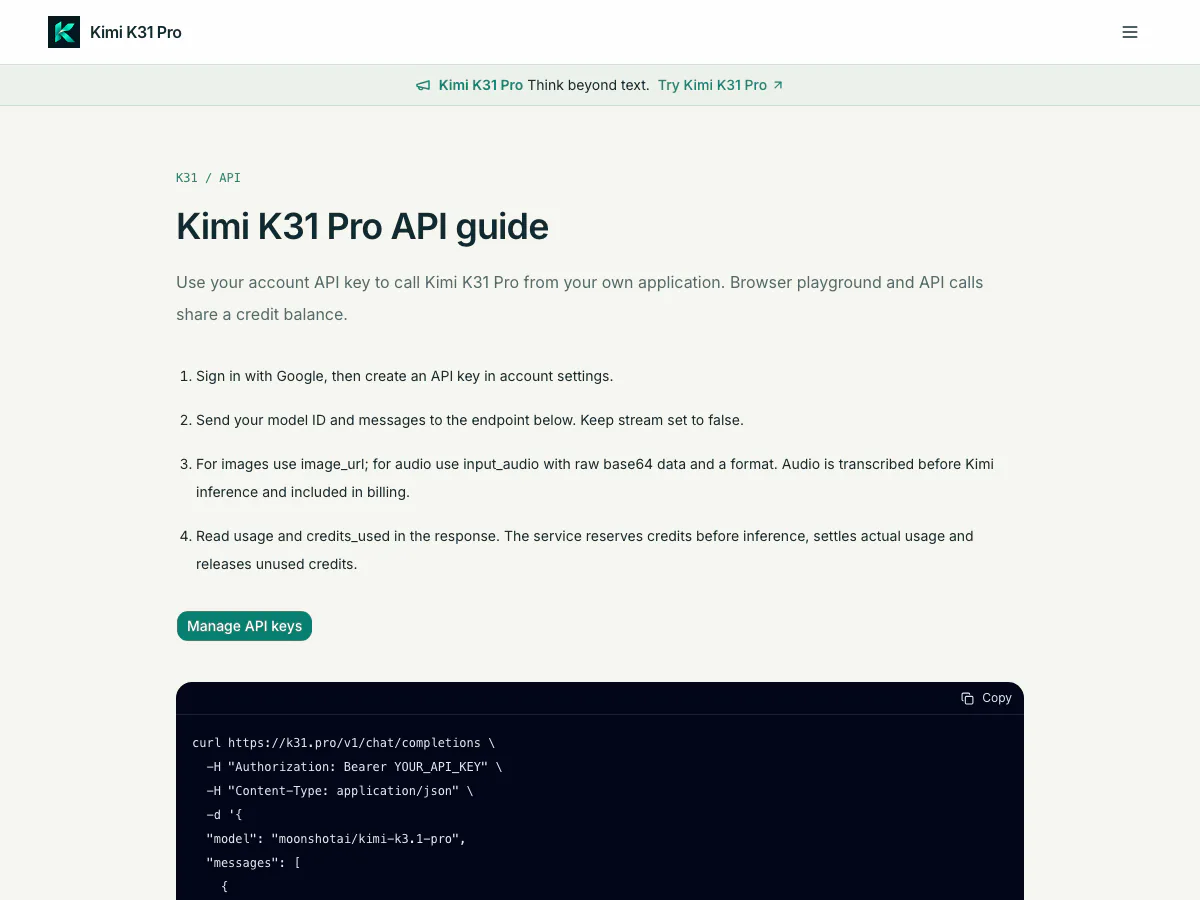
The guide also carries the two hygiene rules worth repeating: keep the API key on the server, and read the usage fields after every response.
4. How the credits work
Billing is a prepaid transit card, not a monthly pass. You top up, each ride deducts an exact fare, and every ride leaves a receipt.
The exchange rate is fixed: 1 USD equals 10,000 credits. Packs start at $10 for 100,000 credits and none of them expire, so an occasional user is not renting an idle subscription. The lifecycle of each request has two phases: credits are reserved before the model runs, then settled afterward based on actual input, cache and output usage. A successful request costs at least one credit.
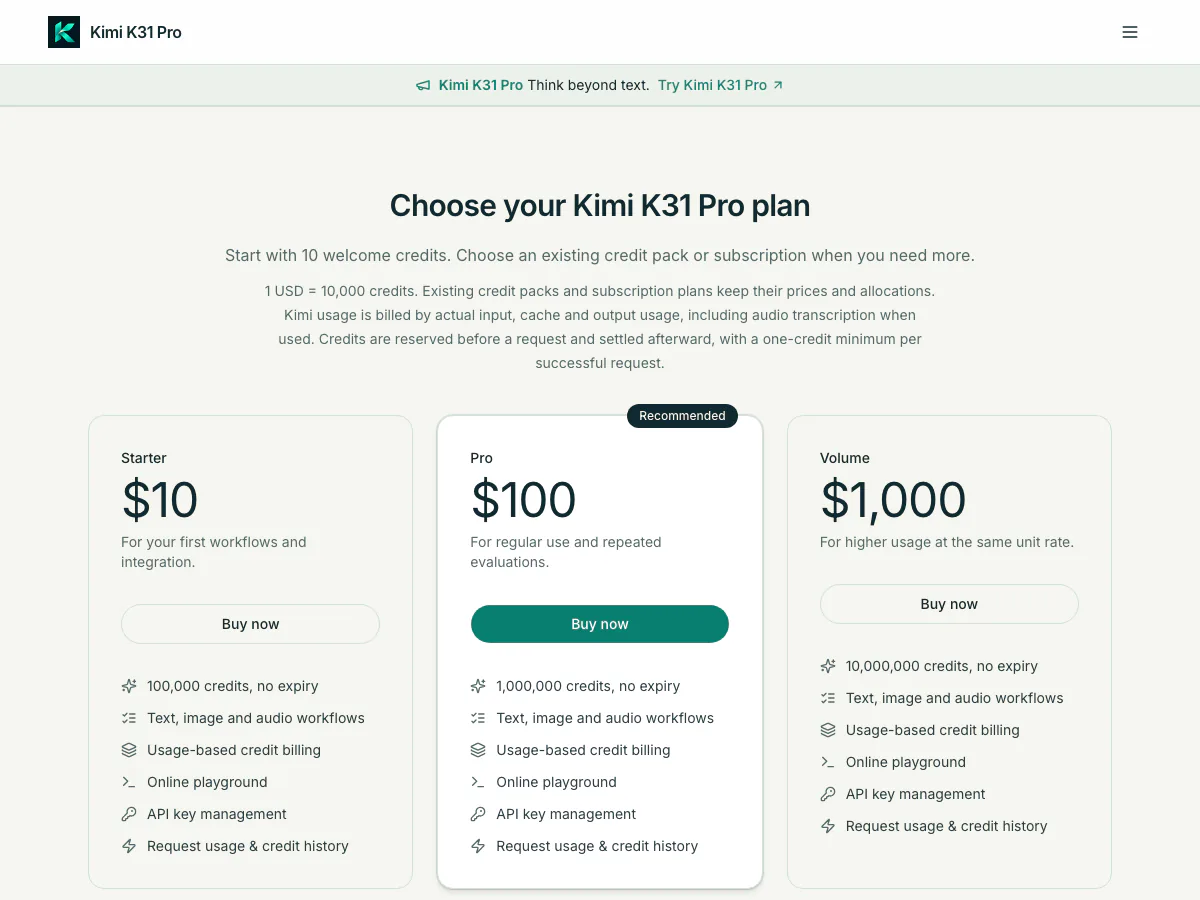
Two design choices stand out to me. The unit rate is the same at every pack size, so there is no cliff to optimize around. And because settlement reflects measured usage, the request history screen is a real ledger — each charge traces to a request, which is what makes automation spend auditable.
5. Where the boundaries are
A few limits belong in any honest tutorial, and the service prints rather than buries them:
- It is independent, routed through OpenRouter, and not affiliated with or endorsed by Moonshot AI.
- Audio goes through speech-to-text preprocessing; the upstream model natively accepts text, image and video.
- The 1M-token window is the upstream figure, and service request limits apply on top of it.
- Sign-in is Google-only at the moment.
None of these are hidden in a footer. The FAQ states each one directly, which I consider a feature of the service rather than a footnote to it.
6. Wrapping up
Kimi K3.1 Pro turns out to be a short tutorial because the product is short: sign in, chat with your own material, flip the thinking dial, then change a base URL when you are ready to build. The context window and the multimodal inputs are the model's business; the two doors and the per-request ledger are the service's. Ten welcome credits are enough to verify every claim in this article yourself.
(End)