
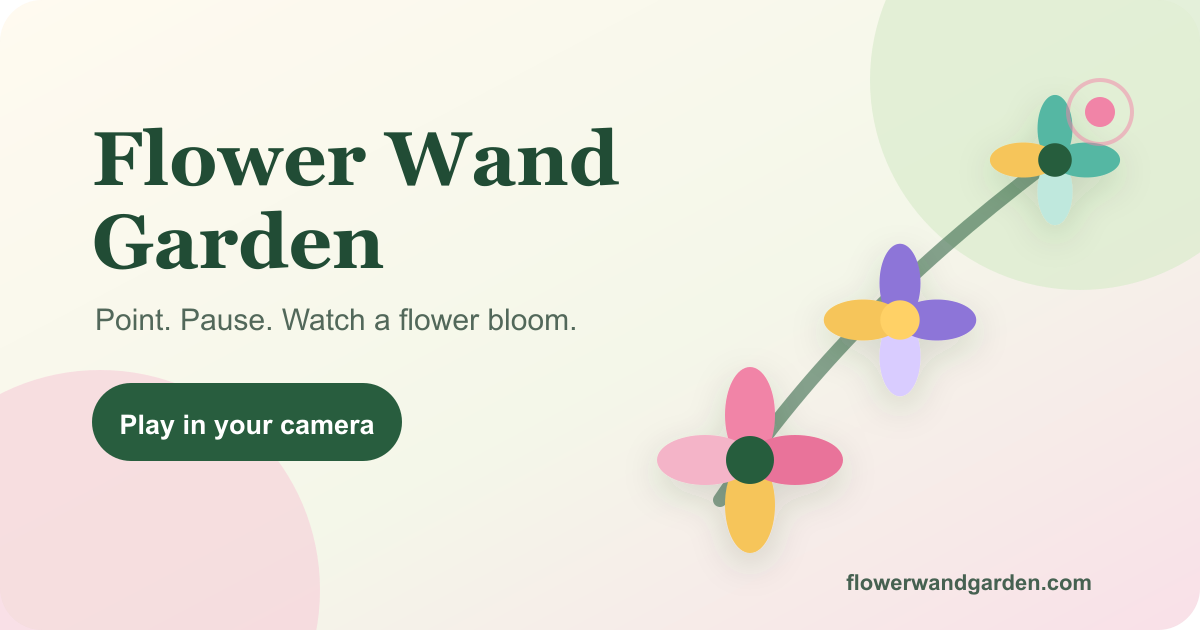
Flower Wand Garden: Grow Flowers With Your Fingertip — Free Camera Toy for All Ages
No app download · No sign-in · Works in your browser · August 2026
What if you could paint a garden in the air with just one finger? **Flower wand garden ** is a free, browser-based camera experience that turns the tip of your index finger into a virtual flower wand. Point, pause for a moment, and a colorful bloom appears on screen — no app to install, no account to create, and no drawing skill required. Whether you are looking for a creative activity for kids, a fun party moment, or a unique short video for TikTok or Reels, flower wand garden delivers instant, joyful magic straight from your camera.
What Is Flower Wand Garden?
**Flower wand garden ** is a free browser camera toy powered by real-time hand tracking. It uses MediaPipe hand landmark detection to locate twenty-one points on your hand and follow the exact tip of your index finger. When you hold your fingertip steady inside a small progress ring, flower wand garden plants a bloom — then keeps adding flowers as long as you stay close.
The experience runs entirely inside your browser. There is no app download, no sign-in, and no subscription. Camera processing happens locally on your device, so your video stream is never uploaded to any server. The result is a lightweight, privacy-first creative toy that anyone can open and enjoy in seconds.
In short: flower wand garden = live camera + hand tracking + original flower art + one simple gesture.
How Flower Wand Garden Works
Getting started with flower wand garden takes less than a minute. Here is the full process:
Step 1 — Allow Your Camera
Open flower wand garden and tap Play. Grant camera permission when prompted. Hold one hand in view under good, soft front light to help the hand model settle quickly.
Step 2 — Point and Pause
Extend your index finger and point it toward the area where you want a flower to grow. A small pink marker follows your fingertip and a progress ring begins to fill. Hold still for a moment — when the ring completes, flower wand garden plants the first bloom. Keep your finger nearby to add more.
Step 3 — Capture the Moment
When your garden looks the way you want it, take a photo or record up to fifteen seconds of video. Flower wand garden composites your camera image and flower artwork into a clean file — no hand skeleton, no UI clutter — ready to download or share directly from your device.
Key Features of Flower Wand Garden
🌸 Fingertip Hand Tracking
Flower wand garden reads twenty-one hand landmarks in real time and locks onto your index fingertip with a visible progress ring. The brief planting pause is intentional: it rewards a steady hand and makes each bloom feel earned.
🌟 Twinkling Stars Mode
Switch the wand from flowers to stars and flower wand garden sprinkles randomly sized, randomly colored twinkling stars across the frame. Stars drift and twinkle, and they are saved into your photo or video just like flowers.
👐 Up to Four Hands at Once
Flower wand garden supports up to four hands in the same frame. Friends, family members, or a small classroom group can each grow their own flowers or stars simultaneously — making it a genuinely shared creative experience on one screen.
🎨 Original Flower Art
Every bloom in flower wand garden comes from a hand-crafted sprite library with soft animation. The flowers are colorful, varied, and designed to look charming in both photos and short videos.
🖼️ Live Camera Filters
Style your capture before you shoot. Flower wand garden offers five filters — vivid, oil, watercolor, ink, and vintage — applied to the live camera frame and baked into the exported file. The look you choose is the look you keep.
🎭 Privacy Face Mask
Turn on the Mask control and flower wand garden detects every face in the frame and covers it with a flower or emoji avatar of your choice. The mask is composited into the exported photo or video, so the people in your image stay private when you share.
📸 Clean Photo Mode
Photo mode composites the camera image and your garden into a JPEG without the hand skeleton or UI elements. The result is a clean, shareable image with an optional watermark you can toggle off.
🎬 Fifteen-Second Video Mode
Record a short flower wand garden clip with a built-in timer and auto-stop at fifteen seconds — the ideal length for TikTok, Instagram Reels, or a group chat message. Video mode is available on browsers that support MediaRecorder and canvas captureStream.
⬇️ Download or Share Instantly
Flower wand garden uses your device's native share sheet when available, or downloads the file directly. No account, no cloud storage, no waiting.
Ways to Use Flower Wand Garden
🎂 Birthdays and Parties
Point above a birthday cake, hold for a bloom, and let each guest take a turn before someone captures the final picture. Flower wand garden turns a simple moment into a tiny performance that everyone remembers.
🏫 Families and Classrooms
The brief planting pause gives children a clear, satisfying link between movement, patience, and a colorful result. Flower wand garden works well as a calm creative activity in classrooms or at home — no account needed for any participant.
📱 TikTok and Reels Content
Build a bouquet around your face or an object, record a fifteen-second clip, and post directly. The watercolor or vintage filter adds an artistic look that stands out in a feed without any editing app.
🌿 Quiet Personal Moments
Flower wand garden is also just a calm, meditative thing to do. Point, pause, watch a bloom appear. It is a small, satisfying loop that requires nothing more than one hand and a moment of stillness.
Privacy and Safety: How Flower Wand Garden Protects You
Privacy is built into flower wand garden from the ground up, not added as an afterthought.
| Feature | What It Means |
|---|---|
| On-device processing | Hand detection and composition run entirely in your browser |
| No uploads during play | Your camera stream is never sent to any server |
| File leaves only on your action | A photo or video is exported only when you tap download or share |
| Camera stops on exit | Every camera track stops when you leave the Play page |
| Face mask option | Detected faces can be covered before any file is saved |
This makes flower wand garden safe for children, classrooms, and anyone who values keeping their camera feed private.
What Is Coming Next for Flower Wand Garden
The current release focuses on the private, on-device experience. The next planned phase is a moderated Public Garden — a shared gallery where players can publish finished photos and short videos after review. The Public Garden will require sign-in for publishing and will review submissions before making them public.
Future ideas also include seasonal flower collections and new wand modes beyond flowers and stars.
Frequently Asked Questions
What is flower wand garden?
Flower wand garden is a free browser camera toy that uses hand tracking to turn the tip of your index finger into a virtual flower wand. Hold your fingertip still for a moment to plant a bloom, then take a photo or record a short video — no app download or sign-in required.
Is flower wand garden free?
Yes. Flower wand garden is completely free to use. There is no subscription, no in-app purchase, and no account required to play, take photos, or record videos.
Does flower wand garden upload my camera?
No. Flower wand garden performs all hand detection, flower animation, photography, and video composition locally in your browser. A finished file leaves the page only when you explicitly download it or use your device's share sheet.
How do I make a flower appear in flower wand garden?
Show one hand to the camera, extend your index finger, and hold the pink fingertip marker steady inside the progress ring. Flower wand garden plants the first bloom after a brief pause and keeps adding flowers while you stay nearby.
Can more than one person use flower wand garden at the same time?
Yes. Flower wand garden tracks up to four hands in the same frame. Each hand grows its own flowers or stars independently, so a group can build a shared garden together on one screen.
Does flower wand garden work on a phone?
Yes. Flower wand garden is designed for current mobile and desktop browsers with camera access. Photo mode has the widest device support; video mode requires a browser that supports MediaRecorder and canvas captureStream.
Can I hide faces when using flower wand garden?
Yes. Turn on the Mask control before capturing and flower wand garden will detect and cover every face in the frame with a flower or emoji avatar. The mask is baked into the exported file so faces remain private in any photo or video you share.
Are the hand tracking dots visible in my saved photo or video?
No. The hand skeleton and fingertip progress ring are shown only as live guidance. Your exported photo or video contains only the camera image, flower or star artwork, and the optional watermark.
Can I remove the watermark in flower wand garden?
Yes. The small website watermark is on by default but can be toggled off before you take a photo or start a recording.
Conclusion: Your Next Flower Is One Gesture Away
Flower wand garden is one of the most accessible creative camera experiences available today — free, instant, private, and genuinely delightful for all ages. Whether you are planting blooms at a birthday party, recording a short video for social media, or simply enjoying a quiet moment of color, flower wand garden turns a single steady finger into something beautiful.
No account. No download. No editing timeline. Just open the page, raise one hand, and let a quiet pause turn into color.
Start planting flowers at flowerwandgarden.com →
Flower wand garden is a free browser experience. Camera processing happens on your device. Nothing is uploaded during play.