Learning Arduino means making sense of both code and circuits. A pin number in a sketch only becomes useful when you can connect it to a real place on the board.
Learn Arduino is a browser-based introduction built around the Arduino Uno. It brings a rotatable 3D board, guided lessons, reference panels, and starter code into one workspace. The design works well because the lesson and the object being explained stay close together.
Explore the board before wiring it
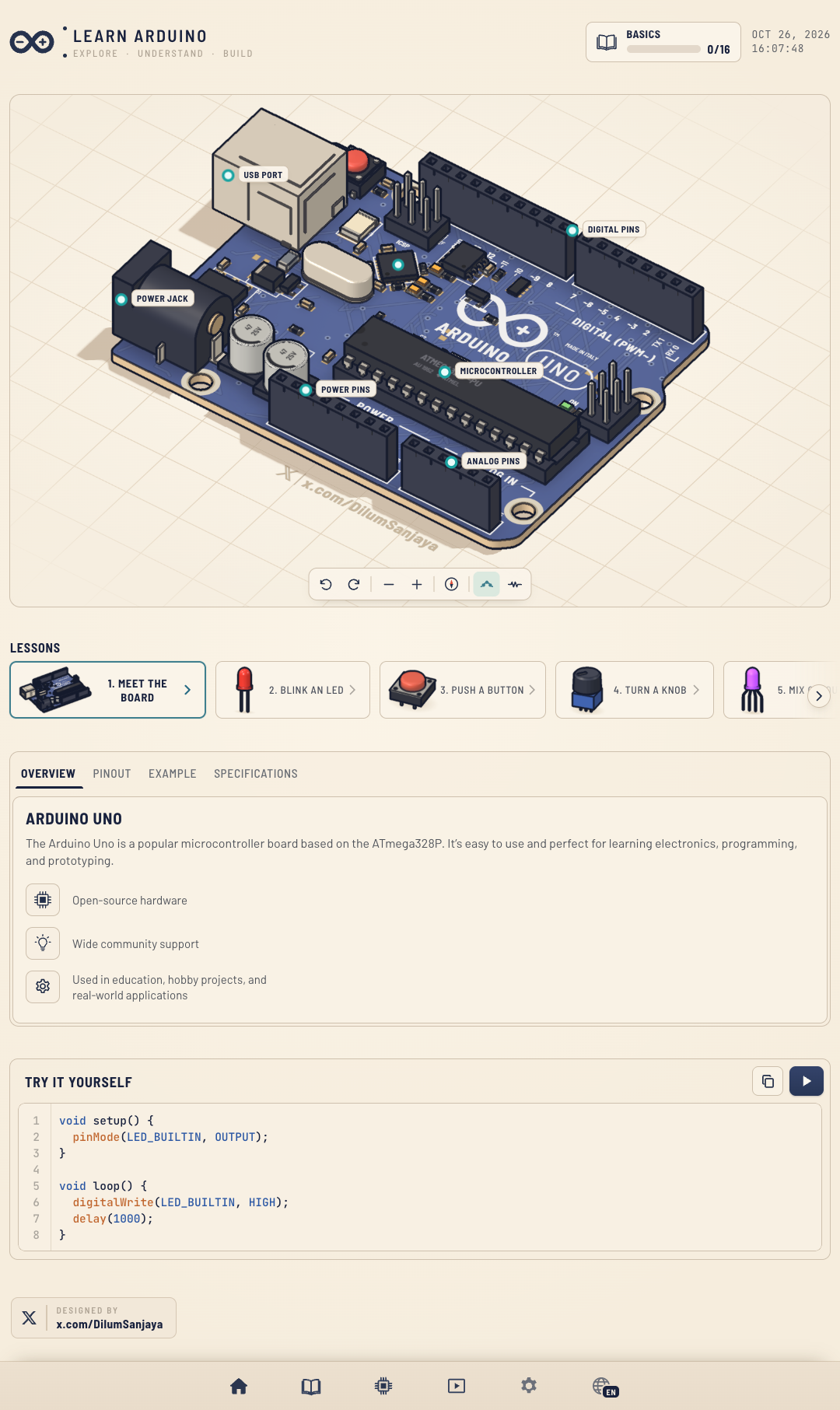
The main view presents a detailed Arduino Uno model that learners can pan, rotate, and zoom. Selectable labels identify the USB port, microcontroller, digital pins, power pins, and analog pins. Controls also offer views for current flow and a schematic.
Below the model, tabs organize an overview, pinout, code example, and specifications. That arrangement gives a beginner a place to look up a part, then connect its name to the board instead of memorizing a flat list of terms.
Follow a gradual set of lessons
The site lists 16 lessons. It starts with meeting the board, lighting an LED, reading a button, and turning a potentiometer. Later topics introduce RGB LEDs, light and distance sensors, a buzzer, a mini piano, temperature and pressure sensing, and several kinds of motors.
The sequence finishes with small combinations of those ideas, including a smart-plant display and a distance-sensor traffic-light project. The projects give the component lessons a destination: learners can see how separate inputs and outputs fit into a device.
Try a sketch beside the board
The page includes a code panel with copy and run controls. Its starter sketch uses Arduino's built-in LED as a simple output:
void setup() {
  pinMode(LED_BUILTIN, OUTPUT);
}

void loop() {
  digitalWrite(LED_BUILTIN, HIGH);
  delay(1000);
}
Here, setup() configures the LED pin, and loop() sets it HIGH before waiting for one second. This starter holds the LED on; a blinking version would also switch it LOW and wait again. When the sketch runs, the page shows a serial-monitor-style panel with compile messages and pin output.
A useful first stop for new makers
Learn Arduino suits someone who wants to understand the Uno's layout before building a first circuit. Its strongest choice is the way it pairs a visual board reference with a sequence of short experiments and code examples.
A 3D view is still a model, not a substitute for handling a board and wiring real components. When moving from the lesson to physical hardware, check the actual board's pin limits, component polarity, and current requirements. Visit the Learn Arduino website to explore the interactive lessons and board reference.